Skip to content
Table of Contents
ViralForge Review (2026) $43K Premium Bonus Package FREE!
Welcome to my in-depth ViralForge Review.
Short-form video has become an important content format for creators, affiliate marketers, bloggers, online business owners and digital product sellers. TikTok, Instagram Reels and YouTube Shorts give businesses additional ways to reach audiences, demonstrate products, answer questions and send potential customers to relevant offers.
However, producing videos consistently is not as easy as uploading a few clips and waiting for views. You need ideas, scripts, visuals, captions, calls to action, editing, publishing schedules and a way to understand which content is attracting attention. If you are promoting affiliate products, you also need a suitable offer and a clear path from a viewer discovering your video to that viewer visiting your affiliate link.
This workload can become difficult for someone who manages a website, works a full-time job or operates an online business without a dedicated video production team.
That is the problem ViralForge AI claims to address.
ViralForge is an AI-powered video creation and marketing platform designed to help users turn the structure of an already successful video into new promotional videos. According to the supplied product documentation, it combines trend discovery, video analysis, AI script generation, synthetic presenters and voices, batch creation, scheduling, an affiliate offer library and performance analytics.
The central idea is straightforward. Instead of beginning with a blank prompt and trying to guess what kind of video might attract attention, users can start with a video format that has already demonstrated audience interest. ViralForge then attempts to recreate the underlying structure with new scripts, different hooks, selected presenters and a relevant offer.
The vendor says the platform can produce up to 25 video variations in a batch, schedule content across supported social platforms and cover the AI processing costs included in the advertised service without requiring users to connect their own AI API keys.
Those are useful propositions if the software works as described. They could reduce the time required to move from an idea to a collection of promotional videos.
But there are important distinctions between a software feature, a marketing promise and a proven business result.
Generating 25 videos does not mean that 25 videos will receive meaningful views. A video inspired by a successful format does not automatically inherit the original video’s audience appeal. Scheduling content does not guarantee distribution, and views do not necessarily translate into clicks, leads or affiliate commissions.
This is why this ViralForge Review examines the product beyond its headline claims. We will look at its advertised workflow, features, pricing, upgrade structure, bonuses, intended users, practical applications, potential drawbacks, refund terms and the questions buyers should investigate before paying.
Transparency note: This review is based on the ViralForge sales-page material and the product and JV documents supplied for this article. I have not independently verified the vendor’s performance claims, inspected every feature in a live account or confirmed actual customer earnings. Where the documentation describes a feature, it is presented as an advertised capability rather than an independently tested result. Pricing and promotional terms can change, so readers should confirm the current checkout details before purchasing.
For readers who want to explore the broader subject of AI-assisted digital marketing, our AIProspectGenie Review covers another product in the AI marketing space. It is a separate tool and serves a different purpose, but it may be relevant to readers building a wider collection of digital marketing resources.
Let’s examine what ViralForge actually offers and whether its approach fits a practical content marketing workflow.
Affiliate Disclosure
This article may contain affiliate links. If you purchase a product through a qualifying link, RidhTekReviews.com may earn a commission at no additional cost to you. Affiliate relationships do not remove the importance of evaluating products carefully. Readers should review the product’s features, limitations, pricing and refund terms before making a purchase.
ViralForge Review: ViralForge Product Snapshot
ViralForge Product Snapshot
Discover tools for finding trending videos, creating short-form content variations, managing social accounts, and reviewing content performance.

Choose Your ViralForge Plan
ViralForge FE
Get started with the core ViralForge offer.
Advertised launch price. Verify current checkout terms.
GET VIRALFORGE NOWConfirm the current price and included features at checkout.
ViralForge Bundle
Bundle package with additional upgrades, subject to offer terms.
Takes $50 off the Bundle offer.
Calculated price after discount: $267/year
Apply the coupon at checkout and verify eligibility and billing terms.
ViralForge Platinum Bundle
Higher-tier bundle offer with additional package access.
Takes $50 off the Platinum Bundle.
Calculated price after discount: $417/year
Confirm the final price, renewal terms, and included upgrades.
The launch materials advertise a 14-day guarantee. Review the seller’s current refund policy, eligibility requirements, and refund process before purchasing.
ViralForge Review: Who Created ViralForge?

Abhi Dwivedi
Creator Associated With ViralForge AI
Abhi Dwivedi is identified in the ViralForge launch materials as the person associated with the product. ViralForge is promoted as an AI-powered platform for discovering trending video ideas, creating short-form content variations, and organizing social media publishing workflows.
If you are considering ViralForge, review the available features, pricing options, usage limits, and refund terms before deciding whether the platform fits your content creation or marketing workflow.
ViralForge Review: Webinar Recording, Teaser, FE VSL & Demo Videos
ViralForge Webinar Recording
Watch the ViralForge webinar recording to learn about the product presentation, its proposed workflow, and the features discussed during the session. Use this recording to understand the offer before making a purchasing decision.
ViralForge Teaser Video
View the short teaser for an introduction to ViralForge and its advertised approach to discovering trends and developing short-form video content for social media marketing.
ViralForge Front-End Sales Video
Watch the front-end sales presentation for the vendor’s explanation of ViralForge, its advertised benefits, and the core offer. Consider the claims alongside the actual features, usage limits, and terms shown at checkout.
ViralForge Demo Video
Explore the product demo to see the presentation of ViralForge’s interface and advertised workflow. Use the demonstration to assess whether its tools and process appear suitable for your content creation needs.
ViralForge Review: What Is ViralForge AI?
ViralForge AI is presented as an AI video creation platform for producing short-form content around a selected topic, product or affiliate offer.
Its intended users include affiliate marketers, faceless video creators, digital product promoters, small business owners, content creators and agencies looking for ways to produce more short-form content without handling every production task manually.
The software is built around a concept the vendor calls ViralDNA. Rather than asking users to invent every video idea from scratch, the platform attempts to identify the elements that made a reference video effective and reuse those elements in a newly generated piece of content.
The advertised process includes identifying a potentially successful video, analyzing its hook and structure, creating a new script around the user’s chosen offer, generating multiple variations and scheduling the resulting videos.
For example, imagine an affiliate marketer promoting a productivity application. The marketer finds a short video that attracts attention by opening with a recognizable problem, showing a quick demonstration and ending with a clear next step.
The marketer may want to use a similar content structure without copying the original creator’s footage, script or identity.
According to the product documentation, ViralForge can analyze the reference format and help create a new video with a different opening, a new script, an AI presenter and a call to action related to the productivity application.
The resulting video would need to be reviewed for factual accuracy, originality, brand suitability and compliance before publication. The purpose is to reuse the general structure of a successful content format, not simply download another creator’s video and repost it.
The distinction matters because social platforms have rules concerning reused material, repetitive publishing, synthetic media and misleading promotional content.
ViralForge also aims to connect video creation with affiliate marketing. Its Offer Library is described as providing access to offers from networks including JVZoo, ClickBank and WarriorPlus. Users can reportedly search for suitable offers, obtain an affiliate link where available and incorporate the offer into the video-generation workflow.
This creates a potentially convenient workflow for someone who wants to produce product-focused videos rather than merely create entertaining content.
However, ViralForge should be understood as a content production and marketing assistance tool, not as a complete business model. Users still need to select appropriate products, understand their audiences, provide accurate information, create a useful call to action and evaluate the commercial results.
The Main Idea Behind ViralForge
The product’s core proposition can be summarized in six steps:
- Find a video or content format that is gaining attention.
- Analyze its opening hook, structure, pacing and caption style.
- Adapt the concept to a different topic, product or affiliate offer.
- Generate multiple video versions with distinct openings and supporting elements.
- Schedule the videos on supported social media platforms.
- Review performance data and use the findings to guide future content.
This is the main concept that separates the advertised ViralForge workflow from a simple video editor. The platform aims to combine content research, AI generation, offer selection and publishing into a single process.
The potential benefit is workflow consolidation. Instead of manually switching between several tools for researching ideas, drafting scripts, creating presenter-led videos, adding captions and planning posts, a user may be able to complete more of those tasks from one interface.
Whether that consolidation saves enough time to justify the purchase depends on the actual quality of the outputs, the reliability of the integrations and how much editing is still required.
A creator who already has an efficient production system may find the extra automation less valuable than someone who struggles to produce even a few videos each week.
The correct question is therefore not simply whether ViralForge can generate videos. It is whether its combination of features helps a particular user publish more useful, accurate and commercially relevant content with less effort.
ViralForge Review: Why Short-Form Video Matters for Digital Marketing
Short-form video can be useful because it allows a creator to communicate one idea quickly. A brief demonstration, a clear before-and-after explanation, a practical tip or a product walkthrough may be easier for a viewer to consume than a long written explanation.
For affiliate marketers, videos can also introduce a product to people who have not previously visited the marketer’s website.
A person watching a short demonstration of a useful software feature may become interested in learning more. If the video provides an appropriate next step, that viewer may visit a profile, open a website link, read a detailed review and eventually decide whether to purchase the product.
This is the general customer journey that ViralForge is designed to support.
The platform’s marketing materials emphasize the potential of short-form video and the ability of social platforms to recommend content to viewers who do not already follow an account. That is a useful possibility, but it should not be interpreted as a guarantee that new accounts will receive substantial reach.
Recommendation systems consider multiple signals, and individual outcomes vary. Content quality, viewer satisfaction, topic demand, competition, audience behavior and platform rules all influence results.
For a broader discussion of short-form video strategy, HubSpot publishes resources on short-form video trends and marketing. Its guidance is useful for understanding the larger content marketing context in which tools such as ViralForge are positioned.
The important takeaway is that video production is only one part of a marketing strategy. The content must still answer a real audience need.
A software tool may help create more videos, but marketers need to decide what each video should communicate, who should watch it and what useful action the viewer should take afterward.
The Challenge of Producing Videos Consistently
Many small creators face the same production bottlenecks.
They may have plenty of product ideas but lack the time to write scripts. They may know what they want to say but dislike recording themselves. They may be comfortable with writing but have limited editing skills. They may create videos occasionally but struggle to maintain a realistic publishing schedule.
Affiliate marketers face another challenge: the content must not only attract attention but also communicate why the promoted product may be relevant to a particular audience.
Producing a large number of generic videos is unlikely to solve these problems by itself.
A better workflow begins with a clear content objective. Each video should answer a question, demonstrate a benefit, explain a limitation, address an objection or help viewers make a decision.
ViralForge’s advertised batch-generation approach could assist with production volume, while its trend analysis and offer-selection features are intended to help users decide what to create.
However, users should treat automation as a way to support editorial judgment, not replace it.
If the initial concept is misleading, irrelevant or poorly suited to the audience, generating more versions may simply multiply the same weakness.
ViralForge Review: How ViralForge Works
The supplied documentation describes a workflow that begins with trend research and continues through analysis, video generation, publishing and performance review.
The following sections explain each stage in practical terms.
Step 1: Find a Video or Topic With TrendRadar
TrendRadar is described as the platform’s trend-discovery component.
According to the product materials, it identifies videos and advertisements gaining momentum in selected niches. The documentation references sources such as TikTok Creative Center and Meta Ad Library. Users can also paste a link to a TikTok, Reel, Short or advertisement they want to analyze.
The goal is to reduce the time spent scrolling through social feeds looking for content ideas.
For example, a marketer promoting website-building software might investigate videos about common website mistakes, landing page improvements, small business marketing or beginner-friendly website tutorials.
A creator in the productivity niche might investigate time-management routines, workflow demonstrations or practical tips for organizing digital work.
A digital product reviewer could explore video formats that explain a problem, demonstrate a tool and invite viewers to read a detailed review.
These are examples of possible research approaches, not verified TrendRadar output.
The important question is whether the trend-discovery results are relevant to the user’s audience. A video can be popular without being commercially useful to a particular marketer.
A trending entertainment clip may attract many views but provide little opportunity to explain a software product. A smaller tutorial may receive fewer views while attracting viewers who are more likely to click through to a relevant offer.
Consequently, trend research should consider more than raw view counts.
Useful evaluation criteria include:
- Relevance to the target audience.
- Connection between the topic and the promoted offer.
- Clarity of the video’s opening.
- Whether the main idea can be explained accurately.
- Whether the format suits the selected platform.
- Whether the video offers genuine value rather than relying on exaggerated claims.
- Whether the proposed adaptation can be made original and legally appropriate.
TrendRadar’s potential value lies in helping users identify starting points. It cannot independently determine whether a particular video will generate profitable traffic for every business.
Why Trend Discovery Is Useful
Starting with a researched topic may reduce the uncertainty involved in planning content.
Without a research process, creators may repeatedly publish ideas based on personal assumptions. They might spend time producing videos about topics that their intended audience does not care about.
Research can help reveal recurring questions, common demonstrations and formats that attract attention in a niche.
Nevertheless, trend data is a snapshot rather than a prediction. A topic gaining momentum today may lose attention tomorrow. A video that succeeds with one audience may not transfer well to another.
Users should therefore combine trend discovery with their own knowledge of the audience, product and market.
For more general AI and productivity context, the guest article AI Tools Review for Smart Automation and Productivity Enhancement can be included as an additional reading resource for visitors exploring how AI tools fit into everyday work.
Step 2: Analyze the Format With DNA Decoder
After finding a suitable reference video, users need to understand what makes the content effective.
The documentation describes DNA Decoder, also referred to in parts of the materials as ViralDNA, as the analysis component that examines elements such as:
- The opening hook.
- The structure of the message.
- The pacing of the video.
- The caption style.
- The relationship between the opening and the main content.
- The way the video moves toward its conclusion or call to action.
The purpose is to identify a repeatable structure rather than simply copy the original video.
Imagine a reference video that begins by identifying a common mistake, demonstrates a solution and ends with a clear practical recommendation.
That structure may be useful for a new video about a different product. The marketer could identify a relevant problem, explain a better approach, demonstrate the product and invite viewers to read more.
The content would need a new script, accurate claims and a suitable presentation.
The distinction between structure and expression is important. General ideas, storytelling patterns and common presentation techniques are not the same as permission to reproduce another creator’s specific script, footage, music, branding or distinctive creative work.
The vendor says ViralForge does not reuse the original footage in the generated video. That is a product claim that should be checked against actual outputs.
Even if the original footage is absent, users should review the generated script, visuals, audio, trademarks and overall presentation for unintended copying or misleading similarities.
What DNA Analysis Can and Cannot Do
A video-analysis feature can help organize observations about a piece of content. It may identify a recognizable hook, a demonstration sequence or a pattern in the captions.
That does not prove why the original video succeeded.
The original creator may have benefited from an established audience, timing, distribution, external promotion, a timely subject or other factors that an analysis tool cannot reliably isolate.
A format can be one contributing factor without being the sole explanation for a video’s performance.
For that reason, users should treat DNA Decoder’s analysis as a working hypothesis. It can suggest elements to test, but the marketer still needs to evaluate the results of the new content.
A responsible process involves testing the structure, reviewing performance data and learning which elements are useful for the intended audience.
Step 3: Adapt the Concept With SwapEngine
SwapEngine is described as the component that turns an analyzed format into content centered on the user’s selected topic, product or affiliate offer.
The vendor says users can choose a presenter, voice, language, format and call to action. The software then generates a new script around the selected offer.
The product materials also describe a Claims and Trademark Guard intended to flag potentially risky wording and trademark references before rendering.
For an affiliate marketer, this stage could be useful because a general trend or content format must be adapted to the actual product being promoted.
For example, a video format about improving productivity could be adapted into a demonstration of a relevant planning application. A tutorial format could become a video explaining a feature of a digital product. A problem-and-solution format could explain how a particular software tool addresses a common workflow difficulty.
The adaptation should preserve the useful communication structure without making unsupported claims about the product.
A new script should accurately describe what the software does, who may benefit from it and what limitations the viewer should understand.
The marketer should also verify any pricing, guarantee, feature or availability claims before publication. Product details can change, especially during a launch.
Why Human Script Review Still Matters
AI-generated scripts can save time, but automated generation is not the same as fact-checking.
A script may contain an incorrect feature description, an exaggerated benefit, an unclear statement or an offer detail that has changed since the reference material was prepared.
For affiliate promotions, those errors can damage trust and create compliance problems.
A practical review should check the following:
- Does the opening accurately represent the content?
- Is the product described correctly?
- Are the benefits realistic and supported?
- Are any earnings or performance claims appropriately qualified?
- Does the video distinguish opinion from verified fact?
- Is the call to action clear and relevant?
- Does the script avoid implying that results are guaranteed?
- Is any required advertising or AI disclosure included?
The Claims and Trademark Guard may assist with selected checks, but the documentation does not establish that it can identify every misleading claim, legal risk or policy violation.
The user remains responsible for the content that is published.
Step 4: Create Multiple Versions With FreshHooks
FreshHooks and the One-Click Multiplier are described as the tools that generate multiple versions of a video.
The vendor advertises the ability to create up to 25 variations in one batch. Each version may have its own opening hook, caption, hashtags, on-screen text and framing.
This is one of ViralForge’s central features.
A marketer can use the same general topic to test different ways of introducing the subject. One version might open with a problem. Another might begin with a demonstration. A third might use a question. A fourth might focus on a common mistake.
The rest of the content can then be adapted to support the selected opening.
This approach can be useful because the first few seconds of a video often determine whether a viewer continues watching.
However, the important benefit is not simply producing more content. It is creating meaningful variations that help the marketer learn something.
If 25 videos use essentially the same script, visuals and message, the batch may offer little insight into what actually works.
A more deliberate experiment changes a small number of elements at a time and tracks the results.
For example, a marketer could test three types of opening hook across several videos while keeping the core message and call to action consistent. After collecting enough data, the marketer can investigate whether one approach produces better watch-through or click-through performance.
This is more informative than publishing many unrelated videos and attempting to identify a winning format from inconsistent results.
The Practical Value of Batch Generation
Batch generation may help creators overcome the effort involved in producing individual videos.
It can also make it easier to maintain a publishing calendar when several pieces of content are planned in advance.
But the advertised ability to generate up to 25 versions should not be interpreted as a guarantee that every batch will be ready for immediate publication without editing.
The time required to review, correct and approve a batch depends on the quality of the generated scripts, presenters, voiceovers, captions and visuals.
A creator may still need to correct pronunciation, remove irrelevant details, adjust the pacing, improve the opening, verify the offer and ensure the video works on a mobile screen.
The best way to assess this feature is to measure the entire workflow, from the initial idea to the final approved video.
If generating 25 drafts takes only a short time but reviewing them takes several hours, the overall time savings may be smaller than the headline suggests.
Conversely, if the outputs are consistently accurate and well suited to the intended format, batch creation may offer meaningful productivity benefits.
The actual result depends on the user, the selected content and the quality of the software’s output.
Step 5: Schedule Content With Smart Scheduler
The supplied materials describe Smart Scheduler as the publishing component for TikTok, Instagram and YouTube.
The vendor says users can schedule videos from one calendar, with three posts per day as the default schedule. Videos can also be downloaded as MP4 files for manual use or publishing elsewhere.
This feature could be helpful for creators who prefer to plan content in batches instead of creating and publishing every video individually.
For example, an affiliate marketer might spend one session preparing several videos about a software product, then schedule the approved content across the coming days.
That approach can separate production work from publishing work and make a consistent schedule easier to maintain.
However, users should verify the exact integrations, permissions and publishing options available to their account.
Social platforms can change their APIs, account requirements and publishing workflows. Some content types or account configurations may have different scheduling capabilities.
The documentation identifies TikTok, Instagram and YouTube as supported publishing destinations. It also describes Facebook support through downloading videos for separate use. Readers should not assume that every platform supports identical automated publishing functions.
Scheduling Is Not a Content Strategy
A publishing calendar helps organize when content appears, but it does not determine whether the content is useful.
Publishing three videos every day may be appropriate for some creators and impractical for others. The right schedule depends on the audience, subject, content quality, available time and platform-specific requirements.
A smaller number of thoughtful videos may be more useful than a large volume of repetitive material.
Creators should also monitor audience responses, questions, negative feedback and click behavior. These signals can help identify topics that deserve more detailed coverage.
The aim should be to develop a sustainable publishing system, not to maximize the number of uploads regardless of quality.
Step 6: Track Performance With Analytics and Clone Again
The final stage of the advertised workflow involves performance tracking.
The vendor describes analytics for views, watch-through performance and clicks, along with a Clone Again feature that can reuse a successful format for another batch.
For an affiliate marketer, this is potentially important because the goal is not necessarily to achieve the highest view count. The goal may be to attract relevant visitors who take a meaningful next step.
A video that attracts many views but few profile visits may serve a different purpose from a smaller video that sends qualified visitors to a product review.
Useful metrics can include:
- Views and reach.
- Average watch duration.
- Percentage of viewers who continue watching.
- Profile visits.
- Link clicks.
- Click-through rate.
- Affiliate link conversions.
- Revenue or commissions attributed to the campaign, where reliable tracking is available.
Not every metric is necessarily available within ViralForge itself. The supplied materials describe views, watch-through and clicks, but they do not establish that the software can accurately attribute every affiliate sale across all networks and platforms.
Users should verify which analytics are included and whether external tracking is needed.
For affiliate marketing, clicks and commissions may be recorded by the affiliate network rather than the video platform. Attribution can be affected by cookie windows, device changes, tracking restrictions and the path a visitor takes before purchasing.
The Clone Again function may be useful for reusing a promising format, but users should avoid assuming that one successful video will continue performing indefinitely.
A good process involves reviewing the evidence, deciding which elements may have contributed to the result and producing a new version that remains relevant to the audience.
The aim is to learn from performance rather than blindly repeat content.
ViralForge Review: ViralForge Features Explained in Detail
The six-step workflow describes how the platform is intended to operate. The following sections examine the advertised features from the perspective of a potential buyer.
1. TrendRadar for Content Research
TrendRadar is intended to help users discover videos and advertising formats gaining attention in their selected niches.
Its potential value lies in reducing the time spent looking for ideas. A creator who knows the audience but struggles to identify suitable video topics may find a trend-discovery workflow useful.
However, users should evaluate the quality and relevance of the results rather than relying entirely on popularity signals.
A good topic for affiliate marketing usually connects three things: an audience problem, a relevant product and a useful piece of content.
For instance, a video about a common website-management problem may be more relevant to a software review audience than a general entertainment trend.
The best trend is not always the one with the highest view count. It is the one that offers a credible opportunity to create useful content for the intended audience.
2. DNA Decoder and ViralDNA
These features are described as analyzing the structure of a reference video.
The platform may identify its opening, message sequence, pacing and caption style. The user can then apply that structure to a different subject or offer.
The potential advantage is a more organized creative process.
Instead of simply saying that a video looks successful, the marketer can break down how it introduces a problem, demonstrates an idea and encourages the viewer to continue watching.
The limitation is that structural analysis cannot guarantee an accurate explanation of audience behavior. Other factors may have influenced the video’s performance.
Users should consider the analysis a starting point for experimentation.
3. SwapEngine and AI Script Generation
SwapEngine is intended to adapt the selected format to the user’s offer.
The product materials describe new scripts, selected presenters, voices, languages and calls to action. The user can reportedly preview and regenerate the opening hook.
This may be useful for creators who need a starting draft quickly.
Nevertheless, a generated script should be reviewed for accuracy, clarity, tone and relevance.
For software reviews, this is particularly important. A script that promises features the product does not have could mislead potential buyers and harm the publisher’s credibility.
The marketer should confirm that all product claims match the current official documentation.
4. AI Presenters and Voices
ViralForge advertises AI presenters and voices in multiple languages.
This can be useful for users who do not want to appear on camera or record their own voice. It may also help creators test different presentation styles without arranging a new recording session for each variation.
However, synthetic presenters do not automatically make content engaging.
Viewers may respond poorly to unnatural speech, incorrect pronunciation, stiff delivery, distracting facial movements or a presenter that feels unrelated to the subject.
Language support also needs practical evaluation. A translated script may be grammatically correct but still sound unnatural to native speakers or use terminology that is inappropriate for the target market.
For a creator producing content for audiences in India or other multilingual markets, the quality of local-language narration and captions could be particularly important.
Users should inspect actual output samples before deciding whether the presenters are suitable for their brand.
5. Multiple Languages and Aspect Ratios
The platform describes support for multiple languages and three common video formats:
- 9:16 for vertical short-form video.
- 1:1 for square placements.
- 16:9 for widescreen video.
This flexibility may help creators adapt their content to different publishing contexts.
The documentation also describes remaking content in another language rather than merely placing translated subtitles over the original version.
That could be useful for testing whether a subject appeals to audiences in different language markets.
However, localization involves more than translating words. Examples, product references, cultural context, calls to action and audience expectations may need to change.
A script that works in one market may require significant editing for another.
The same principle applies to aspect ratios. A widescreen composition may not work well in a vertical feed if important text, presenters or demonstrations are cropped.
Users should inspect each output in its intended format instead of assuming that resizing alone produces a polished result.
6. Offer Library
The Offer Library is described as a built-in way to search affiliate offers across JVZoo, ClickBank and WarriorPlus.
This feature is aimed at users who want to monetize their content but have not yet selected a product to promote.
An integrated offer-discovery process could reduce the number of steps between choosing a niche and creating promotional content.
However, access to an offer does not guarantee affiliate approval, a commission, a conversion or a suitable fit with the audience.
Users should examine the product itself, its terms, the commission structure, the sales page and the quality of its customer experience before promoting it.
A product should be selected because it is relevant to the audience, not merely because it is available in a software library.
Marketers should also disclose their financial relationships and avoid implying that a recommendation is independent when they have an affiliate interest.
The Federal Trade Commission provides guidance on social media influencer disclosures. Although legal obligations vary by jurisdiction, the guidance illustrates why clear, visible disclosures are an important part of responsible promotion.
7. Claims and Trademark Guard
The supplied documentation describes a system that checks scripts and on-screen text for potentially risky claims and trademark references.
This is a useful concept because AI-generated marketing copy can sometimes include unsupported promises, overly broad statements or inappropriate brand references.
A warning system may help users notice issues before rendering a video.
However, automated checks are not a substitute for human review or legal advice. A script may be misleading without containing an obvious keyword, and a legitimate trademark reference may require context that an automated system cannot fully understand.
The user should review flagged items, investigate uncertain claims and avoid publishing content that cannot be substantiated.
For financial, health, business-opportunity or income-related offers, the review process should be especially careful. Claims about earnings or expected results can materially affect a viewer’s purchasing decision.
8. Smart Scheduler and Content Calendar
The scheduling feature is designed to let users manage approved videos from one calendar.
A calendar can help creators organize themes, publishing dates, promotional campaigns and content variations.
For example, an affiliate marketer could schedule an introductory video, a product demonstration, a feature walkthrough and a balanced discussion of limitations across several days.
This creates a more coherent content sequence than publishing unrelated promotional messages at random.
The calendar may also help users identify gaps in their publishing plan and avoid repeatedly posting the same message.
Still, the advertised scheduling workflow should be tested with the user’s actual accounts. Publishing permissions, account types, platform limitations and supported media formats can affect what is possible.
9. Bio-Link Page
ViralForge includes a bio-link page according to the supplied documentation.
A bio-link page gives viewers a destination where they can find one or more relevant offers after visiting a creator’s profile.
For an affiliate marketer, this can be useful when individual videos cannot contain a clickable link in the way the marketer would prefer.
A bio-link page can also help organize several related offers or direct visitors to a detailed product review.
The page should make the next step clear. If a visitor arrives from a video about a specific product, placing that product’s review or landing page prominently may be more useful than presenting an unorganized list of unrelated links.
Affiliate disclosures should remain visible where appropriate, and links should lead to the destinations described in the video.
Users should verify whether the included page supports their branding, tracking requirements, custom domain preferences and desired analytics.
10. Analytics and Clone Again
The analytics and Clone Again features are designed to help users identify content that performs well and reuse its format.
This may support an iterative marketing process.
For example, if a video that explains a common problem attracts relevant viewers, the marketer could produce additional content addressing related questions.
If a video receives many views but few profile visits, the marketer might investigate whether the call to action is unclear or whether the content attracts the wrong audience.
The key is to interpret metrics in context.
View counts alone do not establish commercial success. Similarly, a high click-through rate may not produce sales if the offer is poorly matched to the audience or the landing page fails to meet expectations.
The best decisions combine platform analytics with affiliate-network reporting and a realistic understanding of the customer journey.
11. Starter Templates and Saved Formats
The vendor also advertises starter templates and a saved-format library.
These features may help users begin with a predefined structure instead of creating everything from scratch.
Templates can be useful when a creator needs to produce recurring types of content, such as demonstrations, educational tips, product walkthroughs or problem-and-solution videos.
Saved formats may make it easier to reuse a successful structure while changing the topic, presenter or offer.
However, templates should not become a reason to publish repetitive material without meaningful value.
A template is most useful when it provides a reliable framework while leaving enough room for original information, relevant examples and a clear audience benefit.
12. Mobile Browser Access
The product documentation states that ViralForge can be accessed through a mobile browser.
This may be convenient for creators who manage content from a phone or prefer not to install a desktop application.
A mobile workflow can be useful for reviewing scripts, checking a publishing calendar or initiating a batch while away from a computer.
The actual experience will depend on the interface, screen size, internet connection and complexity of the task.
Before relying on mobile access for a business workflow, users should verify that the features they need are practical on their device. Some tasks, such as reviewing multiple video variations or making detailed edits, may be easier on a larger screen.
ViralForge Review: Key Features Summary
- TrendRadar: Discover trending video ideas for potential content opportunities.
- ViralDNA Decoder: Analyze viral video structures, hooks, pacing, and caption styles.
- SwapEngine: Adapt video concepts around your own product, niche, or affiliate offer.
- FreshHooks: Generate alternative hooks and opening angles for short-form videos.
- AI Video Variations: Create multiple versions of video content, with batches advertised at up to 25 variations.
- AI Presenters and Voices: Use advertised AI presenter and voice options in video creation.
- Smart Scheduler: Organize and schedule content for supported social media workflows.
- Social Media Integration: Support content workflows for platforms such as TikTok, Instagram, and YouTube, subject to available integrations.
- Bio-Link Page: Create a central destination for directing viewers to your links and offers.
- Content Analytics: Review available performance metrics to assess how your published content performs.
- Offer Library: Explore offer ideas for developing promotional video content.
- Viral Blueprint Vault: Access pre-analyzed viral content blueprints in eligible upgraded plans.
- Unlimited Upgrade: Advertised higher-tier access includes increased video capacity, subject to plan limits and fair-use terms.
- Agency Features: Eligible upgrades advertise client-management and white-label capabilities.
ViralForge Review: ViralForge for Affiliate Marketers
Affiliate marketing is one of the most prominent use cases in ViralForge’s sales material.
The platform aims to connect short-form content with offers that users can promote through affiliate links. This is relevant because affiliate marketers often face a traffic problem rather than a shortage of products.
An affiliate can have a good review article and a suitable offer but still struggle to attract visitors.
Short-form video may provide another route to introduce the subject, answer a question or encourage viewers to read a more detailed explanation.
ViralForge attempts to simplify that content-production process.
However, successful affiliate marketing requires more than placing a link in a video description or profile.
The content must attract the right audience, establish credibility, explain the offer accurately and provide a clear next step. The product itself must also be relevant and worth considering.
Using ViralForge to Promote Software Reviews
A practical use case is creating videos that support existing written product reviews.
Suppose a website publishes a detailed review of a digital marketing application. The creator could produce several short videos covering distinct aspects of the review:
- A short explanation of the problem the product addresses.
- A demonstration of one important feature.
- A discussion of who may benefit from the product.
- A summary of an important limitation.
- An explanation of the pricing structure.
- A walkthrough of the purchase decision.
- An invitation to read the full review before buying.
Each video should provide useful information rather than merely repeat a generic sales pitch.
The detailed article can then provide the fuller context that a short video cannot accommodate.
For example, readers researching AI prospecting products may also find our BuyerEngine AI Review relevant to their broader interest in digital marketing software.
Similarly, visitors exploring video repurposing workflows may want to read our Blog2Vid Review.
These links should be included where they genuinely help the reader explore a related topic. They should not be inserted simply to increase the number of internal links on the page.
Building a Content Funnel Around ViralForge
A content funnel is the path a person takes from discovering a topic to taking a desired action.
For a software affiliate, that journey might look like this:
- A viewer discovers a short video about a problem.
- The video provides a useful explanation or demonstration.
- The viewer visits the creator’s profile.
- The viewer opens a relevant link.
- The viewer reads a detailed review or product guide.
- The reader evaluates the offer and decides whether to purchase.
ViralForge may assist with producing the initial videos and organizing publication. The website, review content and affiliate links remain important parts of the overall process.
Each stage should be designed around the reader’s needs.
A video should not promise an easy result that the review later qualifies with several limitations. The message should remain consistent from the first contact through the purchase decision.
This consistency supports trust and may help attract visitors who are genuinely interested in the product.
Why the Written Review Still Matters
Short-form video is useful for discovery, but it is not a replacement for detailed evaluation.
A 30-second video cannot usually explain a software product’s complete pricing structure, upgrade funnel, refund conditions, technical requirements and limitations.
A well-organized written review can provide that context.
For affiliate websites, video and written content can serve complementary roles. Videos introduce the topic, while the article helps readers evaluate the offer in greater depth.
Our Productspilot AI Review is another example of the type of product-focused content readers may explore when researching digital marketing tools.
The value of internal links depends on their relevance. A reader should be able to understand why a link is present and what additional information it offers.
A sensible internal linking structure can help visitors discover related articles and help search engines understand the relationships among pages. It cannot, by itself, guarantee rankings or organic traffic.
Using Affiliate Offers Responsibly
The Offer Library could simplify offer discovery, but users should not assume that every listed product is suitable for promotion.
Before creating a video, the marketer should inspect the offer’s claims, refund terms, target audience, price and support arrangements.
If the product makes strong income claims, those claims should be supported and presented with appropriate context. Exceptional results should not be portrayed as typical outcomes without evidence.
Affiliate links should also be disclosed clearly.
The FTC’s guidance on social media disclosures explains that financial relationships should be made clear to viewers and readers. Applicable requirements depend on the audience and jurisdiction, but transparency is a sound practice regardless.
ViralForge may assist with producing promotional material, but it cannot remove the marketer’s responsibility for what that material communicates.
ViralForge Review: ViralForge Pricing & Funnel Breakdowns – How Much Does It Cost?
Review the available ViralForge offers below. Pricing and access differ by product, and annual plans may renew according to the seller’s terms. Check the relevant checkout page for the final price, inclusions, and billing conditions before ordering.
ViralForge Premium
- Entry-level ViralForge offer.
- Designed around AI-assisted short-form video creation and trend-based content workflows.
- Review the checkout page for the exact included features, usage allowances, and restrictions.
FastPass
- Higher-tier package advertised with access to additional tools and resources.
- Launch materials describe access to several related applications and content resources.
- Confirm the current package contents and annual renewal conditions before purchasing.
FastPass Platinum
- Higher-tier FastPass package.
- Launch materials describe additional training, calls, tools, and community access.
- Verify which extras are currently included in this specific offer.
Done-For-You
- Advertised as a done-for-you setup and content resource offer.
- Launch materials describe branded workspace elements, video assets, and a posting calendar.
- Check eligibility, delivery scope, and fulfillment terms at checkout.
Unlimited
- Advertised upgrade for increased video creation capacity.
- Launch materials mention a higher monthly video allowance subject to fair-use conditions.
- Confirm the precise limits and AutoPost availability for this plan.
Vault
- Advertised collection of pre-analyzed viral video blueprints.
- Intended to provide starting points for planning and structuring content.
- Check the checkout page for the current library contents and access terms.
Agency
- Advertised for agency-style and client-facing workflows.
- Launch materials mention white-label options, client logins, and agency resources.
- Verify licensing, client limits, and reseller rights before buying.
Ultra
- Advertised upgrade for enhanced video production resources.
- Launch materials mention higher-quality AI presenters, voices, B-roll, and priority rendering.
- Confirm the exact features and annual billing terms on the offer page.
ViralForge xBundle
- Bundle offer advertised with additional tools and resources.
- Coupon code: VBUNDLE50.
- The supplied coupon is intended to deduct $50, making the calculated price $267 per year if accepted.
ViralForge xBundle Platinum
- Higher-tier bundle offer advertised with expanded package access.
- Coupon code: VPLATINUM50.
- The supplied coupon is intended to deduct $50, making the calculated price $417 per year if accepted.
The ViralForge launch materials advertise a 14-day money-back guarantee. Check the current seller refund policy for eligibility, activation requirements, exclusions, and the process for requesting a refund. Do not assume every upgrade has identical terms without confirmation.
Prices and offer terms are based on the details supplied for this review. Confirm the final checkout amount, billing frequency, product access, coupon acceptance, and refund terms before placing an order.
ViralForge Review: Is the $37 ViralForge Offer Enough?
For a new user, the core offer may be the most sensible place to begin if the current terms still provide the advertised one-time entry price and the included features meet the user’s needs.
Starting with the core plan can help answer several practical questions:
- Is the interface easy to understand?
- Are the generated scripts relevant to the chosen niche?
- Do the presenters and voices meet the user’s quality standards?
- Can the user create videos without extensive corrections?
- Do the scheduling tools work with the intended accounts?
- Is the included allowance sufficient?
- Does the workflow save enough time to justify continued use?
Those answers provide a stronger basis for deciding whether to upgrade.
The larger bundles may offer more features, but paying for additional capacity before establishing a working content process can lead to unnecessary spending.
ViralForge Review: What Happens After the Launch?
The supplied documents describe a post-launch price of $97 per year for the core product and $997 per year for the Bundle. They also describe the Platinum package and certain launch bonuses as time-limited.
These are vendor-stated future terms, not independently confirmed current checkout prices.
The documents contain different descriptions of usage allowances and some differences in how included bonuses are presented. Buyers should therefore review the exact package summary, recurring billing information and applicable terms displayed immediately before purchasing.
A careful purchase decision should be based on the package actually being sold, not on a headline copied from an older promotional page.
ViralForge Review: ViralForge Bonuses – What Is Included?
The supplied JV documentation advertises seven launch bonuses with a combined stated value of $919.
The vendor’s assigned values are promotional valuations. They do not establish the bonuses’ independent market value, and the actual usefulness of each resource will depend on its quality and the buyer’s needs.
Bonus 1: RedCarpet LIVE Training
Advertised value: $497
The vendor describes live training intended to guide buyers through the initial setup and video-generation process.
The training is presented as covering tasks such as choosing a niche, selecting an offer, creating an initial batch, configuring a bio-link page and scheduling content.
For beginners, structured guidance may help reduce the time spent learning an unfamiliar interface.
The practical value will depend on the training’s depth, availability, relevance to the current software version and the opportunity to ask questions.
Buyers should confirm whether live sessions are scheduled at convenient times, whether recordings are available and how long the training remains accessible.
The advertised valuation should not be interpreted as proof that the training is worth $497 to every buyer.
Bonus 2: The 100 Viral Hooks Swipe File
Advertised value: $97
This resource is described as a collection of 100 hook formulas organized by niche.
A hook is the opening element intended to capture attention and communicate why a viewer should continue watching.
Examples of common hook structures include introducing a problem, challenging an assumption, demonstrating an unexpected result or asking a question relevant to the audience.
A collection of hook formulas can help creators avoid beginning every video with the same generic introduction.
However, a formula is only a starting point. The opening must match the actual content, and any claim in the hook must be supported by what follows.
A misleading hook may attract attention but disappoint viewers and undermine trust.
Bonus 3: The Top 50 Offers List
Advertised value: $97
The vendor describes this resource as a list of 50 affiliate offers from networks such as JVZoo, ClickBank and WarriorPlus.
The intention is to help users identify products that might fit short-form video content.
The list could save some initial research time, but its value depends on the accuracy and currency of the information.
Affiliate programs can change their terms, commission rates, availability and promotional requirements. An offer that was suitable when the list was created may no longer be active or appropriate.
Users should verify each product’s current terms before promoting it.
The most important consideration is audience relevance. A list of 50 products is not inherently useful if none of them fits the creator’s niche or audience needs.
Bonus 4: The 30-Day Posting Plan
Advertised value: $47
This resource is described as a day-by-day plan for the first month of publishing.
A posting plan can help users move from an initial setup to a consistent content routine.
For example, a creator might allocate different days to educational content, demonstrations, common questions, product walkthroughs and balanced reviews.
A structured calendar can also make it easier to avoid publishing the same message repeatedly.
The plan should still be adapted to the user’s available time and audience response. Following a schedule without reviewing performance is less useful than adjusting the plan based on what the audience actually finds helpful.
Bonus 5: The Bio-Link Click Playbook
Advertised value: $47
This resource is intended to explain how to organize a bio-link page and encourage relevant visitors to click through to an offer.
For affiliate marketers, a profile link can connect a social video to a detailed article, product page or other destination.
The page should clearly identify each destination and help visitors understand what they will find after clicking.
A useful link structure might prioritize the product featured in the current campaign, while also providing access to related resources.
The page should not hide affiliate relationships or use misleading labels.
The bonus may help users think more deliberately about the transition from video to website, but actual click performance will depend on the audience, content and offer.
Bonus 6: The New Account Setup Checklist
Advertised value: $37
This checklist is described as helping users configure new social accounts with suitable profiles, links and AI labels.
A setup checklist can reduce the risk of overlooking basic account information before publishing.
For a new creator, useful setup tasks include writing a clear profile description, selecting an appropriate account name, organizing contact information and checking the platform’s publishing requirements.
The precise steps will vary by platform and account type.
Users should also check the current rules concerning AI-generated material, commercial content and links before publishing.
Bonus 7: The Black Friday Video Playbook
Advertised value: $97
The vendor describes this resource as a plan for preparing videos and offers around the Black Friday shopping period.
Seasonal campaigns can create opportunities for relevant product demonstrations, buying guides and promotional content.
However, seasonal marketing is useful only when the offer genuinely suits the audience and the claims remain accurate.
Creators should verify current prices, promotional deadlines and terms before publishing time-sensitive videos.
A campaign calendar can help coordinate content, but it cannot guarantee demand or sales.
Are the ViralForge Bonuses Worth the Advertised Value?
The bonuses may be useful if they provide practical instructions, relevant templates and resources that the buyer would otherwise have to create.
Their stated dollar values should be treated as vendor estimates rather than independently verified market prices.
A sensible evaluation asks whether the resources save time, improve the content process or help the user avoid common mistakes.
The most useful bonus for a beginner may be the setup checklist or training. An experienced marketer may find the hook formulas or posting plan more relevant. An agency may place greater value on the expanded software functionality.
Buyers should assess the resources according to their actual needs instead of treating the combined bonus valuation as proof of an exceptional deal.
ViralForge Review: Advantages and Disadvantages
An honest ViralForge AI Review should consider both the potential benefits and the areas that need verification.
The platform brings several tasks together in one advertised workflow, which could be useful for creators who currently handle research, scripting, video production and scheduling separately.
At the same time, a feature list does not establish output quality, platform compatibility or commercial results. The product’s value depends on how well the individual features work together and how much manual work remains.
Potential Advantages of ViralForge
1. A Structured Video-Creation Process
One of ViralForge’s most interesting ideas is its attempt to give users a structured starting point.
The platform is designed to begin with an existing content format or a trending video rather than an empty prompt. That may help users who struggle to decide what to create.
A structured process can make content planning less intimidating, especially for beginners who have limited experience with short-form video.
However, the quality of the starting concept still matters. The platform can assist with generating a new video, but the user must decide whether the topic is relevant and whether the final message is worth publishing.
2. Multiple Video Variations
The advertised ability to create up to 25 versions in one batch may help users experiment with different opening hooks and presentation styles.
This can be useful when a marketer wants to test several ways of introducing the same topic.
Rather than manually producing every variation from scratch, the user may be able to generate a group of drafts and review them together.
The benefit depends on whether the variations are meaningfully different and whether the output quality is consistent.
3. AI Presenters for Faceless Content
Some creators prefer not to appear on camera. Others do not have access to suitable recording equipment or a quiet place to record voiceovers.
ViralForge’s advertised AI presenters and voices may help these users create presenter-led videos without filming themselves.
This can lower certain production barriers, but it does not remove the need for good scripts, clear demonstrations and appropriate visual presentation.
4. An Integrated Affiliate Offer Workflow
The Offer Library is designed to help users find affiliate products and incorporate their links into promotional content.
This may be convenient for beginners who are still learning how to identify products suitable for their audience.
However, affiliate offers should be evaluated individually. The existence of a built-in library does not establish that a product is reliable, that its claims are accurate or that it will convert well.
5. Scheduling and Content Organization
A shared calendar may help users plan content in batches and maintain a more consistent publishing routine.
This is particularly relevant to people who work on their website or business during limited periods.
The practical benefit should be measured in reduced production time and improved organization, not simply in the number of scheduled posts.
6. Performance Feedback
The advertised analytics and Clone Again functions are intended to help users identify promising formats and develop new content based on observed performance.
If the analytics provide reliable information, they may support a more deliberate testing process.
Users should still confirm exactly which metrics are available and whether external analytics or affiliate-network reports are needed to evaluate conversions.
7. No Separate API Key for Advertised Core Features
The vendor states that the core product covers its included AI processing costs without requiring users to provide their own AI API keys.
This may simplify setup for users who are unfamiliar with API credentials, usage-based billing or technical integrations.
It also makes the total cost easier to estimate, provided the included limits and upgrade conditions are clear.
The claim should not be interpreted as unlimited use at every subscription level. The supplied documentation describes a core video allowance and optional upgrades for additional capacity.
8. Multiple Formats and Languages
Support for different aspect ratios and languages may help users adapt content to different platforms and audiences.
The value depends on the quality of localization and how well the generated video fits the intended placement.
A translated script that sounds unnatural or a vertical video with poorly positioned captions may still require substantial editing.
Potential Disadvantages and Limitations
1. Video Generation Does Not Guarantee Reach
This is the most important limitation to understand.
ViralForge’s marketing emphasizes using formats that have already attracted attention. That may be a useful creative strategy, but it cannot guarantee that a new video will perform similarly.
The original content may have succeeded because of timing, audience interest, distribution, creator reputation or other factors that cannot be reproduced simply by using a similar structure.
A realistic purchase decision should be based on the software’s production capabilities, not on an expectation of guaranteed viral reach.
2. Affiliate Commissions Are Not Guaranteed
The product is promoted partly around the idea of turning views into affiliate commissions.
The general process is plausible: relevant videos may attract viewers, some viewers may visit a profile, some may click an affiliate link and some may purchase.
But every stage introduces uncertainty.
A video may receive few views. Viewers may watch without clicking. Visitors may decide that the product is unsuitable. A purchase may not be attributed to the affiliate account.
ViralForge cannot eliminate these uncertainties.
The vendor’s earnings examples and marketing claims should not be treated as typical results or predictions of what an individual buyer will earn.
3. AI Output May Need Editing
The software is intended to automate several content-production tasks, but generated material may still require corrections.
Potential issues include unnatural narration, repetitive hooks, inaccurate claims, awkward captions, irrelevant visual elements and weak calls to action.
A creator who publishes without reviewing the outputs risks damaging audience trust.
The actual editing burden is one of the most important factors to evaluate during the first batch.
4. Batch Generation Can Create More Review Work
Generating 25 videos at once may save production time, but it also creates a group of assets that need to be checked.
If the scripts are repetitive or the videos contain errors, the user may spend considerable time correcting them.
The number of generated videos is therefore not a complete measure of productivity.
The more useful measure is how many accurate, relevant, publishable videos the user can produce within a reasonable amount of time.
5. Platform Integrations Need Verification
The vendor describes publishing integrations for TikTok, Instagram and YouTube.
However, platform capabilities can change, and the exact functions available may depend on account settings, permissions, media format and integration support.
Before relying on automated publishing for an important campaign, users should verify that the integration works with their own accounts and intended content types.
6. Pricing Includes Optional Recurring Upgrades
The $37 founding offer is described as a one-time purchase, but several upgrades and bundles are annual subscriptions.
Buyers who focus only on the entry price may overlook the total cost of a larger package.
Before purchasing, review every selected item, renewal date, billing interval and cancellation condition.
An optional upgrade should be purchased because it solves a real problem, not because the checkout page makes the core product appear incomplete.
7. The Product Is a Relatively New Offering
The supplied launch documents place the product launch in October 2026.
A new product may still be refining its interface, adding features or resolving integration issues. The supplied documents do not establish a long-term independent record of reliability or customer outcomes.
Potential buyers should therefore avoid assuming that every advertised capability will remain unchanged or operate perfectly in every workflow.
8. The Quality of Trend Research Matters
A trend-discovery feature is useful only when its results help users identify suitable content opportunities.
A video may be popular for reasons unrelated to the buyer’s niche or offer.
Users should review the relevance of the discovered topics and avoid selecting trends solely because they appear to have high engagement.
9. Automation Can Encourage Repetitive Content
A platform that makes it easier to generate many videos can also make it easier to publish too much content without enough editorial review.
If the output becomes repetitive, viewers may lose interest. Platforms may also have rules concerning mass-produced or inauthentic content.
The correct response is not necessarily to publish fewer videos in every case. It is to ensure that each video offers meaningful value and that the overall channel remains distinctive and useful.
10. Some Important Product Details Need Confirmation
The supplied documents contain different descriptions of the core video allowance and the number of videos included in some promotional packages.
They also describe multiple purchase paths and upgrade conditions.
This does not establish that the product is defective, but it does mean buyers should verify the actual package details before paying.
The checkout page, terms of service and account dashboard should be used to confirm the current entitlement.
ViralForge Review: Pros & Cons Summary
Pros
- Trend Discovery: TrendRadar is advertised to help users identify potential short-form video opportunities.
- Video Analysis: ViralDNA is designed to analyze hooks, pacing, structure, and caption styles.
- Content Variations: SwapEngine and FreshHooks aim to help adapt video concepts and generate alternative openings.
- AI-Assisted Production: Advertised AI presenters and voice options may help streamline content creation.
- Publishing Workflow: Smart Scheduler is intended to organize content scheduling for supported platforms.
- Performance Tracking: Analytics features may help users review available content performance data.
- Additional Upgrades: Higher-tier offers advertise extra resources, video capacity, and agency-oriented features.
- Multiple Pricing Options: Buyers can assess the front-end offer and several optional upgrades according to their needs.
Cons
- Feature Limits May Vary: Included features, video allowances, and access depend on the selected plan.
- Upsell Costs: Several upgrades are sold separately, potentially increasing the overall cost.
- Recurring Billing: Some offers are priced annually, so renewal terms should be checked carefully.
- Learning Curve: Users may need time to understand the tools and develop an effective content workflow.
- Results Are Not Guaranteed: Using AI tools does not guarantee views, engagement, conversions, or revenue.
- Platform Restrictions: Social networks have their own content, originality, disclosure, and publishing policies.
- Output Requires Review: Generated videos, captions, claims, and calls to action may need manual editing.
- Independent Testing Needed: Advertised capabilities should be verified against the live product and actual usage limits.
ViralForge Review: Comparisons With Alternatives
| Tool | Primary Purpose | Key Strength | Potential Limitation | Best Suited For | Website |
|---|---|---|---|---|---|
|
ViralForge AI Featured Product |
Trend-led short-form video creation and marketing | Combines trend research, viral-video analysis, content variations and scheduling features in one proposed workflow | Plan limits, output quality and publishing integrations should be verified before purchasing | Affiliate marketers and creators seeking a trend-focused workflow | Official Site |
| OpusClip | Repurposing long videos into short clips | AI-assisted clip selection, reframing and captioning | Its primary focus differs from an end-to-end trend research and campaign workflow | Podcasters, educators and creators with existing long-form footage | Official Site |
| Pictory | Script-to-video and text-based video production | Converts written content into video presentations using available media and editing features | Generated videos may need additional editing to achieve a distinctive visual identity | Bloggers, content marketers and training teams | Official Site |
| InVideo AI | Prompt-based video creation | AI-assisted creation of video drafts from prompts and scripts | Generated scenes, narration and factual details may require review and refinement | Marketers who want to create videos from text prompts | Official Site |
| VEED | Online video editing and social content production | Browser-based editing, subtitles and additional production tools | Advanced features and usage limits may depend on the selected subscription | Creators and teams who want browser-based editing and captioning | Official Site |
| Canva | Visual design and social video creation | Templates, brand assets and reusable design workflows | Automated viral-video analysis is not its central purpose | Creators who prioritize brand consistency and reusable designs | Official Site |
Consider ViralForge AI if its trend discovery, viral-video analysis and content variation workflow fits your publishing strategy.
Consider OpusClip if your main goal is to turn podcasts, interviews or longer videos into shorter social clips.
Consider Pictory or InVideo AI if your priority is transforming written ideas, scripts or prompts into video drafts.
Consider VEED or Canva if you need browser-based editing, captions, templates and branded social content.
ViralForge Review: ViralForge and Social Media Content Policies
Anyone considering ViralForge should understand that AI-generated content remains subject to the rules of the platform where it is published.
A video-generation tool cannot guarantee that a particular output will be eligible for recommendation, monetization or publication.
YouTube AI Disclosure
YouTube provides official guidance on disclosing the use of altered or synthetic content.
The guidance explains that creators must disclose certain AI-generated or meaningfully altered content when it appears realistic. Examples include making a real person appear to say or do something they did not do, altering footage of real events or generating realistic scenes that did not occur.
Not every use of AI requires the same disclosure. YouTube distinguishes between realistic synthetic or meaningfully altered material and certain minor production assistance, such as generating an outline or improving captions.
Because ViralForge advertises AI presenters and voices, users should review the actual output and determine which disclosure requirements apply.
The vendor says its scheduler sets AI labels on posts. That feature may assist with compliance, but the creator should not assume that an automated setting satisfies every platform requirement in every circumstance.
Check YouTube’s current instructions before publishing.
YouTube Monetization and Repetitive Content
YouTube’s channel monetization policies explain its approach to original content, reused content and mass-produced or repetitive material.
This is particularly relevant to tools that can create many video variations from a common format.
The ability to generate multiple videos does not automatically make every output suitable for monetization.
Creators should add meaningful value, ensure the videos are distinct where appropriate and avoid relying on superficial changes to produce large amounts of repetitive material.
A video should have a clear purpose and provide information or entertainment that justifies the viewer’s attention.
The platform’s current policies should always be reviewed directly because compliance depends on the actual content and channel, not simply the software used to create it.
Copyright and Originality
The vendor states that ViralForge uses the structure of a reference video without reproducing its original footage.
That is an important distinction, but it is not a complete guarantee of copyright safety.
Users should check whether generated videos contain copied scripts, protected music, recognizable footage, unauthorized likenesses or other elements that may create legal concerns.
They should also ensure they have the necessary rights to use uploaded reference material and any assets supplied by third parties.
The safest workflow is to use trend research for inspiration, create original scripts and visuals, review the final output and obtain permission where necessary.
Affiliate Disclosure and Promotional Claims
Affiliate marketing introduces another responsibility.
When a creator earns a commission from a purchase, that relationship should be disclosed clearly and close to the relevant recommendation.
The Federal Trade Commission’s social media disclosure guidance explains why disclosures should be easy to notice and understand.
A disclosure should not be hidden among unrelated hashtags or placed where viewers are unlikely to see it.
Creators should also avoid misleading claims about product performance, income, health outcomes or business results.
If a video promotes software, the script should describe the features accurately and distinguish between potential benefits and guaranteed outcomes.
ViralForge’s automated checks may help flag some issues, but the final responsibility rests with the publisher.
ViralForge Review: How to Evaluate ViralForge During the First 14 Days
The vendor advertises a 14-day First-Batch Guarantee. The supplied materials describe a process involving the creation of an initial batch, scheduling the videos, using the training and contacting support if issues arise.
The actual eligibility conditions and refund process should be checked in the current written terms before purchasing.
If you decide to test the product, use the initial period to evaluate the software systematically rather than simply generating as many videos as possible.
Day 1: Verify Access and Account Setup
Start by checking that your account is activated and that the advertised core features are accessible.
Review the account dashboard, usage allowance and publishing options.
Confirm the actual video limit included in your purchase, since the supplied launch documents describe different allowances in different places.
If the account requires additional setup, document the steps and any technical issues.
Day 2: Select One Clearly Defined Niche
Choose a subject you understand and an audience you can describe.
Avoid beginning with a broad topic such as technology or online business if you can identify a more specific audience need.
For example, you might focus on beginner website owners, affiliate marketers reviewing software, or small business owners looking for practical automation tools.
A clearly defined niche makes it easier to judge whether the trend suggestions and generated scripts are relevant.
Day 3: Research Suitable Content Ideas
Use the advertised trend-discovery workflow to find several potential topics.
Evaluate each topic for relevance, usefulness and suitability for the intended audience.
Do not select a reference video solely because it has a large number of views.
Record why you believe each topic could help the audience and what useful information your new video will provide.
Day 4: Analyze the Reference Format
Choose one suitable reference and inspect the analysis produced by the software.
Look for the hook, structure, pacing and caption style described in the documentation.
Ask whether the analysis provides useful information that you can apply to a new video.
If the results are vague or difficult to interpret, record that limitation rather than assuming the analysis is valuable simply because it is automated.
Day 5: Generate and Review Your First Scripts
Create a small batch of scripts before attempting to publish at scale.
Check whether each script is accurate, coherent and appropriate for the intended audience.
Remove unsupported claims and make sure the opening matches the actual content.
If you are promoting a product, confirm the current features and price against the official sales page.
Day 6: Review the AI Presenters and Voices
Generate a few representative outputs using the available presenters and voices.
Evaluate pronunciation, pacing, naturalness, visual quality and suitability for the subject.
If your audience speaks a language other than English, test the relevant language rather than assuming that multilingual support guarantees natural narration.
Day 7: Measure the Production Workflow
Track the time required to create, render, review and correct the videos.
This gives you a more useful measure of productivity than the number of videos generated.
For example, note how long it takes to produce five publishable videos from initial research to final approval.
Compare that with the time required by your existing process, if you have one.
The aim is to understand whether ViralForge reduces the work required to produce acceptable content.
Day 8: Check Scheduling and Publishing
Connect the intended accounts only after reviewing the permissions and publishing options.
Schedule a small number of approved videos and verify that they appear correctly.
Check captions, aspect ratios, audio, labels and links.
Do not schedule an entire campaign until you have confidence in the publishing workflow.
Day 9: Review the Bio-Link Path
Ensure that the profile link leads to a relevant destination.
If the video promotes a specific product, the linked page should make it easy to find more information about that product.
Check that the destination works on mobile and that affiliate disclosures are visible where appropriate.
Day 10: Publish a Small Test Batch
Publish a manageable number of videos and observe their performance.
Avoid changing too many variables at once.
If possible, keep the topic and call to action consistent while testing different openings or presentation styles.
This can help you learn whether a particular variation appears more effective.
Day 11: Review Audience Response
Look beyond view counts.
Examine watch duration, viewer retention, profile visits, clicks and relevant comments where those metrics are available.
Consider whether the videos are attracting the intended audience and whether viewers understand the message.
A high view count is not necessarily evidence of successful affiliate marketing.
Day 12: Check Offer Relevance
If the videos promote affiliate products, evaluate whether the offer matches the audience’s needs.
Review the sales page, product claims, pricing and terms.
Do not continue promoting an offer simply because it is available in the software’s library.
Day 13: Calculate the Practical Value
Consider the initial purchase price, potential recurring charges, time saved and quality of the final output.
Do not assume that the product will pay for itself through affiliate commissions.
If you have actual results, calculate the costs and revenue using reliable records. If you do not yet have enough data, treat the commercial outcome as uncertain.
Day 14: Make an Informed Decision
Review your notes and decide whether the platform meets your needs.
Consider whether the features work reliably, whether the outputs require excessive correction, whether publishing is practical and whether the included allowance is adequate.
If you are dissatisfied, follow the current written refund process and its stated deadlines.
Do not assume that merely being within 14 calendar days guarantees a refund regardless of the applicable conditions.
This structured test can help you make a more informed decision than relying solely on promotional claims.
ViralForge Review: Using ViralForge for a Product Review Website
For an affiliate review website, one of the more practical ways to use ViralForge would be to support existing written content rather than create disconnected promotional videos.
A review website already contains information that can be repurposed into useful short-form content. A detailed article may explain a product’s main features, pricing, advantages, disadvantages, ideal audience and limitations. Each of those topics can become the basis for a separate video.
This approach has two potential benefits.
First, the website owner can use research already completed for the article. Second, the video can direct interested viewers toward the full review, where they can examine the details before making a purchase decision.
For RidhTekReviews.com, the workflow could begin with a published product review, move through video scripting and production, and finish with scheduled social posts that direct readers to the original article.
Turn One Detailed Review Into Several Useful Videos
Suppose you have written a comprehensive review of an AI marketing product.
Instead of creating one generic advertisement, you could plan a series of short videos covering different questions that readers might have.
Video 1: The problem the product addresses
Explain a specific difficulty the intended audience faces. Describe why it matters and introduce the type of solution the product offers.
Video 2: The main features
Highlight two or three relevant features and explain how they are intended to work.
Video 3: The pricing structure
Explain the initial price, optional upgrades, recurring subscriptions and any conditions that a buyer should understand.
Video 4: The limitations
Discuss the tasks the product may not handle well, the skills users may still need and the situations in which the product may not be appropriate.
Video 5: Who should consider the product?
Identify the types of users who may benefit and those who may prefer a different workflow.
Video 6: The complete review
Invite interested viewers to read the detailed article for the full feature breakdown, pricing information and evaluation.
These examples illustrate a content plan rather than verified ViralForge outputs. The platform’s suitability for producing them would need to be tested.
The important principle is to give each video a distinct purpose. Repeating the same sales message in six slightly different formats may generate more assets without providing six useful pieces of content.
Use Existing Website Content as a Research Source
Your published reviews can help keep video scripts accurate.
Before creating a video, identify the exact claims in the article that you want to communicate. Check the product’s official documentation for changes, particularly if the review contains launch pricing, limited-time offers or information about optional upgrades.
Then create a short script that presents the most relevant information without implying that the video covers the entire review.
This process can also help prevent inconsistencies between the website and social media.
For example, if a product’s annual subscription price changes, an older video may continue circulating long after the original article has been updated. A content calendar should therefore include a way to identify and revise outdated promotional material.
Connect the Video to a Relevant Internal Page
A video should direct viewers to a page that matches the topic they just watched.
If the video explains a particular product, link to the relevant review. If it covers a broader marketing technique, link to a tutorial or educational article.
This is more useful than directing every viewer to the homepage regardless of their interest.
Your existing content provides several opportunities for contextual internal links:
- Readers interested in graphic design and digital creative products can explore the ClickDesigns Review.
- Readers researching AI prospecting software can visit the AIProspectGenie Review.
- Readers interested in buyer acquisition and marketing workflows can explore the BuyerEngine AI Review.
- Readers exploring content repurposing can read the Blog2Vid Review.
- Readers investigating product research and promotion tools can visit the ProductsPilot Review.
- Readers interested in affiliate marketing solutions can explore the Affinova Review.
These links are relevant to different interests within the digital marketing audience. They should be placed in the article where they genuinely help the reader explore a related subject.
Internal links should not be treated as a substitute for original analysis. Each linked article should provide useful information on its own.
Build a Consistent Content Process
If you decide to use ViralForge regularly, establish a simple process for turning written research into social videos.
Start with a list of published reviews that remain accurate and relevant. Select topics that can be explained clearly in a short video. Prepare scripts using verified information, generate the initial drafts and review each output before scheduling.
Once the videos are published, record their performance and identify which topics deserve further explanation.
This workflow can make video marketing more manageable because the research, scripting, production and measurement stages are connected.
However, it still requires editorial judgment. Automation can reduce repetitive work, but it cannot determine every audience need or replace a thorough product evaluation.
For additional reading on choosing and evaluating digital products, the guest resource Digital Products Review Guide for Choosing the Best Online Solutions may be useful to readers who want to understand the broader product-selection process.
ViralForge AI Review: Is It Beginner-Friendly?
ViralForge is marketed toward people who want to create short-form videos without extensive filming, editing or technical setup.
The advertised workflow may appeal to beginners because it begins with an existing video or a suggested trend and guides the user through several defined stages.
Instead of needing to plan every production detail independently, the user can work through research, analysis, script adaptation, generation and scheduling.
That structure may reduce the initial learning curve.
However, beginner-friendly automation should not be confused with an absence of learning requirements.
A user still needs to understand the audience, select an appropriate topic, check the script, evaluate the output and publish responsibly.
Someone who has never created a video may also need time to learn how different formats, hooks and calls to action affect the presentation.
The most useful starting point is a small project.
Choose one topic you understand, generate a few video drafts and evaluate the results. Do not begin by trying to operate several accounts or create hundreds of videos before you know whether the workflow suits you.
What Beginners Should Learn First
New users should understand a few basic concepts before relying on an automated content workflow.
Audience relevance: Know who the video is intended to help and what question it answers.
Clear messaging: Explain one main idea rather than attempting to communicate an entire product review in a short clip.
Accurate claims: Verify features, pricing, guarantees and other statements before publishing.
Calls to action: Give viewers a clear next step that matches the content.
Performance measurement: Evaluate whether the video attracts relevant viewers and encourages useful actions.
These principles remain important regardless of which AI video tool a creator uses.
ViralForge may help with the production process, but the quality of the underlying marketing decisions still matters.
ViralForge Review: ViralForge for Agencies and Freelancers
The Agency upgrade is designed for users who want to manage client-oriented workflows.
According to the supplied documentation, it includes features such as white-label functionality, client access, team access, lead-finding tools, outreach features and an agency website.
Those capabilities could be relevant to freelancers or small agencies offering short-form video services.
For example, an agency might develop a service package around producing educational videos for a small business, scheduling approved content and reporting on performance.
The software could potentially help organize parts of that workflow, but the business still requires a clear service definition and reliable delivery process.
What an Agency Should Consider
Before using ViralForge in a client business, confirm the commercial license and the exact rights included with the selected plan.
Verify whether the client can access the workspace, whether branding can be customized, how many accounts can be managed and what restrictions apply to content generated through the platform.
Also establish who is responsible for script approval, fact-checking, publishing permissions and responding to audience comments.
Client work introduces additional responsibilities. An error in a promotional video can affect both the agency and the client, particularly when the video contains misleading claims or outdated pricing.
The agency should retain a review process rather than publishing every generated video automatically.
Can ViralForge Create an Agency Business by Itself?
No software package should be treated as a complete business model.
An agency needs customers who are willing to pay for a clearly defined service. It also needs appropriate pricing, contracts, communication, quality control and a process for measuring client results.
ViralForge may provide tools that support some of these activities, but it cannot guarantee customer acquisition, profitability or retention.
Anyone considering the Agency upgrade should evaluate the software’s actual capabilities and calculate the costs of operating the service.
ViralForge Review: ViralForge and SEO – How Video Can Support a Website
Video can complement a website’s content strategy, but it should not be treated as an automatic search-ranking shortcut.
A website that publishes detailed product reviews may use short videos to introduce topics, demonstrate features and direct viewers to relevant articles.
Those videos can provide another way for people to discover the website, particularly when shared through social platforms.
However, creating videos does not guarantee that the associated article will rank on the first page of Google.
Search performance depends on multiple factors, including relevance, content usefulness, competition, technical accessibility, page experience and the quality of the overall site.
Create Content That Helps the Reader
A strong product review should answer the questions a potential buyer is likely to have.
For ViralForge, those questions include what the platform does, how its workflow is intended to operate, which features are advertised, how pricing works, what limitations matter and what buyers should verify before purchasing.
A review that simply repeats promotional language provides limited additional value.
A more useful article separates verified facts from vendor claims and explains how the features might affect a real workflow.
This is particularly important for software products because advertised functionality can change between launch and later versions.
Use Internal Links to Support Navigation
Internal links can help readers discover related information and understand how different articles connect.
For example, a reader who arrives at the ViralForge review may also be interested in content creation tools, affiliate marketing software or product research.
The internal links included in this article offer additional reading paths across those topics.
The links should remain relevant to the surrounding discussion. Adding unrelated links simply to increase the number of links on a page does not necessarily improve the reader’s experience.
Use External Sources to Support Factual Claims
External links can help readers verify important statements.
For example, YouTube’s official documentation explains the disclosure requirements for certain AI-generated or altered content. Its monetization policies provide additional context on original, reused and repetitive content.
The Federal Trade Commission’s guidance explains why affiliate and other financial relationships should be disclosed clearly.
These sources are more appropriate for supporting policy and compliance statements than a promotional page for the software itself.
For broader marketing context, readers can also explore In-Depth AI Tools Review and Digital Products Review for Marketers.
External resources should supplement the article’s analysis rather than replace it. The review should still provide its own explanation of ViralForge’s features, costs and potential limitations.
ViralForge Review: How ViralForge Fits Into a Broader AI Marketing Workflow
ViralForge is focused on video creation and distribution. It may be one part of a wider digital marketing system rather than the only tool a business needs.
A content-focused website may require several distinct processes:
- Topic research and audience analysis.
- Product research and verification.
- Written content creation.
- Video production and publishing.
- Search engine optimization.
- Affiliate link management.
- Analytics and performance review.
- Customer support and content maintenance.
Some of these tasks may overlap with ViralForge’s advertised features, but others remain outside its primary purpose.
For example, an affiliate marketer may use the platform to produce social videos while maintaining a separate editorial workflow for detailed written reviews.
A prospecting business may require additional systems for identifying leads and managing outreach. A website owner may still need tools for keyword research, technical SEO and page performance.
The important thing is to understand the role each tool plays.
Purchasing several applications without a clear workflow can create unnecessary complexity. A more effective approach is to identify the current bottleneck, test whether a tool solves it and add further software only when there is a clear reason.
This is especially relevant to digital product buyers who have accumulated tools that they rarely use.
A software subscription has value only when it contributes to a meaningful outcome or saves enough time to justify its cost.
ViralForge Review: Is It Worth the Money?
The answer depends on your intended use, the quality of the generated content and the actual terms of the package you purchase.
The core product may be worth testing for a user who wants to create short-form videos, prefers a guided workflow and can benefit from trend research, script adaptation and batch generation.
Its integrated approach could be useful for affiliate marketers who want to turn existing product research into multiple social video assets.
The platform may be less attractive to someone who already has an efficient production process, needs highly customized editing or expects a software purchase to generate traffic and income without ongoing work.
When ViralForge May Be Worth Considering
ViralForge may deserve consideration if you:
- Regularly create content for TikTok, Instagram Reels or YouTube Shorts.
- Want a structured process for finding and adapting video ideas.
- Prefer AI presenters to recording yourself.
- Need to produce several versions of a topic for testing.
- Promote relevant affiliate offers through your content.
- Want to organize publishing through a shared calendar.
- Are prepared to review and edit AI-generated content.
- Understand that marketing outcomes are uncertain.
The strongest potential fit is a user who already has a clear content goal but needs help reducing the time required for production.
When ViralForge May Not Be the Right Choice
The platform may not be suitable if you:
- Expect guaranteed viral views or affiliate commissions.
- Need every generated video to be ready for publication without review.
- Require extensive manual editing or advanced production controls not confirmed in the product documentation.
- Cannot afford the recurring cost of an upgrade you need.
- Do not have a clear audience or content topic.
- Prefer to create highly personalized videos using your own filming and editing process.
- Are unwilling to verify product claims and platform compliance.
- Need a feature or integration that has not been confirmed in the current version.
These considerations do not mean that the product is necessarily poor. They help establish whether its advertised workflow matches the buyer’s needs.
A Practical Cost-Benefit Calculation
Before buying ViralForge, estimate the amount of work you expect it to save.
Start with the number of videos you realistically plan to publish each month. Estimate the time required to create one acceptable video using your existing process.
Then estimate how much time the ViralForge workflow would require, including research, generation, editing, checking and scheduling.
The difference is your potential time saving.
Next, consider the purchase cost, any annual upgrades, the value of your time and whether the resulting content is useful enough to publish.
Do not include speculative affiliate commissions as guaranteed income. If you later earn commissions, record the actual results and compare them with your costs.
This approach helps you evaluate the product as a business tool rather than a promise of easy money.
ViralForge Review: Final Verdict
ViralForge AI is presented as a combined trend-research, AI video generation, affiliate offer discovery and social publishing platform.
Its central concept is to start with a video format that has attracted attention, analyze its structure, create new versions around a selected topic or offer, schedule the resulting content and use performance data to guide future production.
The most interesting part of the proposition is the attempt to connect these tasks in one workflow.
For affiliate marketers and website owners, the ability to create multiple short-form videos from existing product research could be useful. AI presenters may reduce the need for recording, while scheduling and analytics may help organize the publishing process.
The Offer Library could also provide a convenient starting point for users who want to promote relevant products.
However, the software’s practical value depends on factors that cannot be established from promotional material alone.
The quality of the generated scripts and videos needs to be assessed. Publishing integrations should be tested. The included usage allowance and upgrade terms should be confirmed. The refund policy should be read carefully. Most importantly, users should not assume that generating more videos will automatically produce more traffic or sales.
The supplied launch documents also contain different descriptions of some usage limits. Buyers should resolve those differences by checking the actual package terms before paying.
My assessment is that ViralForge is worth investigating for users who want a more structured approach to short-form video production and are prepared to evaluate its outputs carefully.
It should not be purchased on the assumption that viral reach, affiliate commissions or business growth are guaranteed.
For a website owner, the most sensible starting point would be a small, well-defined test. Create a few videos based on accurate product information, check the quality, verify publishing and tracking, and measure the time required to produce content that meets your standards.
If the workflow proves reliable and saves meaningful time, the software may have a useful place in your marketing process. If the outputs require extensive correction or the required upgrades make the total cost unattractive, the value proposition becomes weaker.
Ultimately, the right purchase decision depends on your goals, budget, content requirements and willingness to remain involved in the editorial process.
Final Recommendation
ViralForge is a potential option for AI-assisted short-form video production, but it should be evaluated as a content tool rather than an income-generating shortcut.
Its advertised combination of trend discovery, video variation, AI presenters, affiliate offer selection and scheduling is relevant to creators who want to streamline production.
Before committing to a larger package, verify the current pricing, usage limits, subscription terms, supported integrations and refund conditions. Test the actual outputs and make sure the workflow suits your audience.
A useful video marketing strategy still depends on original value, accurate information, relevant offers and consistent evaluation of results. ViralForge may assist with parts of that process, but those fundamentals remain the responsibility of the creator.
ViralForge Review: Get Instant Access + Premium Bonuses Worth $43,000 FREE!
ViralForge AI + 17 Exclusive Premium Bonuses
Get ViralForge AI through an eligible RidhTek Reviews affiliate link and receive my collection of 17 Exclusive Premium Bonuses at no additional cost. These resources are designed to complement your content creation, traffic generation, audience growth, monetization and online business workflow.
These bonuses are provided by RidhTek Reviews. Bonus eligibility is subject to successful purchase verification and the bonus terms stated on this page.
AI Traffic Blueprint
A practical blueprint for using AI-assisted strategies to develop traffic sources and attract targeted visitors to your online properties.
Keyword Research Guide
A practical guide for finding relevant keywords, identifying search opportunities and planning content around targeted search terms.
Content Framework
A structured content framework for planning useful, engaging content that can support audience growth, search visibility and online promotion.
Organic Traffic Growth
Practical strategies for developing sustainable organic traffic through content, search optimization and consistent publishing.
Affiliate Monetization Guide
Strategies and practical guidance for incorporating affiliate marketing into an online business and developing additional monetization opportunities.
Authority Website Blueprint
A framework for building an authority-focused website with useful content, targeted topics and a structured approach to long-term online visibility.
AI Automation Workflows
Practical workflow ideas for using AI and automation to streamline repetitive online business, content creation and marketing tasks.
Lead Generation System
A practical system for developing lead-generation opportunities, attracting prospects and creating pathways for turning visitors into potential customers.
Brand Building Strategy
Strategic guidance for developing a recognizable online presence, building credibility and creating a consistent brand experience across digital channels.
Blog Monetization Guide
Practical ideas for turning valuable blog content into monetization opportunities through products, affiliate marketing, lead generation and other online models.
Product Launch Checklist
A practical checklist covering important preparation, content, promotional and operational steps for launching a digital product more systematically.
Content Repurposing System
A framework for turning existing content into multiple useful formats so you can extend its reach and get more value from every piece of content you create.
Conversion Optimization Tips
Practical conversion-focused ideas for improving landing pages, calls to action, offers and the overall visitor journey.
Copywriting Swipe Collection
Ready-to-adapt copywriting frameworks and promotional examples for headlines, offers, content and audience engagement.
Analytics & Performance Guide
Guidance for tracking useful performance signals, understanding audience behavior and making more informed content and marketing decisions.
Agency Growth Toolkit
A framework for packaging online services, working with clients and developing an agency-style business around digital marketing and online solutions.
Passive Income Blueprint
A long-term framework for developing online income opportunities through digital assets, automation, content and scalable business systems.
14-Day Money-Back Guarantee
ViralForge AI launch materials advertise a 14-day money-back guarantee. Refund eligibility, deadlines and conditions are governed by the vendor’s current refund policy and purchase terms. Review the official checkout details before buying.
How To Claim Your 17 Bonuses
- Choose one of the ViralForge AI purchase options below.
- Apply the relevant discount coupon at checkout when eligible.
- Complete your purchase through the official checkout.
- Save your purchase receipt or transaction details.
- Contact RidhTek Reviews with your purchase information for verification and bonus delivery instructions.
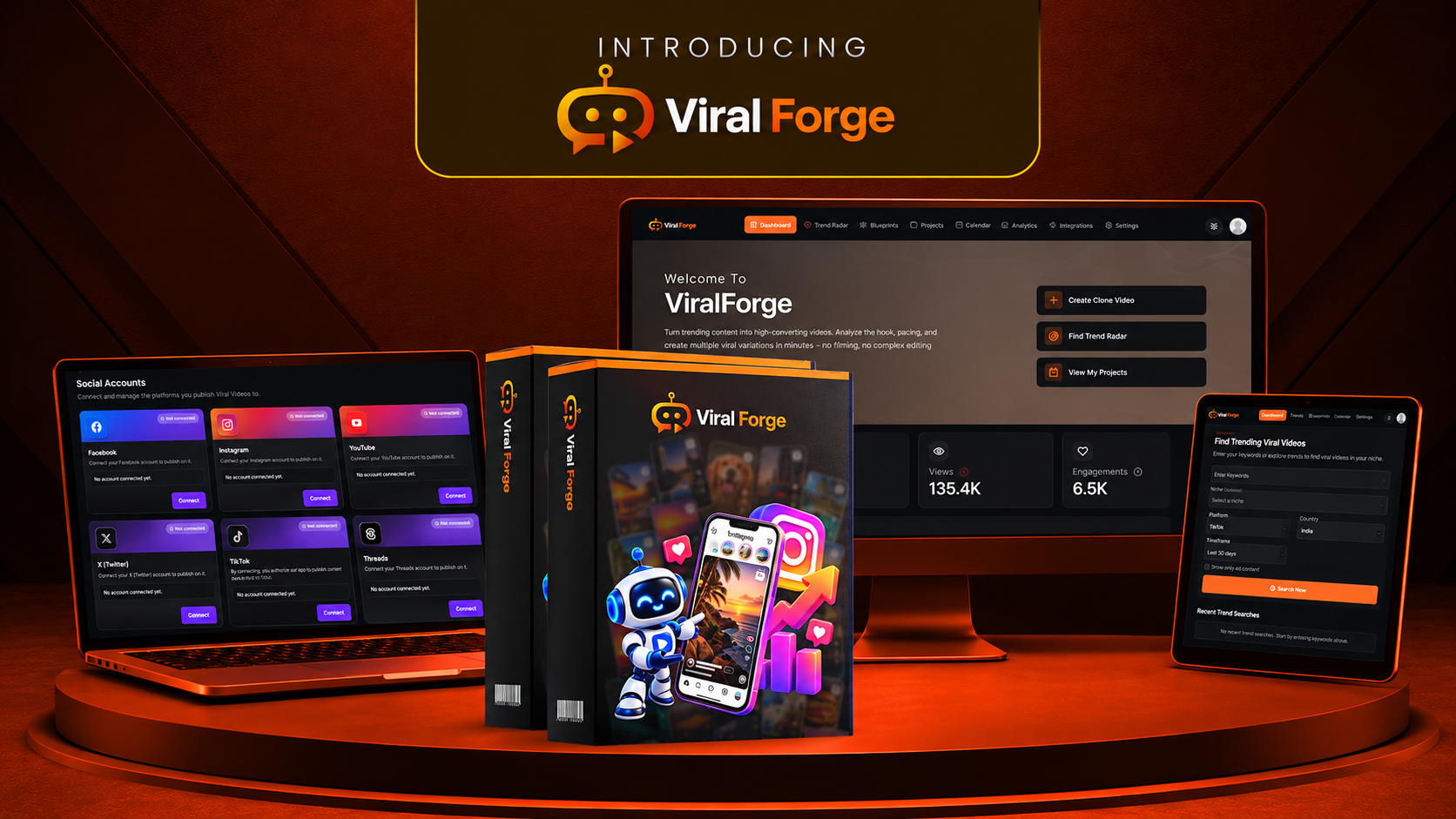
Platinum Coupon: VPLATINUM50 – $50 Off Eligible Platinum Bundle
Bonus Disclosure: The 17 bonuses listed above are presented as the RidhTek Reviews bonus package and are separate from the official ViralForge AI product. The listed bonus titles and descriptions do not establish that files, templates or training materials have already been created or delivered. Confirm bonus availability and delivery arrangements with RidhTek Reviews before relying on the offer. Bonus eligibility is subject to successful purchase verification through an eligible affiliate link.
Offer Disclosure: ViralForge AI features, subscription limits, prices, coupon codes and refund terms are controlled by the vendor and may change. Review the current sales page and checkout terms before purchasing.
ViralForge Review: Frequently Asked Questions
01 What is ViralForge AI?
ViralForge AI is marketed as a short-form video creation and marketing platform. Its advertised workflow includes trend discovery, analysis of viral video structures, content variations, AI presenters and voices, scheduling, and analytics. Available features may depend on the selected plan, so review the current offer before purchasing.
02 How does ViralForge AI work?
According to its advertised workflow, users can explore trending content, analyze elements such as hooks and video structure, generate variations for their own topics or offers, and prepare content for publishing. Actual steps, platform integrations and usage limits should be confirmed in the current dashboard and plan documentation.
03 How much does ViralForge AI cost?
The launch pricing supplied for this review lists ViralForge Premium at $37, the xBundle at $317 per year, and xBundle Platinum at $467 per year, before any eligible discounts. The vendor also lists additional upgrades. Prices, billing terms, coupon availability and included features may change; confirm the final price at checkout.
04 Are ViralForge AI discount coupons available?
The launch information supplied for this review lists VBUNDLE50 for a stated $50 discount on the eligible xBundle and VPLATINUM50 for a stated $50 discount on the eligible Platinum bundle. If accepted, these would calculate to $267 and $417 per year, respectively. Coupon validity and acceptance are not guaranteed; check the checkout page.
05 Does ViralForge AI guarantee viral views or income?
No. Using trend analysis or AI-generated content does not guarantee views, followers, engagement, affiliate conversions or revenue. Results depend on content quality, audience fit, consistency, competition, platform algorithms and other factors outside the software’s control.
06 Is ViralForge AI suitable for beginners?
Its advertised workflow may appeal to beginners who want to organize trend research and short-form content creation in one place. However, users may still need time to learn the dashboard, refine AI outputs, understand social platform requirements and develop an effective content strategy. Review any available demonstration before buying.
07 Can ViralForge AI help with affiliate marketing?
It may help affiliate marketers plan promotional videos, create variations of hooks and calls to action, and organize content publishing. Marketers should verify product claims, disclose affiliate relationships clearly, follow advertising rules and each social platform’s policies, and avoid misleading viewers.
08 Does ViralForge AI include unlimited videos and all upgrades?
Not necessarily. The launch materials describe different usage limits and features across the front-end product and paid upgrades. Some higher-capacity, agency, vault and advanced production features are associated with specific offers. Do not assume unlimited usage or access to every upgrade is included with the $37 front-end purchase. Verify the exact plan inclusions before ordering.
09 Does ViralForge AI offer a money-back guarantee?
The launch materials supplied for this review advertise a 14-day money-back guarantee. The applicable refund period, eligibility requirements and exclusions are determined by the vendor’s current terms. Read the refund policy at checkout and retain your purchase confirmation.
10 Is ViralForge AI worth buying?
ViralForge AI may be worth considering if its trend research, video analysis and content production workflow addresses a real need in your business. Compare the features you will actually use against the total cost, including recurring upgrades. Since these conclusions are based on supplied product information rather than independently verified hands-on testing, consider reviewing a current demonstration and the checkout terms before deciding.
Want to monitor local search visibility across different locations? Check out our ProfitMaps AI Review and explore its grid-based ranking analysis.
Looking for more AI tools and digital product reviews? Check out our latest reviews or browse by Category.