Skip to content
Table of Contents
StudioCut Review (2026) $43K Premium Bonus Package FREE!
Welcome to my in-depth StudioCut Review and Feature Breakdown!
If you are looking for an AI video generator that goes beyond producing isolated clips and attempts to handle the entire production workflow, StudioCut is an interesting product.
Its central proposition is straightforward: instead of giving you a collection of AI-generated video clips and expecting you to assemble everything yourself, StudioCut aims to take an idea, script, URL, blog post, product description, or uploaded media and turn it into a finished video containing scenes, visuals, voiceover, captions, transitions, animations, music, sound and other production elements.
That distinction is important.
There are plenty of AI video tools that can generate impressive individual clips. The harder problem is turning those clips into something coherent enough to publish. A useful video needs structure, pacing, narration, captions, visual continuity, branding and a final editing pass.
StudioCut’s sales materials position its AIEdit™ technology around precisely that problem. The product claims to plan the storyboard, create the assets, assemble scenes, add voice and sound, and deliver a ready-to-publish video. The documentation also emphasizes scene-level customization, meaning the user is not supposed to be completely locked into whatever the AI produces.
That makes the product more ambitious than a simple text-to-video generator.
However, there is an important distinction between what StudioCut promises and what an independent reviewer can verify from the supplied documentation.
The materials strongly support the existence of a broad feature set and a multi-stage production concept. They do not, by themselves, prove that every generated video will consistently look cinematic, that every voice will sound natural, that every scene will maintain perfect continuity, or that users will reliably earn money from videos created with the platform.
Those are performance questions.
And that is why my conclusion is more nuanced than simply saying “StudioCut is amazing” or “StudioCut is a scam.”
My short verdict
StudioCut looks most interesting for creators, affiliate marketers, agencies, freelancers, e-commerce businesses and marketers who want to reduce the number of separate tools involved in video production.
Its strongest selling points are the end-to-end workflow, scene-level editing concept, commercial license, multiple input types, AI-generated production assets, multilingual capabilities and the attempt to combine creation, editing and publishing preparation in one platform.
Its biggest concerns are the usual ones associated with AI video software: actual output quality can vary, generation limits matter, longer videos consume more generation capacity, the pricing information supplied in the launch documents contains some inconsistencies, and some of the strongest income-related claims are marketing claims rather than guarantees.
So, is StudioCut worth considering?
Yes, particularly if your problem is not “I need another AI video generator” but rather “I need a simpler way to go from an idea to a finished video.”
Would I tell every reader to buy it immediately?
No.
I would first decide what type of videos you need, how frequently you intend to create them, whether the included generation limits are enough for your workflow, and whether you actually need the commercial or agency features.
That is the purpose of this review.
Affiliate Disclosure: This article contains affiliate links. If you purchase through these links, I may earn a commission at no extra cost to you. This does not influence my review. All opinions shared here are based on independent research, product walkthroughs, and real-world evaluation.
StudioCut Review : Complete Product Overview
🎬 StudioCut Product Snapshot
AI-Powered Video Creation, Editing & Automation Platform
💰 Front-End: $37 One-Time | 💎 Bundle: $297
🎁 Bundle Coupon: CUT ($50 OFF)
- Vendor Harshal Jadhav
- JV Partners Vishal Kangane
- Product Creator Prashant Patole
- Product StudioCut
- Category AI Video Software
- Platform Cloud Based
- Marketplace JVZoo
- Front-End $37
- Bundle $297
- Bundle Discount $50 OFF
- Coupon CUT
- Guarantee 30 Days
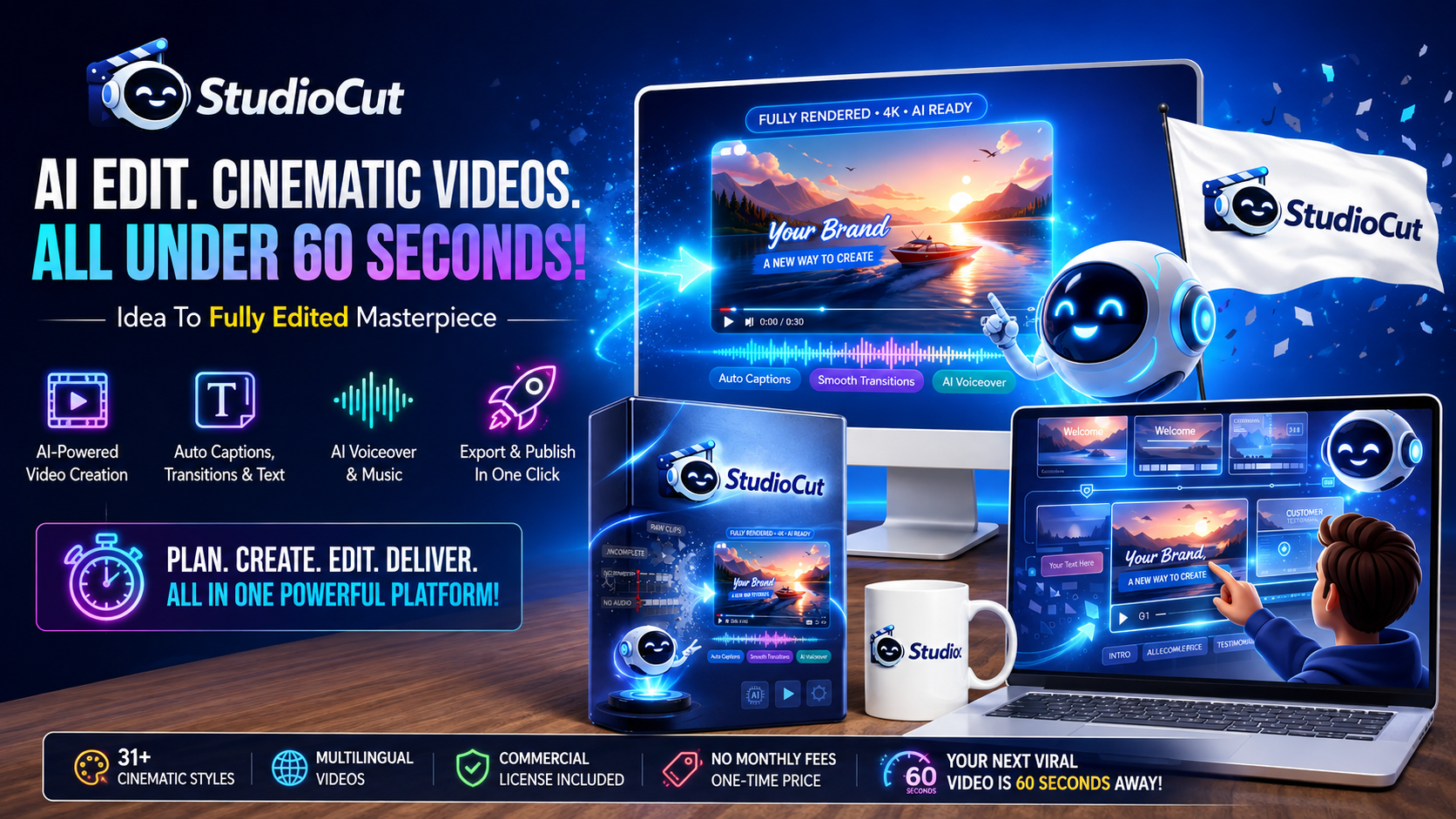
USE COUPON CUT
$297 Bundle → $247 After Discount
StudioCut is offered with a 30-day money-back guarantee according to the supplied offer information. This gives buyers an opportunity to evaluate the product with reduced purchase risk. Always review the current refund terms at checkout before purchasing.
💼 Commercial Video Creation Opportunity:
StudioCut is positioned as an AI video production platform for creators, marketers, affiliate marketers, freelancers, agencies, bloggers, e-commerce businesses and other users who want to create videos with AI-powered planning, generation, editing, voiceovers, captions and related production features.
🎁 Bundle Discount:
Use coupon CUT at checkout to receive $50 OFF the $297 StudioCut Bundle, reducing the price to $247, based on the supplied offer details.
Affiliate Disclosure:
Some links on this page are affiliate links. If you purchase StudioCut through these links, RidhTek Reviews may earn a commission at no additional cost to you. This does not increase the price you pay and helps support our continued publication of independent software reviews.
Disclaimer:
StudioCut is an AI video creation and editing platform. Results may vary depending on your content, prompts, workflow, usage, video requirements and other factors. No income, traffic, views, sales or business success is guaranteed. Pricing, discounts, bonuses, features and launch terms may change, so verify the current offer before purchasing.
StudioCut Review : Who Created It?
🎬 Meet the StudioCut Product Creator
The Team Behind StudioCut’s AI-Powered Video Creation Platform
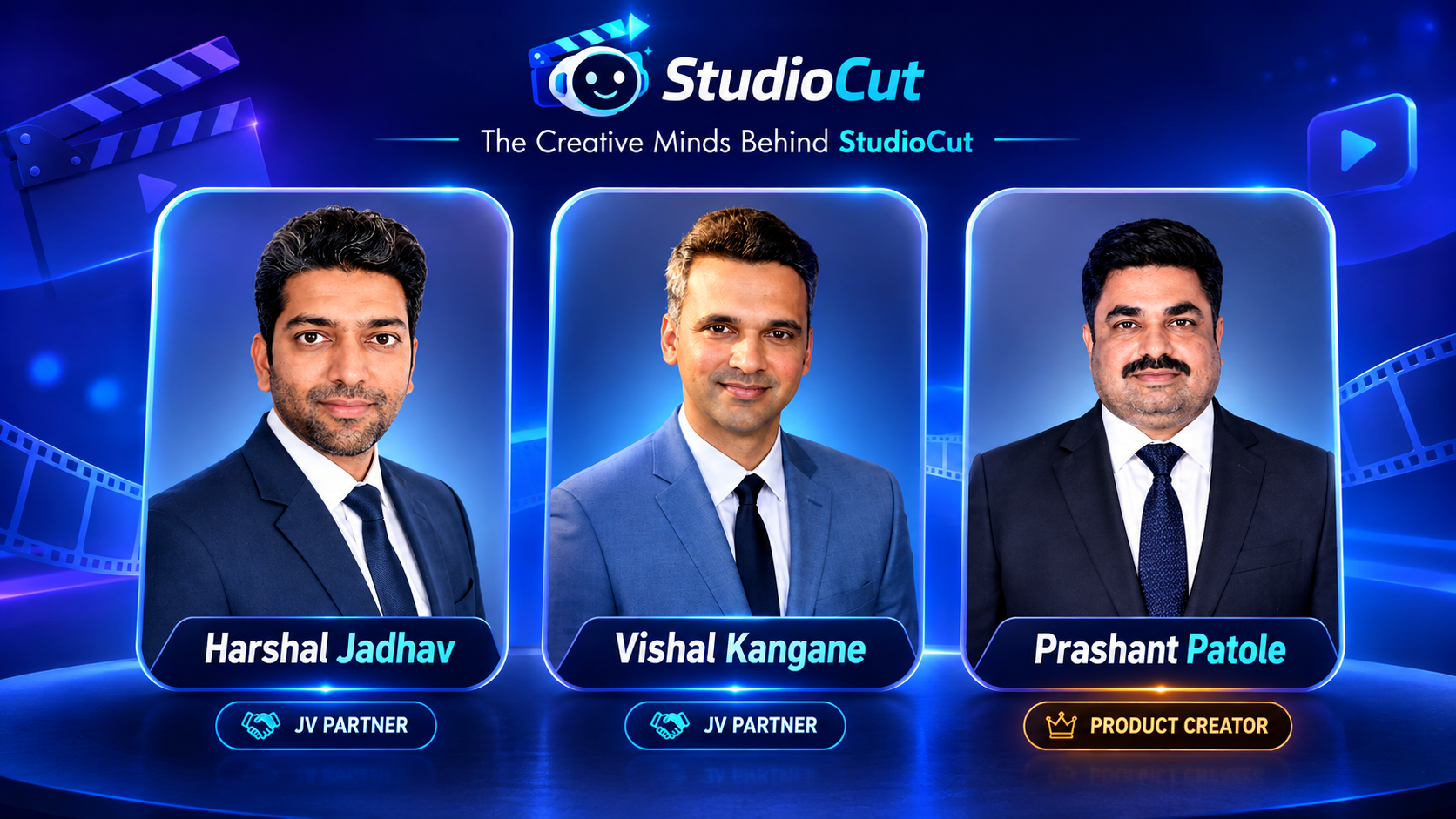
Prashant Patole
Product CreatorStudioCut Review : Sales Video (FE) & Demo Video
StudioCut Review : What Is StudioCut?
StudioCut is an AI-powered video production platform built around what its creators call AIEdit™ Technology.
According to the supplied documentation, StudioCut is designed to take various forms of input and turn them into finished videos. These inputs can include:
- Text prompts
- Ideas
- Scripts
- Blog posts
- URLs
- Product information
- Notes
- Images
- Videos
- Other uploaded media
The system is presented as an end-to-end production workflow rather than simply a clip generator.
The vendor describes the process roughly as:
Idea → Planning → Storyboard → Scenes → Visuals → Voice → Editing → Final Video
The stated objective is to remove much of the traditional editing process.
The supplied documentation says StudioCut can automatically plan the storyboard, build scenes, generate visuals and voice, add text, transitions, animations and captions, and deliver a finished video.
It also claims that users can customize individual scenes rather than accepting the complete AI output without intervention.
That last point is one of the more interesting aspects of the product.
A completely automated AI video system can be convenient, but automation can become frustrating when the user has no ability to correct a bad scene. StudioCut’s scene-level editing approach attempts to solve that problem by allowing users to modify individual sections of the production.
The documentation describes this as a combination of automation and control.
That is a sensible product philosophy.
The best AI creative tools generally need to balance both.
Too much manual control and you end up with traditional editing software.
Too much automation and the user can feel trapped by AI-generated mistakes.
StudioCut is attempting to sit between those two extremes.
StudioCut Review : What Problem Is It Trying to Solve?
The biggest problem StudioCut is addressing is not actually video generation.
It is video completion.
That distinction is easy to miss.
Imagine that you want to create a promotional video for a product.
The traditional workflow might involve:
- Writing a script.
- Creating or sourcing visuals.
- Generating or recording narration.
- Finding background music.
- Editing the clips.
- Adding transitions.
- Creating captions.
- Adjusting timing.
- Creating a thumbnail.
- Writing a title and description.
- Exporting the video.
- Formatting it for different platforms.
Even when AI tools are involved, you can easily end up jumping between multiple applications.
One tool writes the script.
Another generates video.
Another creates voiceovers.
Another produces images.
Another edits the video.
Another generates captions.
Another helps with thumbnails.
Another handles SEO metadata.
This fragmented workflow is exactly the pain point StudioCut’s positioning is designed around.
The platform aims to consolidate much of this process.
The concept makes sense.
Whether the execution is consistently strong enough to replace a complete professional production stack is a separate question.
That is something potential buyers should keep in mind.
StudioCut Review : Why AI Video Creation Matters in 2026
Video has become an important part of online marketing, education, entertainment and product promotion.
HubSpot’s 2026 marketing statistics report says 91% of businesses use video as a marketing tool and identifies short-form video as the most leveraged media format among marketers. It also reports that short-form video is among the leading ROI-driving content formats.
Source:
HubSpot – Marketing Statistics
This helps explain why products like StudioCut are attracting attention.
The demand is not necessarily for “AI” itself.
Businesses and creators want more content without dramatically increasing production time and cost.
That is a much more practical reason to consider an AI video editor or AI video generator.
The question is therefore not:
“Does AI video sound exciting?”
The better question is:
“Can this particular system reliably reduce the work required to produce useful videos?”
That is the standard I use throughout this StudioCut Review.
StudioCut Review : StudioCut’s Core AIEdit™ Technology
The central feature StudioCut promotes is its AIEdit™ Technology.
According to the supplied product documentation, the system is designed to go beyond generating individual clips.
The claimed workflow includes:
- Planning
- Asset creation
- Scene design
- Rendering
- Publishing preparation
The documentation refers to this as a five-phase AI production pipeline.
It also describes an AI Video Planning Engine that can build story arcs, scene breakdowns, scripts and visual direction.
If implemented well, this could be more useful than simply typing a prompt into a conventional text-to-video system.
Why?
Because a finished video is not just a collection of images.
It is a sequence.
The opening needs to establish context.
The middle needs to maintain attention.
The narration needs to match the visuals.
Transitions need to make sense.
Captions need to be readable.
The ending needs to deliver the intended message or call to action.
This is why the concept behind StudioCut is interesting.
It attempts to treat video production as a workflow rather than as a single generation event.
StudioCut Review : StudioCut Features Explained
Let’s look at the major features individually rather than repeating marketing language.
1. AI Video Planning Engine
The planning engine is designed to determine the structure of a video before production.
The supplied documentation says it can create story arcs, scene breakdowns, scripts and visual direction.
This is potentially useful for people who know what they want to communicate but do not know how to structure a video.
For example, someone might enter:
“Create a 60-second promotional video explaining why small businesses should use automated appointment scheduling.”
Instead of starting with an empty timeline, the system is supposed to determine what scenes are needed.
That could make the process much faster for beginners.
The limitation is that AI planning is not the same thing as human creative judgment.
An AI can create a technically complete storyboard that is still boring.
A polished workflow cannot automatically guarantee a compelling idea.
That distinction is important.
2. AI Script Generation
StudioCut also includes AI script generation.
This allows users to start from an idea rather than a finished script.
For marketers, this could be useful when producing:
- Product videos
- Explainer videos
- Promotional content
- Affiliate videos
- Tutorials
- Educational videos
- Social media content
- Short-form videos
However, I would not recommend blindly publishing AI-generated scripts.
The better workflow is:
AI draft → human review → factual correction → brand adjustment → final production
That is especially important for product reviews.
An AI-generated script can accidentally exaggerate product capabilities or repeat unverified vendor claims.
For an honest review website like RidhTekReviews, human editorial review should remain part of the process.
3. AI Storyboard Generation
The storyboard feature is another central component.
StudioCut says it can break a concept into scenes before generating the final video.
This matters because scene structure is one of the biggest differences between a coherent video and a collection of unrelated AI clips.
A storyboard can determine:
- Opening hook
- Scene order
- Narration
- Visual direction
- Transitions
- Closing message
For social media creators, this can potentially reduce planning time.
For agencies, it can provide a repeatable production workflow.
Again, however, a generated storyboard still needs quality control.
AI can produce generic structures.
If every video follows the same formula, audiences may notice.
4. Scene-Level Editing
This is one of StudioCut’s strongest conceptual features.
Instead of forcing users to regenerate the entire video when one scene is wrong, the system is designed to let them customize scenes individually.
The documentation says users can adjust elements such as:
- Script
- Visuals
- Timing
- Mood
- Flow
- Animations
This is important because AI-generated video is rarely perfect on the first attempt.
A user might like nine scenes but dislike scene seven.
If the platform allows scene seven to be changed independently, the workflow becomes much more practical.
That is a meaningful advantage over an entirely automated “generate and hope” approach.
5. Automated Asset Generation
StudioCut also claims to generate the assets needed for production.
These can include:
- Visuals
- Voiceovers
- Music
- Video clips
- Scene elements
This is intended to reduce the need for separate creative resources.
For a beginner, that can simplify the process considerably.
For a professional editor, however, asset quality and consistency matter more than convenience.
Therefore, this feature should be judged by actual output quality rather than by the number of asset types supported.
6. AI Voice Engine
StudioCut includes an AI voice engine.
The supplied documentation says the system supports customizable voices and mentions controls involving characteristics such as pitch, speed and emotion.
The base plan documentation also lists 30 AI voices.
The Pro plan adds ElevenLabs integration according to the supplied funnel information.
This can be useful for:
- Faceless YouTube channels
- Product explainers
- Tutorials
- Affiliate videos
- Social videos
- Educational content
- Promotional videos
But voice quality is one area where buyers should test before committing heavily.
A voice that sounds acceptable in a 30-second video may become tiring in a 10-minute video.
Natural pacing, pronunciation, emotional variation and pauses matter.
7. Multilingual Video Creation
StudioCut’s documentation says multilingual video creation is supported.
The base plan lists five supported languages, while the Pro plan lists 19 supported languages.
This can be useful for marketers targeting multiple regions.
A single piece of content could theoretically be adapted for different audiences.
But translation is not the same as localization.
If your content depends on cultural references, humor, local terminology or region-specific buying behavior, human review remains important.
8. Brand Kit Integration
Brand consistency becomes increasingly important when a business produces large amounts of content.
StudioCut’s higher-level plans include Brand Kit functionality.
The documentation describes support for elements such as:
- Logos
- Colors
- Music
- Brand assets
This could help agencies and businesses maintain a consistent visual identity across multiple videos.
For a solo creator, the feature may be less important.
For an agency managing multiple clients, it could be considerably more valuable.
9. Multi-Format Video Output
StudioCut is designed to support different video formats.
The documentation specifically mentions platforms such as:
- YouTube
- YouTube Shorts
- Instagram Reels
- TikTok
- Other social platforms
This matters because each platform has different dimensions and viewing behavior.
A single horizontal video is not automatically optimized for vertical short-form platforms.
StudioCut claims to adapt output for different platforms, including safe zones and platform-specific optimization in higher plans.
That is a useful concept for marketers who repurpose content.
10. Auto Captions and Subtitles
Captions are increasingly important for social content.
StudioCut says captions can be automatically generated and incorporated into the final video.
This removes one of the more repetitive tasks involved in short-form video production.
However, automatic captions should always be reviewed for:
- Names
- Product names
- Technical terminology
- Numbers
- URLs
- Brand names
One incorrect word can change the meaning of a sentence.
11. Background Music and Sound Effects
StudioCut also aims to automate the audio layer.
The system can add:
- Background music
- Sound effects
- Voiceover
- Scene-specific sound
The purpose is to make the final video feel more complete.
This is useful because sound design is often neglected by beginners.
However, automated music selection is not necessarily equivalent to professional sound design.
For important commercial campaigns, human review remains worthwhile.
12. SEO Optimization
The higher-level StudioCut Pro documentation mentions an SEO Optimization Engine and Publishing Metadata Generator.
The system is described as being able to generate:
- Titles
- Descriptions
- Tags
- Thumbnails
This can be useful as a starting point.
But I would not treat AI-generated metadata as a replacement for actual keyword research.
SEO requires understanding:
- Search intent
- Competition
- Audience language
- Search demand
- Content quality
- Topical relevance
AI can help generate options.
It cannot guarantee rankings.
Google itself emphasizes that content should primarily be useful to people rather than produced mainly to manipulate search rankings.
That is especially relevant for anyone using StudioCut to create large amounts of SEO-driven video content.
13. Content Repurposing
Another interesting feature is StudioCut’s content repurposing engine.
The documentation says existing content such as blogs and documents can be transformed into video.
This could be particularly useful for website owners.
For example, one long article could become:
- A YouTube video
- Several Shorts
- Instagram Reels
- TikTok content
- A product explainer
- A promotional video
This is a sensible content strategy.
The important part is avoiding simple duplication.
A blog post and a video should not necessarily be identical.
The video should be adapted for the viewing experience.
14. Product Video Automation
StudioCut also claims to support product video creation.
Users can provide product information and generate demo or explainer content.
This could be useful for:
- E-commerce stores
- Affiliate marketers
- SaaS businesses
- Digital product sellers
- Local businesses
For affiliate marketing, it could potentially speed up the creation of product introductions and comparison videos.
But again, product claims need editorial verification.
Do not allow an AI system to turn vendor marketing claims into statements that appear to be independently verified facts.
15. Tutorial Video Builder
The tutorial builder is intended to transform instructions into step-by-step video content.
This could be useful for:
- Software tutorials
- Online courses
- Customer onboarding
- Product demonstrations
- How-to content
- Internal training
For businesses, tutorial production can be repetitive.
Automation therefore has a legitimate use case.
16. Real-Time Production Dashboard
The documentation also describes a production dashboard that tracks stages such as:
Script → Assets → Render → Final
This is a practical feature for anyone producing multiple videos.
A dashboard becomes more important when an agency is managing several projects simultaneously.
17. Auto-Approve Mode
StudioCut includes an Auto-Approve Mode in its feature documentation.
The concept is simple:
Instead of requiring the user to manually approve every production stage, the system can proceed through the workflow automatically.
This is useful for speed.
But I would use it selectively.
For low-risk social content, automation may be fine.
For client work, paid advertising or factual educational content, human approval should remain part of the process.
18. Error Detection and Auto-Recovery
The system also claims to detect and recover from production errors.
This is another feature where the concept is valuable but actual reliability matters.
A production workflow is only truly automated if it can handle failures without constantly requiring human intervention.
That is one of the areas I would specifically test during a hands-on trial.
StudioCut Review : StudioCut as an AI Video Generator
At this point, it is worth answering a common question:
Is StudioCut an AI video generator?
Yes, but the positioning is broader than that.
A conventional AI video generator might focus primarily on turning text prompts into video clips.
StudioCut attempts to cover:
planning + generation + editing + voice + captions + music + formatting + publishing preparation
That broader workflow is what makes the product interesting.
The real value therefore depends on how much of that workflow you would otherwise perform manually.
If you only need occasional AI clips, StudioCut may be more than you need.
If you produce finished marketing videos regularly, the broader workflow may make more sense.
StudioCut Review : StudioCut as an AI Video Editor
StudioCut also functions as an AI video editor, at least according to its product positioning.
The key difference is that the editing process is intended to be automated.
Instead of opening a traditional timeline and manually arranging:
- Clips
- Voice
- Captions
- Music
- Transitions
- Effects
the system attempts to assemble them automatically.
Scene-level customization then gives the user an opportunity to make corrections.
This is arguably one of the most practical ways to use AI in video production.
AI handles repetitive assembly.
The human handles creative judgment.
StudioCut Review : Can StudioCut Be Used as a Faceless Video Creator?
Yes, this is one of the more obvious potential use cases.
The platform’s workflow supports:
- AI-generated scripts
- AI visuals
- AI voiceovers
- Captions
- Music
- Automated scene construction
- Ready-to-publish output
That combination can support a faceless video creator workflow.
For example, a creator could produce:
- Educational Shorts
- Motivational videos
- Product explainers
- Affiliate reviews
- Top-10 videos
- News summaries
- Storytelling videos
- Tutorials
The biggest advantage is that the creator does not necessarily need to record themselves.
However, faceless content still needs originality.
Using AI to automate production does not automatically create valuable content.
A low-quality automated video is still low-quality content.
The competitive advantage comes from the topic, research, script, storytelling, editing decisions and audience understanding.
StudioCut Review : StudioCut for Affiliate Marketing
This is an especially interesting use case.
Affiliate marketers need content that explains products clearly and persuades viewers to take action.
StudioCut’s product documentation specifically includes affiliate product review videos among the types of content it can create.
That makes sense for an affiliate website such as RidhTekReviews.
A typical workflow could be:
Product research → Review article → Video script → StudioCut → YouTube video → Shorts → Social clips
The same research can therefore feed multiple content formats.
For example, a detailed review on RidhTekReviews could be transformed into a YouTube video, then repurposed into several short-form videos.
However, there is an important editorial rule:
Do not allow automation to turn an affiliate review into a sales pitch.
An honest review should still discuss:
- Pros
- Cons
- Pricing
- Limitations
- Who should buy
- Who should avoid it
- Alternatives
- Refund terms
- Potential risks
- Verified versus unverified claims
That approach is also more consistent with Google’s guidance around high-quality review content. Google says strong reviews should provide insightful analysis and original research rather than thin summaries.
StudioCut Review : StudioCut for YouTube
YouTube is one of the obvious applications.
StudioCut can potentially assist with:
- YouTube videos
- Shorts
- Product reviews
- Tutorials
- Explainers
- Storytelling
- Educational content
- Promotional videos
The biggest advantage for a creator may be consistency.
Creating one video occasionally is easy.
Creating content every week is harder.
Creating multiple pieces of content every week is even harder.
Automation can reduce the production burden.
However, YouTube success is not determined by production automation alone.
Important factors still include:
- Topic selection
- Audience demand
- Thumbnail
- Title
- Hook
- Retention
- Storytelling
- Viewer satisfaction
- Originality
A beautiful video about a topic nobody cares about will still struggle.
StudioCut Review : StudioCut for YouTube Shorts
Short-form video is one of the most obvious opportunities for this kind of platform.
HubSpot’s 2026 marketing statistics identify short-form video as the most leveraged media format among marketers and one of the top ROI-driving formats.
Source:
HubSpot – Marketing Statistics
StudioCut’s ability to create short videos, captions and platform-specific formats fits this environment well.
A possible workflow could be:
One long article → one long video → 5 Shorts → 5 Reels → 5 TikToks
The exact number depends on the content.
The important idea is content repurposing.
StudioCut Review : StudioCut for Instagram Reels and TikTok
Short-form platforms reward attention.
That means the first few seconds matter.
StudioCut’s automated storyboard and editing approach can potentially help creators produce more variations.
For example:
Version A:
“Three mistakes beginners make with AI tools.”
Version B:
“Stop using AI tools like this.”
Version C:
“Here’s how I would automate this workflow.”
The same underlying research can support multiple hooks.
Again, the AI should be treated as a production assistant rather than a substitute for strategy.
StudioCut Review : StudioCut for E-Commerce
E-commerce businesses constantly need product content.
StudioCut’s product video automation could potentially turn product information into:
- Product demonstrations
- Promotional videos
- Social ads
- Explainers
- Feature videos
- Short-form content
This can be useful for businesses with large product catalogs.
Creating hundreds of videos manually would be expensive.
Automating the initial production can make the economics more attractive.
But product videos should still be checked for:
- Correct specifications
- Correct pricing
- Accurate product claims
- Correct features
- Legal disclaimers
- Brand guidelines
StudioCut Review : StudioCut for Agencies
The Agency upgrade is arguably where the product becomes more interesting commercially.
The Agency plan is described as including:
- Team access
- Collaboration
- Roles
- Activity tracking
- Human review workflows
- Manager controls
- Workflow automation
- Multi-language batch processing
- Agency website
- PayPal checkout
- Proposal templates
- Advertising assets
- Legal contracts
- Sales materials
That makes the product less about individual content creation and more about building a client video-production workflow.
For an agency, the potential value is not simply saving editing time.
It could be:
More clients + faster delivery + lower production overhead
But those are potential business benefits, not guaranteed results.
StudioCut Review : StudioCut for Freelancers
Freelancers may use StudioCut to add video services without hiring a full production team.
The vendor materials specifically promote the ability to create videos for clients under the commercial license.
The concept could work particularly well for freelancers already offering:
- Social media management
- Marketing
- SEO
- Website development
- Copywriting
- Advertising
- Content creation
Video can become an additional service.
The important question is whether the output quality is good enough for the freelancer’s client base.
That needs to be tested.
StudioCut Review : StudioCut for Bloggers and Website Owners
This is another strong use case.
If you already publish articles, you have a library of ideas waiting to become videos.
For example:
Blog article → video script → AI video → YouTube → Shorts → social posts
That can increase the number of formats generated from the same research.
For a website such as RidhTekReviews, this can be particularly useful because product review content can exist in both text and video formats.
Google also provides specific guidance for video SEO, including making videos discoverable, indexable and supported by appropriate metadata and structured data.
StudioCut Review : Key Features Summary
StudioCut Review : Pricing & Funnel Breakdown
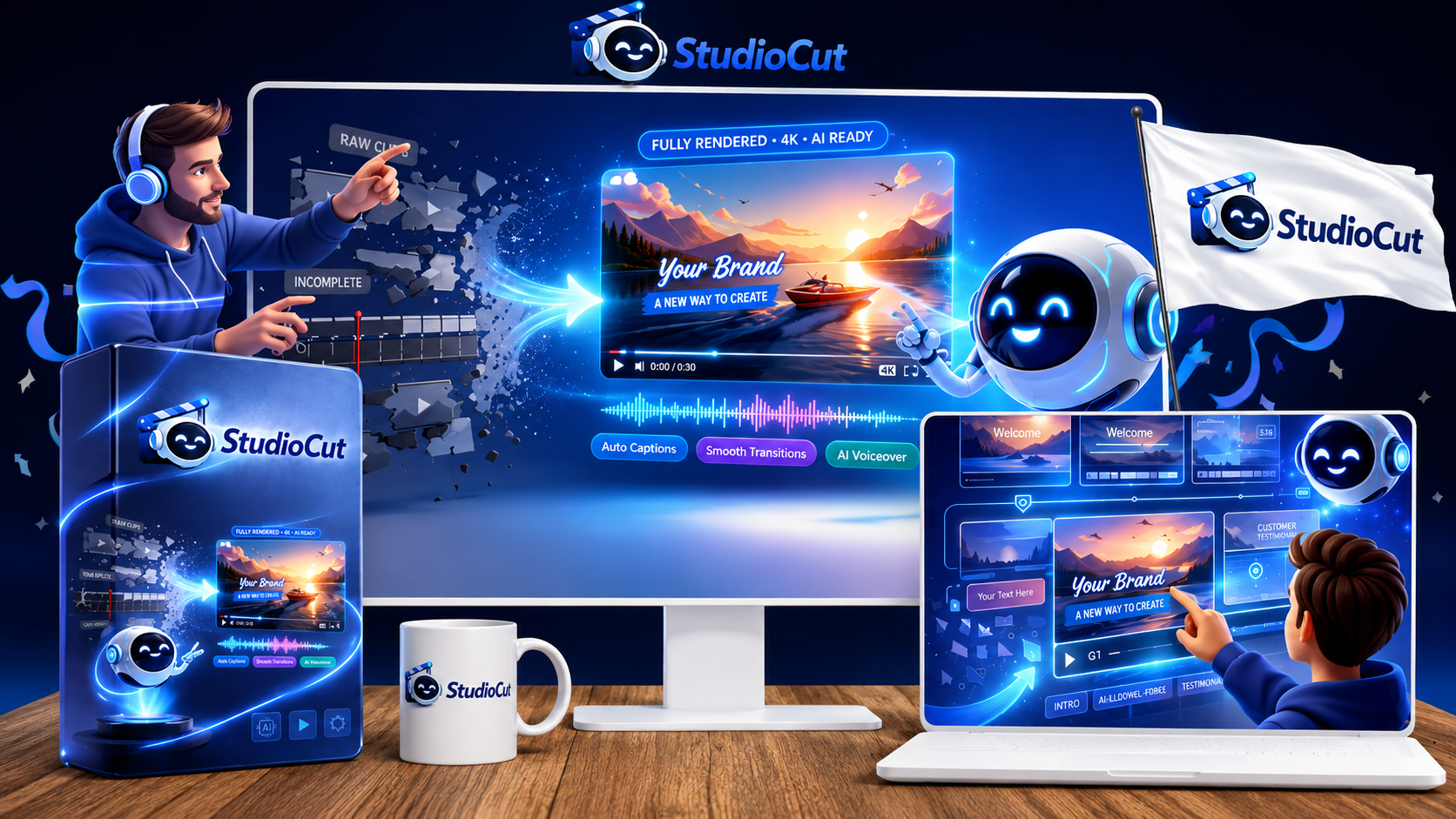
StudioCut is offered through a multi-level pricing funnel designed for individual creators, marketers, agencies and higher-volume users. The options below are based on the supplied StudioCut offer details. Check the live checkout for the current price and terms before purchasing.
StudioCut Commercial
- AIEdit™ Technology
- AI video planning and production workflow
- AI script and storyboard generation
- Scene-level editing controls
- Prompt-to-video creation
- Blog-to-video and URL-to-video workflows
- Product-to-video and tutorial-to-video
- AI voice engine
- Background music automation
- Multi-format video output
- Multilingual video creation
- Commercial license
- 15 video generations
- Videos up to 1 minute
- 30 AI voices
- 5 supported languages
StudioCut Pro
- 25 video generations
- Videos up to 2 minutes
- Additional video input sources
- 19 supported languages
- ElevenLabs integration
- AI Media Enhancer
- SEO Optimization Engine
- Publishing Metadata Generator
- Platform-specific optimization
- Safe-zone optimization
- Tone customization
- Brand Kit
- Centralized Asset Library
- Cost Optimization Engine
- Performance Feedback Loop
StudioCut Agency
- Team member access
- Multi-user collaboration
- Role-based access
- Activity tracking
- Human review workflow
- Manager controls
- Workflow automation
- Scalability engine
- Auto-Approve Mode
- Error Detection & Auto-Recovery
- Multi-language batch processing
- Agency website
- PayPal checkout website
- Client proposal templates
- Facebook Ads Suite
- Google Ads Suite
- Legal contracts and sales swipes
StudioCut Reseller
- Reseller license
- Ability to sell StudioCut as your own
- Software-business opportunity
- High-converting sales funnel
- Marketing assets
StudioCut Bundle
- StudioCut Commercial
- StudioCut Pro
- StudioCut Agency
- Higher video-generation limits
- Advanced AI features
- Complete agency toolkit
- Up to 150 video generations
- Generation calculation based on 30-second videos
StudioCut Mega Bundle
- Everything included in the Bundle
- Trend Spotter
- Viral Topic Generator
- Premium Music Library
- Sound Effects Library
- 200 video generations
- Generation calculation based on 30-second videos
- Videos up to 10 minutes
- Highest usage limits
One-Time Launch Price 💎 Get StudioCut Bundle – $297
Use CUT for $50 OFF → Pay $247
StudioCut is offered with a 30-day money-back guarantee according to the supplied offer information. This provides buyers with an opportunity to evaluate the product with reduced purchase risk. Always review the current refund terms displayed at checkout before purchasing.
Important: Pricing, bonuses, features, generation limits, discounts and upgrade terms can change. The pricing shown above reflects the supplied StudioCut offer information. Verify the final price, coupon application, license and terms on the checkout page before purchasing.
StudioCut Review : StudioCut Video Generation Limits
One of the most important details in the funnel is that generation counts are calculated around 30-second videos.
The supplied documentation lists:
- FE: 15 generations
- Fast-Pass: 135
- Pro: 25
- Agency: 80
- Bundle: 150
- Mega Bundle: 200
The documentation also explicitly states that longer videos consume more of the generation allowance.
This is extremely important.
A buyer should not interpret “200 generations” as 200 ten-minute videos.
It is based on the stated 30-second calculation.
This is one of the details I would highlight prominently in an honest review because generation limits can materially affect the real cost of an AI video platform.
StudioCut Review : Is StudioCut Really One-Time Payment?
The supplied sales material repeatedly positions the launch offer as a one-time payment and contrasts it with a claimed regular price of $197/month.
The Front End is described as:
One-time price + commercial license + zero monthly fees
However, buyers should still inspect the current checkout terms because launch offers, limits and pricing can change.
The presence of one-time pricing does not necessarily mean unlimited usage.
StudioCut clearly has generation allowances.
That distinction matters.
StudioCut Review : Which Plan Makes Sense?
My recommendation would be based on usage.
Choose the Front End if:
You want to test the concept and mainly create shorter videos.
Consider Pro if:
You need longer videos, more generations, better voice options, SEO tools and branding.
Consider Agency if:
You actually have clients or plan to build a video-production service.
Consider Reseller if:
You specifically want to operate a reseller business.
Consider Bundle if:
You already know you need Commercial + Pro + Agency.
Consider Mega Bundle if:
You expect heavy production volume and want the highest generation allowance and additional trend/music resources.
Do not buy the most expensive option simply because it appears to have the largest “value.”
StudioCut Review : Is StudioCut a Scam?
Based on the supplied materials, I would not label StudioCut a scam.
The documentation provides identifiable product information, a sales page, partner information, pricing, features, funnel structure, support information and affiliate documentation.
But “not a scam” is a very low bar.
The more useful question is:
Is StudioCut worth the money for your particular workflow?
That requires evaluating:
- Output quality
- Ease of use
- Reliability
- Generation limits
- Actual commercial rights
- Voice quality
- Scene consistency
- Editing control
- Platform compatibility
- Customer support
Those are the areas I would focus on during a hands-on trial.
StudioCut Review : How Much Weight Should You Give Them?
The supplied sales materials contain testimonials from beta users describing benefits such as:
- Faster video production
- Easier content creation
- Ability to offer video services
- Reduced editing time
- Better consistency
These testimonials are useful as examples of how the vendor positions the product.
But they should not be treated as independent statistical evidence.
A testimonial is one person’s experience.
It does not establish average performance.
This is another reason I recommend readers evaluate StudioCut based on their own workflow rather than assuming someone else’s result will automatically be theirs.
StudioCut Review : What About the $2,000 Per Video Claim?
The vendor materials repeatedly use a potential client pricing figure of up to $2,000 per video.
That sounds attractive.
But it needs context.
A client does not pay $2,000 simply because a freelancer owns StudioCut.
Clients pay for:
- Strategy
- Creative quality
- Communication
- Reliability
- Branding
- Results
- Revisions
- Distribution
- Expertise
- Production value
StudioCut can potentially reduce the production workload.
It does not automatically create a $2,000 service business.
I would therefore treat the $2,000 figure as a business opportunity example, not an expected income level.
StudioCut Review : StudioCut Commercial License
The commercial license is one of the stronger aspects of the offer.
According to the supplied documentation, the Front End includes commercial rights.
The materials position this as an opportunity to create videos for clients and potentially sell video services.
That can make the software more attractive to:
- Freelancers
- Agencies
- Marketers
- Social media managers
- Consultants
- Content creators
However, commercial licensing should always be read carefully.
Buyers should confirm what is permitted, what restrictions apply, and whether third-party assets, voices, music or other components have separate licensing conditions.
“Commercial license included” should not automatically be interpreted as “anything created by the system can be used for any commercial purpose under every circumstance.”
StudioCut Review : StudioCut and Video Marketing Automation
One of the five major SEO topics I am targeting in this review is video marketing automation.
That is because StudioCut is not merely about generating video.
It attempts to automate a marketing workflow.
A potential automated pipeline could look like:
Research → Script → Video → Captions → Metadata → Platform Format → Publish
That is much closer to video marketing automation than simple text-to-video generation.
For businesses, this distinction is valuable.
The real time savings can come from reducing the number of manual handoffs.
StudioCut Review : StudioCut vs Traditional Video Production
Traditional production typically requires:
- Scriptwriting
- Recording or sourcing footage
- Voiceover
- Editing
- Music
- Captions
- Graphics
- Formatting
- Exporting
StudioCut attempts to automate much of this.
The vendor materials compare the platform against separate tools for scripting, AI video generation, voice, stock media, music, editing, captions and SEO.
That comparison makes a reasonable conceptual argument.
However, I would not take the vendor’s estimated monthly savings as a guarantee.
Professional workflows vary widely.
A professional editor may produce something that AI cannot reproduce.
A small business with no editor may benefit enormously.
Therefore, StudioCut’s value is likely to vary by user.
StudioCut Review : StudioCut vs Traditional Video Editors
StudioCut should also not be viewed as a direct replacement for every professional editor.
Tools built around traditional timelines provide extremely granular control.
Professional editors can manipulate:
- Frame timing
- Color
- Audio
- Effects
- Keyframes
- Masks
- Layers
- Transitions
- Motion graphics
StudioCut’s advantage is convenience and automation.
Traditional editing software’s advantage is granular control.
The ideal choice depends on your workflow.
StudioCut Review : Comparison With Alternatives
StudioCut is not the only AI video platform available in 2026. The alternatives below approach AI video creation differently, so the best choice depends on whether your priority is automated video production, social editing, cinematic generation, avatar videos or turning existing written content into video.
| Feature / Use Case | 🎬 StudioCut | VEED | InVideo | Runway | Synthesia | Pictory |
|---|---|---|---|---|---|---|
| Primary Focus | AI video production & editing | Browser video editing & AI creation | AI-assisted video creation | Generative video & creative production | AI avatar & business videos | Script, blog & URL-to-video |
| AI Video Generation | ✓ | ✓ | ✓ | ✓ | ✓ | ✓ |
| AI Video Editing | ✓ | ✓ | ✓ | ✓ | ✓ | ✓ |
| AI Storyboard / Planning | ✓ | ✓ | ✓ | Advanced creative workflow | Script-led | ✓ |
| AI Voiceovers | ✓ | ✓ | ✓ | Available through supported tools/workflows | ✓ | ✓ |
| AI Avatars / Presenters | Not the primary focus | ✓ | ✓ | Creative generation focus | ✓ | Limited / workflow dependent |
| Blog / URL to Video | ✓ | ✓ | ✓ | Not its main use case | Script-led | ✓ |
| Scene-Level Customization | ✓ | ✓ | ✓ | ✓ | ✓ | ✓ |
| Auto Captions / Subtitles | ✓ | ✓ | ✓ | Workflow dependent | ✓ | ✓ |
| Multilingual Content | ✓ | ✓ | ✓ | Model / workflow dependent | ✓ | ✓ |
| Commercial / Business Use | ✓ | ✓ | ✓ | ✓ | ✓ | ✓ |
| Best Fit | End-to-end AI video workflow | Social creators & browser editing | Marketing & general video creation | Cinematic AI visuals & VFX | Training, presentations & avatars | Blog/content repurposing |
| Pricing Model | Launch one-time offer | Free + paid plans | Free + subscription plans | Subscription / usage-based | Subscription / usage-based | Subscription plans |
| Best Alternative If… | You want one AI workflow for planning, creation and editing | You prioritize browser editing and social content | You want a broad AI marketing-video workflow | You prioritize cinematic generative visuals | You need AI presenters and training videos | You mainly turn existing written content into videos |
Editorial Note: StudioCut’s features and pricing in this comparison are based on the product information supplied for this review. Alternative-tool descriptions are comparative summaries based on publicly available 2026 information. Pricing, features, credits and availability can change, so verify the current terms on each provider’s website before purchasing.
StudioCut Review : Who Should Consider StudioCut?
I see several groups that could potentially benefit.
1. Beginners
The product is designed to reduce the technical learning curve.
If you have never used professional editing software, an automated workflow may be easier to understand.
2. Affiliate Marketers
The ability to create product-focused videos, review videos and promotional content makes the platform relevant.
3. Faceless YouTube Creators
AI scripts, voices, visuals and automated editing fit the faceless-content model.
4. Bloggers
Existing articles can become video content.
5. Social Media Managers
Repurposing content into different formats can save production time.
6. Agencies
The Agency plan adds collaboration and workflow features.
7. Freelancers
Commercial licensing can support client video services.
8. E-commerce Businesses
Product-to-video functionality can help create promotional assets.
9. Course Creators
Tutorial and educational videos are natural use cases.
10. SaaS Companies
Product demonstrations and explainers can be created from existing product information.
StudioCut Review : Who Should Probably Avoid StudioCut?
This is equally important.
Professional Film Editors
If you need complete timeline-level control, StudioCut may not replace your existing editing environment.
People Who Rarely Create Video
If you make one video every few months, a large software purchase may not be necessary.
Buyers Looking for Guaranteed Income
StudioCut cannot guarantee income.
The vendor’s claims about charging clients up to $2,000 per video should be treated as promotional positioning, not a guaranteed business model.
People Expecting Unlimited Generations
The plans have generation limits.
People Who Want Perfect AI Output Every Time
No AI production system should be assumed to produce perfect results on every attempt.
StudioCut Review : StudioCut Advantages
1. End-to-end workflow
The platform attempts to cover planning, generation and editing in one system.
2. Scene-level customization
Users are not completely locked into the first AI result.
3. Multiple input methods
Prompts, scripts, blogs, URLs, product information and media can be used.
4. Commercial license
The commercial-use positioning makes the product more relevant for freelancers and agencies.
5. Multiple video formats
The platform is designed for different social and video platforms.
6. AI voice and sound
Voice, music and sound are integrated into the workflow.
7. Content repurposing
Existing content can potentially become new video assets.
8. Agency features
The Agency plan extends the platform beyond individual creators.
9. One-time launch pricing
The offer is positioned around one-time payments rather than traditional monthly subscription pricing.
10. Beginner-friendly positioning
The product attempts to remove the technical complexity of traditional video editing.
StudioCut Review : StudioCut Disadvantages
1. AI output quality still needs validation
The documentation tells us what the platform is designed to do.
It does not independently prove that every output is excellent.
2. Generation limits
Video generation is limited and longer videos consume more of the allowance.
3. Pricing inconsistencies
The supplied documents do not consistently agree on the Bundle price.
4. Marketing claims are aggressive
Claims about client pricing, market opportunity and income should not be interpreted as guarantees.
5. Professional editors may want more control
Traditional editing software can provide deeper manual control.
6. Large bundles may be unnecessary
Not every user needs Agency, Reseller or Mega Bundle functionality.
7. AI still needs human oversight
Especially for factual, commercial or client-facing content.
StudioCut Review : StudioCut for a Video Agency Business
The Agency package makes the business opportunity more explicit.
A potential service model could be:
- Find a local business.
- Offer short promotional videos.
- Use StudioCut to create initial drafts.
- Review and customize.
- Deliver the final video.
- Offer monthly content packages.
Potential clients could include:
- Restaurants
- Dentists
- Gyms
- Realtors
- Salons
- Local contractors
- E-commerce brands
- Coaches
- Consultants
- SaaS companies
But the software is only one component of the business.
Client acquisition remains the difficult part.
For readers interested in the broader affiliate and online marketing side of this type of business, you can also see my affiliate marketing tutorials here.
StudioCut Review : StudioCut and Content Repurposing Strategy
One of the most interesting ways to use StudioCut is not to create content from nothing.
Instead, use it to multiply existing content.
For example:
One Blog Post
↓
One YouTube Video
↓
Three Shorts
↓
Three Reels
↓
Three TikTok Videos
↓
Several social posts
That creates a content ecosystem around one research project.
For an affiliate website, this is particularly useful.
A detailed product review can become the research source for multiple video assets.
StudioCut Review : Related AI and Digital Product Reviews on RidhTekReviews
If you’re researching AI software and digital products before deciding where to invest, I also recommend comparing StudioCut with other tools covered on RidhTekReviews.
AgentSmith
My AgentSmith Review 2026 looks at another AI-focused software product and is useful if you’re comparing different AI automation opportunities.
AppsFieldAI
You can read my AppsFieldAI Review 2026 for another perspective on AI software and its practical use cases.
ProsperaBuilder
My ProsperaBuilder Review 2026 covers another digital business-building solution and may be useful if your primary objective is building an online business rather than video production alone.
Local Alchemist AI
For readers interested in local business marketing and lead generation, see my Local Alchemist AI Review 2026.
Done On Command
You can also read my Done On Command Review 2026 if you’re comparing AI-driven business automation products.
KDPilot
For readers interested in publishing and digital product creation, my KDPilot Review 2026 covers another specialized software product.
These products serve different purposes, so I would not treat them as direct StudioCut alternatives. The point is to understand the broader software ecosystem before spending money.
StudioCut Review : Additional Reading From Other Websites
I also recommend looking beyond product sales pages when researching AI tools.
For example, this broader discussion of AI tools and automation may be useful:
AI Tools Review For Smart Automation And Productivity Enhancement
If you are researching digital products more generally, this guide provides another perspective:
Digital Products Review Guide For Choosing The Best Online Solutions
For marketers comparing AI tools and digital products, you may also find this useful:
In Depth AI Tools Review And Digital Products Review For Marketers
These resources should be treated as supplementary reading, not as independent proof of StudioCut’s performance.
StudioCut Review : Why You Should Not Trust Every AI Video Review
This is something I want to emphasize.
The AI software market is full of reviews that simply copy the vendor’s sales page.
They often say:
“StudioCut is revolutionary.”
“StudioCut will make you $10,000.”
“StudioCut replaces every tool.”
“StudioCut guarantees professional videos.”
Those statements are much easier to write than to prove.
A useful review should separate:
Feature
from
Claim
from
Evidence
from
Opinion
For example:
Feature
StudioCut includes scene-level customization.
Vendor claim
The vendor says this provides complete creative control.
Review interpretation
Scene-level editing is potentially useful because it can reduce the need to regenerate an entire video when only one section needs correction.
What remains unverified
Whether the feature is sufficiently powerful for professional production needs hands-on testing.
That is the type of distinction I believe readers deserve.
StudioCut Review : What Google Says About High-Quality Reviews
Google’s own documentation provides useful guidance here.
Google says its reviews system aims to reward high-quality reviews that provide insightful analysis and original research.
It also says reviews should demonstrate knowledge of the subject and provide useful evidence.
Source:
Google’s detailed review guidance recommends evaluating products from the user’s perspective, demonstrating expertise, providing evidence such as visuals or links to your own experience where applicable, sharing quantitative measurements, and explaining what differentiates a product from competitors.
That is why I am not going to pretend this article represents an independent laboratory test of StudioCut.
If you want the strongest possible version of this review for long-term SEO performance, I recommend adding your own screenshots, actual StudioCut outputs, generation times, examples of scene editing, voice samples, and documented tests after accessing the software.
Google specifically notes that first-hand experience and evidence can strengthen the authenticity of product reviews.
StudioCut Review : What I Like Most About StudioCut
The biggest thing I like about the concept is that it focuses on the actual production bottleneck.
Generating a video clip is no longer the only challenge.
The challenge is producing something complete.
StudioCut attempts to solve:
“What happens after the AI generates the clip?”
That is where many AI workflows become complicated.
The scene-level editing concept is also valuable.
I would rather have an AI system that gives me a good first draft and lets me fix individual scenes than one that forces me to regenerate the entire video repeatedly.
The commercial license is another meaningful feature for business users.
StudioCut Review : What Concerns Me Most
My biggest concern is the gap between marketing claims and independently verified results.
The sales materials contain strong claims around:
- Speed
- Video quality
- Client pricing
- Market opportunity
- Revenue potential
- Production replacement
Those claims make the sales message compelling.
But they should not be interpreted as guarantees.
My second concern is pricing consistency.
The Bundle price appears differently in different supplied documents.
My third concern is generation economics.
A plan can look inexpensive until you calculate how many finished videos you actually need each month.
StudioCut Review : StudioCut and SEO
Video and SEO can work together, but there is a misconception that simply creating an AI video automatically improves rankings.
It doesn’t.
Google’s guidance emphasizes helpful, reliable, people-first content.
For video specifically, Google recommends making videos discoverable and indexable and using appropriate metadata and structured data where applicable.
For a website review, I would therefore use StudioCut as part of a larger content system:
Research → Original article → Video → Embedded video → Supporting text → Internal links → Search Console monitoring
The video should add value.
It should not simply repeat 100% of the article.
StudioCut Review : Should You Embed a StudioCut Video in Your Review?
Yes, if you have an original video that genuinely helps readers.
For example, create a StudioCut demonstration showing:
- Input prompt
- Storyboard
- Generated scenes
- Scene editing
- Voiceover
- Final output
That would provide much stronger evidence than simply writing:
“StudioCut is amazing.”
Google’s video SEO documentation explains that videos can appear in multiple Search surfaces and provides guidance on discoverability, indexing, metadata, thumbnails and structured data.
If you create a video specifically for the review, make sure the video itself provides useful information.
StudioCut Review : Best Use Cases
If I had to narrow StudioCut down to its strongest potential applications, I would choose:
Short-form content
The combination of automation and quick output fits Shorts, Reels and TikTok-style content.
Affiliate videos
Product reviews, comparisons and promotional videos are directly supported.
Faceless channels
AI voices and generated visuals make this workflow possible.
Blog-to-video
Existing articles can be repurposed.
Agency services
Commercial rights and Agency features make client work a potential application.
E-commerce
Product videos can be generated from product information.
Educational content
Tutorial and explainer workflows are natural fits.
StudioCut Review : Worst Use Cases
I would be more cautious about using it for:
- High-budget commercials
- Feature films
- Highly specialized cinematic production
- Projects requiring exact brand compliance
- Videos requiring frame-perfect editing
- Sensitive factual content without human review
- Client projects where every detail must be perfect
In these situations, AI automation can still help, but I would not assume it can replace professional production.
StudioCut Review : Pros and Cons
Pros
- End-to-end AI video production workflow from idea to finished video
- AI planning, script and storyboard generation can reduce preparation time
- Scene-level editing provides more control than a completely automated workflow
- Supports prompt-to-video, blog-to-video, URL-to-video and product-to-video workflows
- AI voiceovers, captions, background music and other production elements are integrated
- Multilingual video creation supports broader audience targeting
- Multi-format output can help repurpose content for different platforms
- Commercial license makes the offer relevant to freelancers, marketers and agencies
- Higher plans add branding, collaboration, automation and agency-oriented features
- Content repurposing can turn existing articles and other content into video assets
- One-time launch pricing may appeal to users who prefer avoiding recurring software fees
Cons
- Actual AI video quality should be tested firsthand before relying on the platform for professional work
- Video generation limits apply, and longer videos consume more generation capacity
- The supplied promotional materials contain inconsistent Bundle pricing, so buyers should verify the live checkout
- Some of the strongest earning and client-pricing claims are vendor marketing claims, not guaranteed results
- AI-generated scripts and visuals still require human review for accuracy, originality and brand suitability
- Professional editors may still prefer dedicated timeline-based editing software for advanced projects
- Higher-tier upgrades may be unnecessary for users who only create occasional short videos
- Commercial-use terms for third-party assets, voices and media should be reviewed carefully before client work
- One-time pricing does not mean unlimited video generation
StudioCut Review : Final Verdict
After examining the available product documentation, funnel information, feature descriptions and supporting material, I think StudioCut is an interesting AI video production platform with a sensible core idea.
Its most compelling feature is not simply that it generates video.
It is that it attempts to connect the entire workflow.
The platform wants to move users from:
Idea → Script → Storyboard → Scenes → Visuals → Voice → Editing → Finished Video
without requiring them to manually operate several separate applications.
That is a meaningful proposition.
The scene-level editing feature makes the concept even more practical because users are not expected to surrender all creative control to the AI.
The commercial license is another significant advantage for freelancers, agencies and marketers who want to use the software for client-oriented work.
The Pro and Agency upgrades also make the platform more relevant for users who need greater production volume or collaborative workflows.
However, I would not call StudioCut a guaranteed replacement for professional video production.
I would also not repeat the vendor’s income claims as if they were guaranteed results.
And I would definitely not buy the most expensive package without first understanding how many videos I actually need to create.
The pricing documentation itself contains an inconsistency around the Bundle price, which is another reason to check the live checkout before purchasing.
My bottom line
StudioCut is worth investigating if your biggest problem is not generating video clips, but turning ideas and existing content into finished videos quickly.
That is where its value proposition is strongest.
If you are a beginner, start small.
If you are a creator, test the production workflow.
If you are an affiliate marketer, test it against real product-review content.
If you are an agency, evaluate the client workflow.
And if you are considering the software because the sales page makes large income claims, slow down and evaluate the business model separately from the software.
The software can potentially make video production faster.
It cannot guarantee that your videos will go viral, rank in Google, generate YouTube views or produce affiliate commissions.
That distinction is important.
StudioCut Review : Get Instant Access + Premium Bonuses Worth $43,000 FREE!
Purchase StudioCut through RidhTek Reviews and receive 17 exclusive RidhTek Reviews bonuses at no additional cost after purchase verification.
🚀 AI Traffic Blueprint
Learn practical strategies for using AI-powered content and automation workflows to attract targeted visitors and potential customers for your digital products, services and online business.
🔑 Keyword Research Guide
Discover practical methods for finding relevant, searchable and potentially profitable keywords for AI video, content marketing, digital products and affiliate campaigns.
📝 Content Framework
Use a structured content framework to create useful, engaging and conversion-focused content around AI tools, video marketing, affiliate offers and digital products.
📈 Organic Traffic Growth
Explore SEO-focused strategies designed to improve search visibility, build topical authority and attract sustainable organic traffic to your website.
💰 Affiliate Monetization Guide
Learn practical approaches for integrating relevant affiliate offers into useful content, websites and online properties while building an additional monetization channel.
🌐 Authority Website Blueprint
Follow a structured blueprint for developing a credible niche website that educates visitors, showcases useful resources and supports long-term content and affiliate marketing.
🤖 AI Automation Workflows
Discover workflow ideas for using AI to simplify repetitive marketing, content creation, research, publishing and customer-acquisition tasks.
📧 Lead Generation System
Explore practical methods for attracting prospects, capturing leads and building an audience that can be nurtured through useful content and marketing campaigns.
🏆 Brand Building Strategy
Use practical brand-building principles to establish a more recognizable online presence around AI tools, digital products, content and affiliate marketing.
💵 Blog Monetization Guide
Learn different ways to turn useful educational blog content about AI tools and digital products into potential revenue through affiliate marketing and other monetization methods.
📋 Product Launch Checklist
Use a step-by-step checklist to organize essential tasks involved in preparing, positioning, publishing and promoting a new digital product or AI tool.
♻️ Content Repurposing System
Learn how to transform existing articles, videos, reviews and marketing content into multiple formats for different customer-acquisition channels.
📊 Conversion Optimization Tips
Explore practical techniques for improving landing pages, calls to action, content structure and conversion opportunities when promoting digital products and online services.
✍️ Copywriting Swipe Collection
Get ready-to-adapt copywriting ideas and promotional templates for creating clearer and more persuasive messages for product reviews, landing pages, emails and social content.
📈 Analytics Guide
Learn how to monitor important website, traffic and marketing metrics so you can understand campaign performance and make better data-driven decisions.
🏢 Agency Growth Toolkit
Explore strategies and resources designed to help agencies package AI-powered content services, attract clients, improve operations and develop a scalable service model.
💸 Passive Income Blueprint
Explore online business models and systems that can potentially support longer-term revenue generation around digital services, content creation, automation and affiliate marketing.
🎯 How to Claim Your 17 StudioCut Bonuses
- Purchase StudioCut through one of the buttons below.
- Save your purchase receipt or transaction confirmation.
- Email your receipt to contact@digital.ridhtekreviews.com or ridhtekreview@gmail.com.
- After purchase verification, your 17-bonus RidhTek Reviews package will be delivered.
🔥 StudioCut Launch Offer
FE: $37 Bundle: $297 CUT: $50 OFF Bundle
Front-End:
StudioCut FE – $37
Bundle:
StudioCut Bundle – $297
Bundle Discount:
Use coupon CUT to save
$50 on the Bundle.
Bundle Price After Coupon:
$247
Guarantee:
30-Day Money-Back Guarantee
Get StudioCut for $37 💎 Get StudioCut Bundle + 17 Bonuses
Use CUT for $50 OFF → Pay $247
🛡️ 30-Day Money-Back Guarantee
StudioCut comes with a
30-day money-back guarantee
according to the supplied offer information. This gives buyers
a reasonable period to evaluate the product and determine whether
it fits their video creation and marketing requirements.
Please review the vendor’s current refund terms and conditions
at checkout before purchasing.
📢 Affiliate Disclosure
This page contains affiliate links. If you purchase StudioCut through one of the links above, RidhTek Reviews may earn a commission at no additional cost to you. This does not change the price you pay or our editorial assessment of the product.
Bonus Disclaimer: The 17 bonuses listed above are exclusive RidhTek Reviews bonuses. They are not presented as bonuses supplied directly by the StudioCut vendor. Bonus availability and delivery are subject to the stated purchase-verification process.
Pricing & Offer Disclaimer: StudioCut pricing, coupon codes, features, bonuses and promotional terms may change. The current offer should always be verified on the checkout page before completing a purchase.
Results Disclaimer: StudioCut and the RidhTek Reviews bonuses do not guarantee views, leads, customers, sales, income or business success. Results depend on implementation, content quality, audience, marketing, traffic, consistency and other factors.
StudioCut Review : ❓ Frequently Asked Questions
For a detailed breakdown of features, pricing, bonuses, and value, read my Claw AI Army Review.
Explore my honest CourseClawAI Review 2026 to see how its AI course creation workflow works.
Considering WP Sync? My WP Sync Review 2026 covers its features, pricing, pros, cons, and alternatives.
Looking for more AI tools and digital product reviews? Check out our latest reviews.