 Skip to content
Table of Contents
PodShorts Review (2026) $43K Premium Bonus Package FREE!
Welcome to my in-depth PodShorts Review.
AI video tools promise a great deal at the moment. They promise that you can make content faster, publish more often, appear everywhere, and perhaps turn attention into sales without a camera, a studio, or a large production team. Some of those promises describe useful automation. Others turn into unrealistic expectations the moment people assume that a dashboard can replace strategy, trust, original ideas, editorial judgment, and consistent effort.
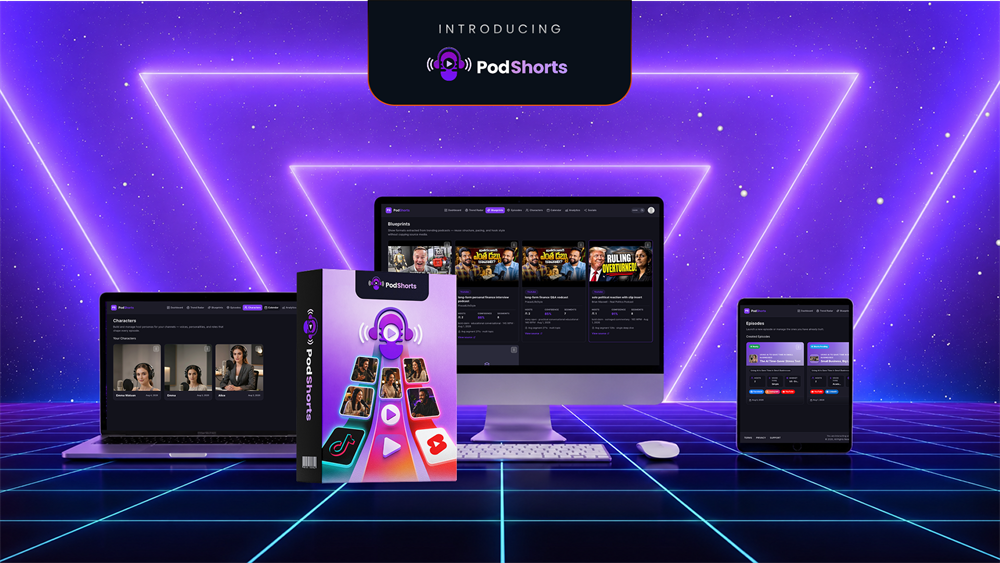
PodShorts sits directly in that gap between useful automation and oversized expectations. It is presented as an AI podcast generator that can turn a topic into a branded podcast-style show, make the episode, cut it into short vertical clips, adapt the clips for multiple social networks, schedule publishing, and connect viewers to a monetized link page. In plain English, it is trying to be a content-production and distribution workflow for people who want the reach of short podcast clips without becoming on-camera creators or hiring an editor.
That concept is interesting. Podcast clips, talking-head clips, short educational videos, and debate-style content can be useful formats when there is a real point behind them. Yet a tool producing clips does not automatically produce an audience, buyer traffic, commissions, or a trustworthy brand. Those outcomes depend on the niche, the offer, the originality of the angle, the quality of the AI output, platform rules, viewer response, and the work done after the first post is published.
This PodShorts Review is therefore deliberately not a copy-and-paste version of the sales page. It explains what the product materials say it does, how the workflow appears to fit together, what the pricing funnel contains, where the genuine practical value may be, and where you should be cautious. I also explain who could use it productively, who should probably skip it, and the questions worth asking before paying for an upgrade.
Important editorial and affiliate disclosure
This article may contain affiliate links. If you choose to purchase through an affiliate link, RidhTek Reviews may receive a commission at no additional cost to you. That relationship does not change the need for an honest assessment. This review is based on the product’s supplied launch and JV documentation, listed feature descriptions, pricing information, demo resources, and an evaluation of how a tool with these stated capabilities would fit real content workflows. It should not be read as a promise that every feature will work identically for every user or that any income, traffic, view, or ranking claim will occur.
I have not independently audited the vendor’s internal analytics, customer revenue figures, or every platform integration. Where a statement comes from the product documentation, I identify it as a stated or marketed capability rather than presenting it as independently proven performance. Before buying, use the official demo and current checkout pages, confirm the live limits and refund terms, and make a small test project your first priority.
Google’s guidance for helpful review content makes the same broad point: useful reviews should be written for people, explain important decision factors, and show evidence or a clear basis for conclusions. Its people-first content guidance also recommends clear authorship and transparent context about how content was produced. That is the standard this review aims to follow.
PodShorts Review: Complete Product Overview
🎙️ PodShorts Product Snapshot
AI-Powered Podcast Content Creation Tool for Turning Long-Form Podcasts into Engaging Short-Form Videos
💰 Front-End Price: $37 | 🛡️ Guarantee: 14 Days
- Product PodShorts
- Vendor Abhi Dwivedi
- Category AI Podcast & Video Content Creation
- Platform Cloud-Based AI Platform
- Front-End Price $37
- Money-Back Guarantee 14 Days
- Core Purpose Podcast-to-Shorts Content Creation
- AI Workflow Automated Short-Form Content Creation
- Content Format Short Videos & Social Content
- Target Users Podcasters, Creators & Marketers
- Commercial Use Check Current License Terms
- Bundle Option $317
14-Day Money-Back Guarantee
Use Coupon Pod for $50 OFF
Use coupon code Pod for $50 OFF the PodShorts Bundle
Enter the coupon at checkout and verify that the discount has been successfully applied before completing your purchase.
PodShorts is promoted with a 14-day money-back guarantee according to the product information supplied for this review. Buyers should review the current refund policy and applicable conditions on the seller’s checkout page before purchasing.
🎙️ AI-Powered Podcast Content Creation
PodShorts is positioned as an AI-powered content creation tool designed to help podcasters, creators and marketers repurpose long-form podcast content into engaging short-form videos for social media and other platforms.
✂️ Turn Long-Form Content Into Shorts
The platform is designed around the idea of transforming longer podcast or video content into shorter, more engaging clips that can be used across short-form content platforms. This type of workflow can help creators reduce the amount of manual editing required when repurposing existing content.
🎬 Short-Form Video Content
PodShorts is intended for creating short-form videos suitable for social media platforms such as TikTok, Instagram Reels, YouTube Shorts and other vertical-video channels. Creators should review the current platform capabilities, supported formats and usage limits before purchasing.
🤖 Creator-Focused AI Workflow
PodShorts is positioned as a simplified workflow for creators who want to repurpose podcast and long-form video content into shorter social media assets. Actual output quality can vary depending on the source content, settings, editing requirements and other factors.
📱 Social Media Content
Short-form clips can be used as promotional and audience-growth content across multiple social media platforms. However, PodShorts does not guarantee views, engagement, subscribers, clients, sales or income.
👥 Who Can Use PodShorts?
PodShorts may be relevant for podcasters, YouTubers, video creators, affiliate marketers, agencies, coaches and businesses looking to repurpose existing long-form content into shorter social media videos.
💰 PodShorts Pricing
The supplied offer information lists the Front-End price at $37. The supplied bundle information lists the PodShorts Bundle at $317. Pricing, upgrades, bonuses, access levels, features, usage limits and promotional terms may change. Verify the final price and included features at checkout before purchasing.
🎁 PodShorts Bundle Coupon
The supplied affiliate information lists Pod as the bundle discount coupon providing $50 OFF the PodShorts Bundle. Coupon availability and applicable terms can change. Enter the code during checkout and confirm that the discount has been successfully applied.
🚀 Launch Information
PodShorts is scheduled to launch on August 25, 2026 at 11:00 AM EDT. The launch offer, pricing, bonuses and promotional terms may change after the launch period.
⚡ Honest Review Disclaimer
This PodShorts product snapshot is based on the product, pricing and promotional information supplied for this review. Features, pricing, bonuses, usage limits, license terms, promotions and other offer details may change. Vendor claims should not be interpreted as guaranteed results. The ability to create short-form content does not guarantee views, followers, clients, sales or income. Results can depend on factors including content quality, niche, audience, editing, consistency, marketing strategy, platform algorithms, competition and other circumstances.
💼 Affiliate Disclosure
This section contains affiliate links. If you purchase PodShorts through my affiliate link, RidhTek Reviews may earn a commission at no additional cost to you. This does not increase the price you pay and does not change my commitment to providing an honest and unbiased evaluation of the product.
I recommend reviewing the current product details, pricing, refund policy, coupon terms, usage limits and applicable license conditions before making a purchase.
My short answer: Is PodShorts worth considering?
PodShorts may be worth considering for a marketer, creator, consultant, affiliate, or small agency that has a clear niche, a legitimate offer or call to action, and a willingness to review every output before publishing. Its strongest proposed value is not that it “creates a podcast.” Many tools can generate a script, voice, avatar, or clip. The proposed value is that it combines topic research, recurring AI hosts, episode generation, clip extraction, adaptation, scheduling, and a link destination into one workflow.
That workflow could reduce friction. A user who otherwise needs separate scriptwriting, voice, video, editing, captioning, scheduling, and link-management tools may appreciate having a single starting point. It may also help people who dislike recording themselves but still want to test educational or entertainment-led content in a narrow niche.
However, I would not buy PodShorts solely because its marketing refers to “free buyer traffic,” passive commissions, hands-off posting, or views. Organic reach is not guaranteed on TikTok, Instagram, YouTube, or any other network. No honest content tool can guarantee that strangers will trust an unfamiliar AI show, click an affiliate link, or make a purchase. It is also not a replacement for verifying claims, creating a distinct point of view, complying with platform disclosure requirements, or protecting viewers from misleading content.
The right buyer is someone who treats it as a production assistant and testing environment. The wrong buyer is someone expecting the software to build a business while they provide no expertise, no positioning, no review, no relationship with an audience, and no follow-up.
PodShorts Review: Who Created It?

Meet Abhi Dwivedi
Creator & Vendor of PodShorts
PodShorts is positioned as a content creation solution for podcasters, video creators, marketers and businesses looking to simplify the process of turning longer content into social-media-ready assets.
The platform focuses on AI-assisted podcast and short-form content workflows, helping creators produce more content without relying on a complex collection of separate tools.
PodShorts Review: VSL & Demo Videos
🎬 PodShorts VSL
Watch the PodShorts Video Sales Letter to learn how this AI-powered platform is designed to simplify podcast content creation and help transform podcast ideas into engaging short-form content.
▶ Watch VSL🚀 PodShorts Demo
See PodShorts in action with a practical demonstration of the platform and its AI-powered workflow for creating podcast-based and short-form visual content.
▶ Watch DemoPodShorts Review: What is PodShorts?
PodShorts is marketed as an all-in-one system for making what its creators call a “money-making podcast show.” The documentation says the user enters a topic or niche, selects or creates a cast of AI hosts, generates an original conversational episode, turns that episode into short vertical videos, and publishes those videos on a schedule. It also says the system can create a hosted bio-link page that contains links matched to the niche, tracks clicks by clip, and rotates offers toward what appears to convert better.
The product is not merely an audio podcast host. It is aimed at a video-first social workflow. The intended output appears to be an animated or avatar-led conversation that is cut into 15- to 60-second clips with burned-in captions, platform-specific metadata, and different variants for each channel. The sales position is built around the familiar experience of seeing podcast excerpts in a feed: a provocative statement, a quick debate, an interview-like exchange, or a concise explanation that encourages people to watch longer or follow the show.
In theory, the process looks like this:
- Select a niche or topic.
- Choose ready-made AI hosts or use a permitted face-and-voice clone.
- Let the platform suggest topical angles.
- Generate a three- to ten-minute conversation.
- Extract a set of vertical clips with captions and music.
- Edit, fact-check, and approve the clips.
- Schedule the approved versions across supported networks.
- Send interested viewers to a useful landing page, offer, product page, lead magnet, or affiliate disclosure page.
This is the important distinction: the technology may shorten the path from an idea to a library of content assets. It does not remove the need to decide whether the idea is worth publishing. The fact that an AI can create a heated conversation about a trending subject does not make that conversation accurate, original, safe, or interesting.
For readers researching other automated AI workflows, my Claw AI Army Review 2026 examines a different category: an AI-workforce platform designed around multi-step work rather than short-form podcast production. The comparison is useful because PodShorts is more specialized. It tries to solve a content and traffic workflow, not every business task.
PodShorts Review: Why the AI podcast generator concept is appealing
The appeal of an AI podcast generator is easy to understand. Traditional podcast and short-video production can require a topic calendar, research, scripts, recording equipment, sound treatment, editing, graphic design, captions, clip selection, publishing, analytics, and ongoing promotion. Even if the work becomes faster with practice, it remains a chain of tasks. A platform that coordinates several of those tasks can potentially give a solo operator more room to test ideas.
There are also people who have useful knowledge but do not want to be the visual face of a channel. A financial educator may want to explain basic concepts without filming daily. A local marketing consultant may want to prepare a sample content series for a client. An ecommerce seller may want to create short videos answering common product questions. An affiliate marketer may want to create honest educational material that helps people understand a problem before recommending a relevant solution.
But the benefits are only real when the user adds genuine expertise and a useful reason for the audience to care. If all the content says the same generic thing as thousands of other accounts, automation simply makes it easier to produce more generic content. If it contains unverified health, legal, financial, political, or safety claims, automation increases the risk quickly.
HubSpot’s AI-generated content refinement checklist makes a practical recommendation that also applies here: review AI drafts, add a unique perspective and brand-specific insight, and bring in human storytelling and editing. That is exactly the habit I would recommend for PodShorts users. Let the system reduce repetitive production steps; do not let it become an excuse to publish unexamined material.
PodShorts Review: The stated core features explained
1. TrendRadar: topic and format research
PodShorts describes TrendRadar as a feature that scans podcast charts and short-form feeds to identify formats and topics gaining momentum within a niche. It is said to score ideas by momentum and let the user pre-load a selected format into the next episode.
If implemented well, this could be useful for overcoming the blank-page problem. A creator often knows their broad niche but not which question, objection, misconception, or discussion point should become the next piece of content. Seeing a list of possible angles can speed up editorial planning.
The limitation is that “trending” is not the same as “right for your audience.” A trend may be irrelevant to the product you sell, too competitive, too short-lived, too controversial, or unsuitable for the style of your brand. Trend tools are most helpful when treated as research input, not a substitute for editorial judgment. Before generating an episode, ask whether the topic addresses a real audience question, whether you can add something new, and whether the conclusion is accurate.
For a related discussion of AI tools that assist creative production, see my VisualSpark AI Review 2026. Different tools can help at different stages, but a content calendar still needs a human-defined purpose.
2. CastStudio: AI hosts and optional cloning
The documentation says CastStudio lets users choose between ready-made AI hosts and their own cloned face and voice, with two to four hosts available for a consistent show identity. This consistent cast is central to the product’s positioning. Rather than generating a different generic avatar in every video, the idea is to build a recognisable show with recurring personalities.
Consistency can matter. Viewers may recognize a familiar host, color palette, format, or opening structure. Still, the user should think carefully before cloning a face or voice. Only clone your own likeness or someone else’s likeness with clear, documented permission. Do not imitate a celebrity, public figure, client, competitor, employee, or other real person without authorization.
Platform policies are also evolving. YouTube explains that people can submit likeness claims when altered or AI-generated content uses a person’s face or voice, and that a disclosure does not give permission to use someone’s likeness. Review YouTube’s likeness-claim information before building a channel around synthetic presenters. In practical terms, the safest route is usually an original avatar or a clone of yourself where you retain full rights and can answer audience questions honestly.
3. ShowForge: episode generation
ShowForge is presented as the engine that creates a three- to ten-minute episode from a typed topic. The product materials describe natural turn-taking, banter, interruptions, payoffs, three suggested angles per topic, and an originality gate intended to avoid templated episodes. It also says animated host avatars and studio-like visuals are rendered automatically.
This can be a practical time-saver when you start with a well-researched brief. For example, rather than entering “email marketing,” a better prompt would define a narrow audience, the actual question, the main point, the evidence, the tone, the limits of the claim, and the desired call to action. A useful prompt might be: “Create a conversational but accurate discussion for new ecommerce store owners comparing welcome-email timing options. Avoid income claims, use plain English, include three common mistakes, and end by inviting viewers to download a free checklist.”
The difference between those prompts is the difference between automated filler and a potentially useful episode. A polished AI conversation can still invent facts, make a weak argument sound confident, or repeat a cliché. Watch the full episode before clipping it. Correct factual errors, remove unsupported statements, avoid manufactured disagreement, and make sure the personalities do not become annoying or misleading.
4. ClipGenie: podcast clip generator and captions
ClipGenie is the part of the system that turns an episode into up to 15 vertical clips. The described clips are hook-first, 15 to 60 seconds long, captioned, supplied with licensed music, and scored for virality.
Clip generation is arguably one of the most practically useful parts of this AI podcast generator. Editing a longer video into several shorter pieces is time-consuming, and an automated first cut can give creators a group of candidates to review. Captions can also make content more accessible for people watching without sound.
However, a virality score should be treated as a suggestion, not a prediction. Nobody can reliably score a video into virality. A short clip may contain a strong hook but a misleading one. It may get views because it provokes anger but harm long-term trust. It may also pull the best sentence out of a longer, nuanced discussion and make the clip sound more certain than the original.
The responsible workflow is to open every clip, judge it as a standalone message, verify that it preserves context, revise the hook if needed, and remove the clip if its only value is shock. Your strongest short-form video marketing asset is not the clip with the most dramatic line; it is the clip that gives the right audience a useful reason to remember and trust you.
5. Variation Engine: platform-specific versions
According to the materials, the Variation Engine makes unique versions of each clip for different platforms by changing captions, hashtags, on-screen hooks, and framing. It also claims to use a pre-publish fingerprint check to reduce duplicate-content issues when posting across platforms.
The basic idea is sensible: content should not always be copied everywhere without thought. Each network has different audience expectations, editing conventions, discovery patterns, and community norms. A LinkedIn post may need a more professional framing than a TikTok clip. An Instagram Reel may benefit from a different caption and cover. A YouTube Short should have a useful title and may need a different call to action.
Yet minor cosmetic changes do not automatically make a video original. Real originality comes from the value of the underlying content. If you distribute the same shallow claim everywhere, the audience still receives the same shallow claim. Keep the platform variations, but also adapt the message, title, caption, and destination to the viewer’s reason for being on that platform.
For readers interested in AI-assisted visual storytelling instead of podcast-style clips, the ComicAgent AI Review 2026 may offer a useful complementary perspective. The larger lesson is that format selection should follow the audience’s needs, rather than forcing every subject into the same template.
6. AutoCast: scheduling and direct publishing
AutoCast is described as a direct auto-publishing and drip-scheduling feature for TikTok, Instagram, and YouTube Shorts. The documentation mentions a drag-and-drop calendar, staggered post times, automatic labels for AI content, and retry attempts if a post fails.
Scheduling can be valuable because consistency is difficult when publishing requires manual work every day. However, do not confuse scheduled publishing with successful distribution. You should monitor the account, respond appropriately to real comments, review analytics, and pause automation if a video attracts criticism because it is wrong or misleading. A content system should make you more responsive, not less accountable.
Also verify which direct publishing connections are active at the time of purchase, what permissions they need, whether business or creator accounts are required, whether posting limits apply, and whether the platform’s own API rules create restrictions. Social integrations can change. A promised integration is not the same as a permanent guarantee that every network will accept every post.
7. ProfitRouter: links, offers, and analytics
ProfitRouter is marketed as a hosted bio-link page that can be live from day one, suggest offers matched to a niche, automatically rotate offers toward better converters, track clicks by clip, and build episodes around a specific product or offer.
This is the feature where readers should be especially cautious. A bio-link page and click tracking can be helpful. They can show whether a particular clip sends people to your guide, product, booking form, or recommended resource. But click tracking does not prove that an offer is good, appropriate, legal to promote, or right for every viewer. Any affiliate link should be disclosed clearly, and an affiliate marketer should understand the product before recommending it.
AI suggestions should be reviewed even more carefully. Do not let an automated tool select offers in regulated or high-risk areas such as health, investing, gambling, law, or financial advice without qualified human review. Do not turn content into an endless funnel toward unrelated offers. Trust is accumulated slowly and lost quickly.
If affiliate marketing is part of your plan, read the RidhTek affiliate marketing tutorials alongside this review. The goal should be to make genuinely useful content and disclose your commercial relationship, not to use a content machine to push links at strangers.
8. Money Dashboard and reporting
The stated Money Dashboard combines clips created, posts published, views, bio-link clicks, best-performing formats, and topics in one screen. Centralized reporting can be helpful, especially for a creator trying to decide what to make next.
But metrics need interpretation. Views are not revenue. Followers are not customers. Clicks are not necessarily qualified leads. A clip that gets modest views from the exact people you serve can be more valuable than a broad, unrelated viral clip. Use the dashboard to identify patterns—questions that keep coming up, formats that retain attention, topics that generate meaningful comments—not simply to chase the largest number.
PodShorts Review: Key Features Summary
- AI-Powered Podcast Creation
- AI Content Generation for podcast-based content
- Automatically Create Short-Form Clips
- Social Media-Ready Content for multiple platforms
- Video Content Creation from podcast material
- Faster Content Production with AI-assisted workflows
- Repurpose Existing Content into engaging short-form assets
- Creator & Marketer Friendly workflow
- Cloud-Based Workflow for convenient content creation
- Designed for Podcast Growth and content distribution
PodShorts Review: How PodShorts works in a responsible real-world workflow
The following workflow is more demanding than “type a topic and walk away,” but it is far more likely to protect quality and brand trust.
Step 1: Define the audience before choosing the niche
Start with a specific person and a specific problem. “Digital marketing” is too broad. “New local service businesses that need a simple way to explain their Google Business Profile to customers” is closer to a usable audience. The more precise the audience, the easier it is to choose examples, avoid irrelevant trends, and create calls to action that make sense.
Step 2: Build an editorial promise
Write a one-sentence promise for the show. It might be: “This show gives independent ecommerce sellers clear, evidence-aware answers to product-page conversion questions.” That promise sets a boundary. It prevents your AI hosts from drifting into unrelated, sensational subjects simply because they are trending.
Step 3: Research the episode brief
Use official documents, credible research, customer conversations, and your own professional experience. Record sources and examples. Then provide the essential facts to the generator. Never rely on an AI system to research a sensitive subject without checking its claims.
Step 4: Generate an episode, then edit the argument
Use PodShorts as a first draft. Check the beginning, the claims, the examples, the transitions, the conclusion, and any numbers. Does the conversation actually answer the audience’s question? Does it sound like two real people with distinct viewpoints, or like one generic script split between two voices? Remove anything that feels artificial or overstated.
Step 5: Select clips for usefulness, not only hooks
Choose clips that can stand on their own without removing context. A useful clip gives an answer, identifies a mistake, demonstrates a process, or shares a specific insight. A vague clip that says “this changes everything” may generate curiosity but rarely builds a durable audience.
Step 6: Create an honest destination
Your profile link should lead to something relevant: a helpful article, a checklist, a free resource, a product page with clear information, or an affiliate review that explains both benefits and limitations. If the destination contains affiliate links, disclose them in a visible way.
Step 7: Publish gradually and listen
Do not schedule hundreds of clips blindly. Start with a small batch. Look at comment quality, average viewing behavior where available, clicks, and the questions people ask. Refine future episodes based on what real people need.
Step 8: Maintain a quality and compliance checklist
Before publication, confirm that the clip is accurate, appropriately disclosed, licensed, permitted, suitable for the platform, and aligned with your brand. The best automation is the automation that leaves enough room for a human stop button.
PodShorts Review: PodShorts pricing and OTO funnel explained
🎙️ PodShorts Premium
The front-end offer designed to help creators turn podcast content into short-form videos and promotional content using an AI-powered podcast content workflow.
- AI-powered podcast content creation workflow
- Create short-form content from podcast material
- Designed for creators, podcasters and marketers
- Useful for repurposing long-form podcast content
- Built to simplify podcast-to-social content production
🛡️ Guarantee: 14-Day Money-Back Guarantee
⚡ FastPass
An optional upgrade positioned for users who want additional access and capabilities beyond the PodShorts Premium front-end offer.
- Optional upgrade after the front-end purchase
- Designed for users wanting expanded access
- Annual pricing structure
- Useful for creators looking for a broader workflow
🛡️ Guarantee: 14-Day Money-Back Guarantee
📺 DFY Show Network
A done-for-you style offer intended for users who want additional podcast and show-related resources as part of their content strategy.
- Done-for-you podcast/show-focused offer
- Designed to complement a podcast content workflow
- Useful for creators seeking additional resources
- Optional funnel purchase
🛡️ Guarantee: 14-Day Money-Back Guarantee
📈 PodShorts Scale
An optional upgrade focused on users who want to scale their podcast short-form content production and publishing workflow.
- Designed for higher-volume content workflows
- Useful for creators producing more short-form content
- Built as an optional PodShorts funnel upgrade
- Suitable for creators focused on scaling output
🛡️ Guarantee: 14-Day Money-Back Guarantee
🏢 PodShorts Agency
An agency-focused upgrade intended for users who want to use podcast content creation workflows in a client-service environment.
- Designed with agencies and service providers in mind
- Useful for managing client-oriented content workflows
- Suitable for freelancers and content agencies
- Optional upgrade within the PodShorts funnel
🛡️ Guarantee: 14-Day Money-Back Guarantee
🤖 PodCoach AI
An AI-focused upgrade positioned to support users who want additional assistance while developing and managing their podcast content strategy.
- AI-focused podcast assistance
- Designed to support podcast content workflows
- Annual access model
- Useful as an additional productivity layer
🛡️ Guarantee: 14-Day Money-Back Guarantee
📣 PodShorts Amplify
An optional upgrade designed for creators who want additional ways to amplify and distribute their podcast-derived short-form content.
- Focused on content amplification
- Designed to complement short-form production
- Useful for creators seeking broader content reach
- Optional OTO 5 upgrade
🛡️ Guarantee: 14-Day Money-Back Guarantee
💎 PodShorts Bundle Deal
A broader bundle option for users who want to access multiple PodShorts-related offers through one annual package.
- Annual bundle pricing
- Designed for users wanting a broader PodShorts setup
- Potentially more convenient than purchasing selected upgrades individually
- Bundle coupon available
🎁 Bundle Coupon: Use code POD for $50 OFF
🛡️ Guarantee: 14-Day Money-Back Guarantee
🔥 PodShorts MegaBundle
A separate funnel offer positioned as a broader-value option for users looking for additional PodShorts resources and components.
- One-time $77 offer
- Designed as an additional value-oriented package
- Useful for users seeking a broader collection of resources
- Separate from the annual Bundle Deal
🛡️ Guarantee: 14-Day Money-Back Guarantee
Some of the links above are affiliate links. If you purchase PodShorts or any of its related offers through my affiliate links, RidhTek Reviews may earn a commission at no additional cost to you.
This does not increase the price you pay and does not affect my commitment to providing an honest evaluation of the product.
🛡️ Money-Back Guarantee: The offers listed above are presented with a 14-day money-back guarantee based on the supplied product information. Please review the applicable refund terms, eligibility requirements and current policy on the seller’s checkout page before purchasing.
🎁 Discount: For the Bundle Deal, the supplied offer information lists coupon code POD for $50 off. Coupon availability and terms may change. Enter the code at checkout and confirm that the discount has been applied before completing your purchase.
⚠️ Pricing & Offer Disclaimer: Prices, bonuses, features, access levels, license terms, coupon availability, upgrade contents and promotional conditions may change. Always verify the final price and included features on the seller’s checkout page before purchasing.
Google’s guidance on generative AI content is clear that AI can assist with useful work, but using it to generate many pages without adding value may violate spam policies. If you use Amplify for a blog, add original examples, first-hand perspectives, citations, author information, clear disclosures, and a real editorial review.
PodShorts Review: Advantages
1. An unusually complete stated workflow
Many AI tools do one piece of this process. They write a script, make an avatar, generate a voice, edit a video, create captions, or schedule posts. PodShorts is positioned as a connected workflow. When one tool can take a project from topic to episode to clips to scheduling to link destination, it can reduce the friction that causes many content plans to stall.
2. Helpful for camera-shy creators
Not everyone wants to record their face or voice daily. Ready-made AI hosts may give subject-matter experts a way to experiment with educational formats while keeping a personal boundary. This is a benefit only when the audience is not deceived about the synthetic nature of the presentation.
3. Potentially useful clip repurposing
The ability to turn one longer discussion into several short clips can make a content calendar more efficient. It can also encourage creators to think in themes: one well-researched topic may serve as an episode, a cluster of short answers, an article outline, a newsletter idea, and a lead-magnet concept.
4. Built-in monetization infrastructure
For people who already have a relevant offer or resource, a hosted bio-link page and clip-level click tracking can be convenient. There is less technical friction between content and a useful next step. The user should still decide which offers deserve recommendation and disclose commercial connections.
5. Multi-platform awareness
The stated Variation Engine and AutoCast workflow recognizes that modern audience building is not restricted to one platform. A creator can use the same core idea in different formats, provided each version is reviewed and adapted for the platform.
6. No separate API-key setup is stated
The documentation emphasizes that the AI engines are built in and that users do not need separate OpenAI, ElevenLabs, or similar accounts. This can make onboarding easier for beginners. Confirm the current usage terms because “no credits” should not be interpreted as “unlimited, unrestricted use” unless the live terms explicitly say so.
PodShorts Review: Disadvantages and risks
1. It can create a false sense of automation
The marketing language emphasizes that the system can run with little involvement. In reality, high-quality content still requires subject knowledge, review, strategic thinking, and monitoring. The more automated the publishing, the more important it is to have a strong review process.
2. AI-generated conversations can feel generic
AI hosts may look and sound polished but still lack lived experience. Viewers can often recognize when a conversation contains formulaic phrasing, exaggerated hot takes, artificial banter, or unsupported certainty. A strong brief and real editing can reduce this problem but will not eliminate it completely.
3. Viral claims are not dependable forecasts
No dashboard, virality score, trend detector, or content template can guarantee reach. Algorithms are unpredictable, competition is intense, and audience behavior changes. Buyers should treat the platform as a production tool, not a traffic guarantee.
4. The funnel is complex and may become expensive
The front end may be inexpensive, but the full system includes annual products, upgrades, order bumps, and done-for-you options. A buyer needs to consider total cost, not only the entry price. Buy features only when they meet a current, measured need.
5. Automated offer rotation needs human supervision
Click data is not the same as ethical suitability. It can push attention toward sensational offers, low-quality products, or irrelevant links if the user is not reviewing it. The responsibility for every recommended offer remains with the publisher.
6. Platform and likeness rules matter
AI labels, impersonation rules, copyright, music licenses, account permissions, and platform APIs can all affect the workflow. Test the process carefully and use only content you have rights to publish.
7. SEO blog automation can cause quality problems
An auto-generated blog post needs more than a cleanup. It needs a real purpose, unique examples, checking, sources, and appropriate internal links. A site full of shallow transcript articles is unlikely to earn durable reader trust.
PodShorts Review: PodShorts versus traditional content creation
Traditional content creation gives you maximum control but demands more time. You research, outline, film, record, edit, caption, create thumbnails, publish, reply, and analyze. A human presenter may establish stronger trust, especially when their expertise and personality are central to the brand.
PodShorts tries to reduce the production burden. It can be most useful when the bottleneck is repeatable technical work: converting a prepared topic into versions, creating initial clips, handling captions, and placing a batch into a calendar. It is least useful when the content relies on personal demonstrations, emotional authenticity, nuanced expertise, sensitive advice, or a person’s unique credibility.
The practical answer is often hybrid. Use AI for ideation, rough structure, asset creation, and repetitive editing. Use people for research, judgment, stories, customer understanding, final approval, and responses. This is also a sensible lens for other content automation tools such as the products discussed in my KI3 AI Review 2026 and MagicFlixAI 2.0 Review 2026. The software category may differ, but the central question remains the same: does the tool make your useful ideas easier to deliver, or does it tempt you to publish more material than you can responsibly review?
PodShorts Review: PodShorts for affiliate marketing – realistic use cases
Affiliate marketing can be an appropriate use case for PodShorts, but it should be approached with more care than the words “free buyer traffic” suggest. Ethical affiliate marketing starts with a real audience problem. The content should help someone understand a decision, not merely funnel them toward a commission.
Here are examples of more responsible ways to use the platform:
- Create short explainers about how to evaluate an AI subscription before buying it.
- Answer beginner questions about content planning, landing-page structure, or lead magnets.
- Compare categories and explain what features matter, without pretending that every product is best for everyone.
- Turn an honest long-form product review into short clips that direct viewers to the full review, including disadvantages and disclosure.
- Create an educational series that offers a relevant free template or tutorial before presenting a paid recommendation.
Avoid building channels that make unqualified earnings claims, claim a tool creates “guaranteed buyers,” hide affiliate links, or post product claims you have not checked. If PodShorts suggests an offer, research it yourself. Look at the sales page, guarantee, actual costs, support, policies, user feedback, and suitability. Then write or record content that is transparent about what you know and what you do not know.
For a broader resource on this subject, visit the affiliate marketing tutorials guide. A tutorial-led approach gives the audience a reason to trust your recommendations and gives you a better foundation than one-click promotion.
PodShorts Review: PodShorts for agencies and local businesses
The Agency and Scale positioning will understandably appeal to marketers who serve local businesses. A dental clinic, fitness studio, real-estate professional, consultant, restaurant, or ecommerce brand may struggle to produce regular short-form content. A branded show with recurring hosts could give an agency a way to create a content sample quickly.
Still, a sample is not a service model. Before using PodShorts for a client, define the workflow in writing:
- Who owns the show, the accounts, the generated clips, and the assets?
- Who approves topics and scripts?
- Who confirms claims in regulated fields?
- How are real people’s likenesses and voices authorized?
- Which results can be reported honestly?
- What happens if a connected social account loses access or the integration changes?
- What are the limits on output volume and revisions?
- Does the client understand that AI-generated content needs oversight?
An agency should also avoid selling a promise it cannot prove. “We will create and manage a short-form content program with documented approval steps” is a defensible service. “We will flood your business with free buyer traffic” is not a responsible guarantee.
If your agency work includes visual assets as well as short clips, the ClickDesigns Review 2026 provides another relevant internal resource on design-oriented tools. A complete client service often needs a coordinated visual identity, not just a collection of videos.
PodShorts Review: AI content, disclosures, and platform safety
Synthetic content is not automatically bad content. It can help creators communicate, translate, visualize ideas, and reduce repetitive production work. But transparency matters, especially when content looks realistic or could cause viewers to believe a real person said something they did not say.
YouTube has explained that creators need to disclose meaningfully altered or synthetic content in certain realistic cases, particularly when it makes a real person appear to say or do something they did not do, alters a real event or place, or creates a realistic scene that did not happen. Read the current YouTube AI disclosure update and check TikTok, Instagram, and any other network’s rules before posting.
In addition to platform policy, use common sense:
- Do not create AI hosts that impersonate real people.
- Do not present an avatar as a licensed professional if it is not one.
- Do not use synthetic debate to exaggerate a medical, legal, political, or financial claim.
- Do not use the word “news” for unverified content.
- Do not hide advertising or affiliate relationships.
- Do not assume generated music or imagery clears every usage right without checking the current license.
This may sound slower than pure automation, but it protects the very thing a content business needs most: credibility.
PodShorts Review: Can PodShorts help with SEO?
PodShorts itself is primarily presented as a social content tool. The Amplify upgrade adds an SEO Blog Engine, which the documentation says can create a blog post from an episode transcript. That could make content repurposing more efficient, but it does not automatically improve search visibility.
Search engines do not reward content simply because it is long, uses a keyword many times, or was produced with an AI tool. Google’s current guidance says that helpful, reliable, people-first content is the goal, and warns that using generative AI to create many pages without adding value can violate spam policy. It also says AI does not receive special ranking benefits simply because it is AI-generated.
For a PodShorts-based article to have a genuine chance of helping readers and performing in search, it should add what the video transcript does not:
- A clear question-and-answer structure.
- Original examples and experience.
- Accurate sources and links to primary documentation.
- A real editorial point of view.
- Images, video, or demonstrations where useful.
- Honest pros, cons, limitations, and alternatives.
- Helpful internal links to relevant topics.
- A named author, disclosure, and update date.
The aim should not be to publish a separate article for every tiny keyword variation. It should be to make a worthwhile resource that answers the reader’s real question. Google’s guide to optimizing for generative AI features likewise emphasizes unique, valuable, non-commodity information rather than attempting to manufacture visibility through thin variations.
For another outside perspective on evaluating automation-oriented software, you can read this AI tools review for smart automation and productivity enhancement. It is useful to compare categories and decision criteria rather than relying on one publisher or one sales page.
PodShorts Review: Who should buy PodShorts?
PodShorts could be a sensible fit for the following users, provided they accept the need for review and quality control.
Affiliate marketers with an educational strategy
If you already publish helpful tutorials, comparisons, and transparent reviews, PodShorts may help you repurpose long-form research into short clips. The key is that the content must lead with education, not commission chasing.
Creators who do not want to be on camera
An original avatar show may be a practical option for people with useful ideas who prefer privacy. Give the hosts a clear role and make the content distinctive enough that it does not feel like anonymous filler.
Small businesses with repeatable customer questions
A business that routinely answers the same questions may use a podcast clip generator to turn those answers into short educational videos. Keep claims factual and ensure a responsible person approves every script.
Agencies with client approval systems
An agency may find value in prototype shows and recurring content packages, especially if it already has a reliable review process. Do not start with high volume; start with one carefully measured client pilot.
Content teams that need repurposing support
If a team has real subject-matter experts and an existing library of approved topics, the tool may help turn that material into social-first versions more efficiently.
PodShorts Review: Who should probably skip PodShorts?
People expecting passive income
If the reason for buying is the hope that the tool will produce buyer traffic and commissions automatically, skip it. The risk of disappointment is high. Online income comes from useful offers, trust, traffic quality, conversion, compliance, and consistent work—not from a software dashboard alone.
Creators who dislike reviewing content
You need to watch, read, and revise outputs. If you do not want to do that, automated publishing is more likely to create a brand problem than a brand asset.
People without a niche, audience, or offer
The software can help create material, but it cannot choose a meaningful business direction for you. Start by defining what you know, who you can help, and what next step you want viewers to take.
High-stakes content publishers without expert review
Healthcare, legal, financial, and other high-stakes subjects require more than an AI-generated conversation. Use qualified review and follow relevant rules. Do not rely on PodShorts for such content without an appropriate specialist involved.
Buyers who only want a simple occasional video tool
The full workflow and upgrade funnel may be unnecessary if you only need one or two short videos per month. A simpler editor may be cheaper and easier.
PodShorts Review: practical testing checklist before you commit
If you purchase PodShorts, use the guarantee period as a genuine test rather than a period of wishful thinking. Here is a practical checklist.
Test the output quality
Create three episodes in different subtopics. Check whether the hosts sound natural, whether scripts contain factual errors, whether captions are accurate, whether clips preserve context, and whether the visual quality meets the standard you would associate with your brand.
Test the publishing workflow
Connect a non-critical test account first if possible. Verify the platform permissions, post scheduling, file rendering, notifications, labels, and error handling. Do not begin by connecting an established brand account and scheduling a month of unreviewed posts.
Test the audience fit
Publish a small number of carefully edited clips. Compare their comments, retention signals, clicks, and qualitative feedback with your existing content. Ask whether the content attracts the people you actually want to serve.
Test the monetized link experience
Click the bio link on mobile. Check load time, affiliate disclosures, broken links, relevance, and analytics. A great clip followed by a confusing or aggressive landing page wastes trust.
Test support and documentation
Ask a real question. Review the onboarding material. Make sure you understand what happens if an account connection fails, a render does not complete, or you need to cancel a recurring upgrade. Support quality is part of the product, not an afterthought.
PodShorts Review: An honest look at the revenue and traffic claims
The PodShorts materials use strong language about free buyer traffic, clicks, commissions, monetized links, and automated offers. These ideas describe a possible business model: content attracts attention, a percentage of viewers click, and a percentage of those people take a desired action. That model is real in the abstract.
But the leap from “a workflow can publish clips” to “your content will create daily commissions” is very large. There are at least six variables between the tool and the outcome:
- Message-market fit: Does the audience want this topic?
- Content quality: Is the video accurate, engaging, and distinct?
- Distribution: Does the platform show it to relevant people?
- Trust: Do viewers believe the channel is worth following?
- Offer relevance: Does the link genuinely help the person who clicks?
- Conversion experience: Is the landing page clear, credible, accessible, and compliant?
Any one of these variables can break the chain. That is why a buyer should treat all revenue-related testimonials or examples as illustrations, not forecasts. It is reasonable to aim for a well-run content system. It is not reasonable to assume that the system will make a financial result inevitable.
For a broader guide to choosing online solutions based on fit rather than hype, this digital products review guide is another useful external resource. The best product is not the product with the boldest promise; it is the one whose limits, costs, and workflow fit your actual needs.
PodShorts Review: PodShorts content ideas that are useful rather than spammy
To use an AI podcast generator well, begin with questions people ask instead of broad, sales-heavy topics. Here are example content lanes.
For an ecommerce educator
- Why product-page visitors leave before reading the description.
- Three ways to explain delivery times without hurting trust.
- What a first-time buyer needs to see before adding an item to a cart.
- How to turn a customer question into a product-demo script.
For an affiliate marketing educator
- How to read a software pricing page before promoting it.
- What “commercial rights” actually mean and what to check.
- The difference between a tutorial, a review, and a sales pitch.
- Why transparent disclosure protects long-term affiliate income.
For a local marketing consultant
- Three questions a service business should answer on its website.
- Why a business should not make claims it cannot prove.
- What a simple monthly content approval process looks like.
- How to turn a client FAQ into a 30-second video without using jargon.
For an AI tools publisher
- What to test during a software refund period.
- How to compare usage limits across AI tools.
- When an all-in-one tool is useful and when a specialist tool is better.
- Why AI output needs source checking before publication.
These are not guaranteed viral topics. They are useful because they begin with a real problem and give the viewer a specific answer. That is a better long-term strategy than recycling drama or filling every feed with unsupported claims.
PodShorts Review: How to make AI-hosted content feel more human
“Human” does not mean pretending the hosts are real people. It means making the content useful, specific, understandable, and connected to a genuine audience need.
First, give each host a role. One can ask the skeptical beginner questions. Another can explain a practical framework. Avoid fake conflict just to create a hook. Next, provide examples from the actual niche. If you cannot supply examples, you may not know the subject well enough to publish advice about it yet.
Then edit rhythm. AI conversation often over-explains, repeats a point, or adds generic transitions. Cut those parts. Let short clips make one clear point. Add a simple visual, screenshot, checklist, or on-screen example when it supports comprehension.
Finally, let real audience feedback shape the next episode. A recurring AI cast can be a format; it cannot be the relationship. The relationship comes from answering real questions honestly and acknowledging uncertainty when you do not know something.
PodShorts Review: PodShorts and faceless YouTube automation – important distinction
“Faceless YouTube automation” is a common search phrase, but it can mean very different things. At its best, it describes a workflow where a creator uses narration, graphics, stock assets, animation, or avatars to make useful videos without appearing on camera. At its worst, it describes low-effort mass publishing aimed at manipulating views or ad revenue.
PodShorts belongs closer to the first category only if the user operates it responsibly. It can help create a faceless channel format, but that channel still needs original value. YouTube’s monetization policies continue to assess reused or repetitive content, while its policies and disclosure systems address synthetic media. Review the YouTube channel monetization policies and keep the current policy in mind before making a business plan around automated clips.
A faceless channel should have a recognisable editorial voice, well-chosen subjects, useful research, meaningful editing, and a reason for people to subscribe. It should not rely on generic AI voices reading scraped information or a flood of slightly altered copies of the same video.
PodShorts Review: PodShorts and original brand building
One concern with AI hosts is that many channels may start to look similar. If every show uses smooth avatars, bold captions, rapid cuts, and exaggerated hooks, the style itself stops being distinctive. Your advantage must come from something harder to automate: a narrow audience insight, a tested framework, real customer stories with permission, local knowledge, or a distinctive editorial point of view.
Use PodShorts to make the production system easier, then invest the saved time in what the tool cannot automatically create. Interview customers. Collect objections. Document before-and-after processes. Build a better resource page. Improve your service. Respond to feedback. This is how automation can support a brand instead of flattening it.
One example is a review site. A software review becomes more valuable when it explains who should not buy, identifies pricing complexity, links to official policy sources, distinguishes claims from evidence, and discloses affiliate relationships. That is more useful than an article that merely says every new product is “revolutionary.”
PodShorts Review: A 30-day PodShorts content plan for a responsible first test
The best way to judge an AI content platform is not to generate hundreds of posts on day one. It is to create a small, controlled experiment with a clear audience, quality standards, and a way to learn from the results. The following plan is not a promise of reach or revenue. It is a practical method for deciding whether PodShorts fits your workflow.
Week 1: Set foundations and make one pilot episode
Choose one narrow audience and write down the problem your content will solve. Build a basic channel description that tells viewers what they can expect. Create a simple brand kit: the show name, one-sentence editorial promise, two host roles, color direction, tone, and a list of subjects that are out of bounds. If you are using an affiliate link, prepare a resource page that includes a visible disclosure before you post anything.
Then create one pilot episode. Do not publish it automatically. Watch it from beginning to end with the sound on and captions on. Check every claim. Ask whether the hook is honest, whether the hosts sound natural enough, whether the language is too generic, and whether any line could be misunderstood once removed from the longer conversation. Make a note of how much editing was actually required. That is a more useful value measure than the number of features in a sales page.
Week 2: Publish a small batch and collect qualitative feedback
Select three to five clips from the pilot. Use them on one platform first or stagger them carefully across the supported platforms. Do not rewrite your whole strategy after a single post. Instead, look for qualitative signs: are viewers asking thoughtful questions, saving the video, or describing a problem you can solve in the next episode? Are the comments pointing out unclear statements? Do people seem confused by the AI hosts or do they understand the format?
If a video attracts attention only because of an exaggerated statement, do not assume that is a win. Ask whether that attention is from your intended audience and whether it makes the channel more credible. A video that gets fewer views but leads to a useful conversation may be more valuable than a broad clip that attracts people who will never need your product or resource.
Week 3: Improve the brief and test a second content angle
Use the first results to refine your episode brief. If viewers wanted examples, add examples. If the host voices felt too polished or artificial, adjust the script style and remove unnecessary banter. If clips lacked a clear conclusion, change the episode structure so every segment contains a specific takeaway.
Create a second episode around a related but distinct question. Compare the difference in production time, quality, audience reaction, and click quality. This is also the point to test a link destination. Instead of sending everyone directly to an offer, try a useful beginner guide, checklist, comparison article, or transparent product review. A helpful resource is often a better first step than an aggressive sales page.
Week 4: Decide whether the system earns a place in your stack
At the end of the month, evaluate PodShorts with a simple scorecard. Did it save production time after editing? Did the outputs match your brand standard? Were the integrations reliable? Did you understand the limits? Did the content reach the audience you want? Did the link destination help people? Could you maintain the review process without publishing careless material?
If the answer is mostly yes, keep using the front end and improve one area at a time. If you need a higher volume or a wider distribution footprint because the pilot proves the format, then assess the relevant upgrade. If the answer is no, use the refund period and do not let sunk-cost thinking turn an unsuitable tool into a long-term expense.
PodShorts Review: Questions to ask the vendor or support team before buying an upgrade
Product launches often use broad phrases such as “all-in-one,” “unlimited,” “commercial rights,” “done for you,” or “no monthly fees.” Those phrases can be meaningful, but they need specifics. Support should be able to answer the following questions in plain language.
- What does the current clip and episode allocation cover, and when does it reset?
- Are any core functions governed by a fair-use policy?
- Which social networks can actually be connected through direct publishing today?
- Is direct posting available for every account type and country?
- Can I download every rendered video file if I stop subscribing later?
- What exactly do commercial rights allow, and what do they exclude?
- Does white-label access mean I can resell the software, or only use it to produce client work?
- What client data, video data, and connected-account data is stored, and how can it be deleted?
- How does the platform handle consent for face and voice cloning?
- Which music licenses are included, and do they cover commercial client use?
- What are the exact refund rules for annual plans, upgrades, and done-for-you services?
- What happens when a social platform changes its API or rejects an automated upload?
Getting answers in writing is sensible for any business software purchase. It can also reveal whether an upgrade solves a real need or merely sounds impressive in a checkout sequence.
PodShorts Review: How to evaluate PodShorts output quality
There is no universal score for an AI-made clip, but a simple rubric can improve your editorial process. Rate each clip from one to five on accuracy, clarity, originality, audience relevance, presentation, and call-to-action fit. A clip that scores well on visual polish but poorly on accuracy should not be published. A clip that has a strong hook but no useful conclusion may need a rewrite. A clip that is accurate but dull may need a more concrete opening example.
Pay particular attention to captions. Automated captions sometimes create small errors that change a statement’s meaning. A wrong number, product name, or technical term can undermine credibility. Also listen for false authority phrases such as “experts agree,” “everyone knows,” “proven,” or “guaranteed” when the episode does not provide evidence. These are common shortcuts in generic AI writing and should be removed unless you can support them.
Finally, look at the output on a phone. Short-form video is often viewed quickly and without sound. Can a viewer understand the point from the first caption? Is the text readable? Is the screen too busy? Does the ending tell them what to do next without making an exaggerated promise? Good short-form video marketing respects the viewer’s time.
PodShorts Review: A note on measurement – what success should look like
For a brand-new channel, success does not have to mean a viral video. More useful early measures include publishing consistency without a drop in quality, time saved per approved clip, audience questions you can answer, relevant profile visits, email sign-ups, qualified consultation requests, or readers who spend time with an educational resource.
If you are an affiliate publisher, prioritize transparent clicks that lead to helpful pages over raw click volume. If you are an agency, prioritize client approval, content quality, clear reporting, and a repeatable workflow over a vague view target. If you are a creator, prioritize whether people understand your message and return for the next episode.
This perspective protects against a common automation mistake: optimizing the easiest number to measure instead of the result that matters. A dashboard may show thousands of views, but if no relevant people trust the channel, remember the brand, or take a useful next step, the number has limited business value.
PodShorts Review: Comparison With Alternatives
| Platform | Starting Price | Best For | AI Clipping | Captions | Editing | Overall Fit |
|---|---|---|---|---|---|---|
| PodShorts This Review | $37 | Podcast-to-content workflows | AI Workflow | Short-form focused | Creator workflow | Podcast Creators |
| OpusClip | $15/mo | Long videos → short clips | Strong | Animated captions | AI + timeline editing | Repurposing |
| Descript | $16/mo | Podcast & video editing | Yes | AI captions | Text + timeline | Full Editing |
| Riverside | Varies by plan | Recording + repurposing | Yes | Social clips | Browser editor | Recording |
| Vizard | Varies by plan | Fast social repurposing | Strong | Captions + templates | Browser editor | Social Content |
| Klap | Varies by plan | Fast long-video-to-short conversion | Strong | Dynamic captions | Automated workflow | Short Videos |
| Submagic | Varies by plan | Caption-focused short videos | Yes | Strong | Short-form finishing | Captions |
PodShorts Review: Pros and Cons
- AI-powered tools designed to help transform podcast content into short-form social media videos.
- Can help reduce the time and manual effort involved in repurposing long-form podcast content.
- Useful for podcasters, creators, marketers and agencies looking to produce more social content from existing material.
- Multiple funnel options can accommodate different needs, from the front-end product to higher-level scaling and agency-focused offers.
- Potentially useful for creating a repeatable podcast-to-content workflow instead of handling every step manually.
- Commercial and business-focused applications may make the platform relevant beyond personal content creation.
- A 14-day money-back guarantee is promoted with the offer, providing a limited period to evaluate the purchase.
- Users looking only for basic podcast clipping may not need every product or upgrade in the funnel.
- The complete funnel can become significantly more expensive if multiple OTOs, annual services or bundles are purchased.
- AI-generated clips and captions may still require human review and editing for the best results.
- Output quality can vary depending on the source podcast, audio quality, topic, speakers and selected AI workflow.
- Users should verify current feature limits, credits, integrations, commercial terms and usage allowances before purchasing.
- AI content-generation tools do not guarantee viral reach, audience growth, clients, sales or revenue.
- The 14-day refund period means buyers should evaluate the platform promptly if they want to determine whether it fits their workflow.
PodShorts Review: Alternatives and complementary tools
The right alternative depends on your bottleneck. If you need graphics and visual assets, a design-focused platform may be more relevant than a podcast generator. If you need a system that coordinates research, writing, and administrative work, an AI-agent platform may be a better match. If you need long-form storytelling or presentation support, a specialist video tool may fit better.
On RidhTek Reviews, you can explore different categories through these articles:
- VisualSpark AI Review 2026 for another AI-oriented creative workflow.
- ComicAgent AI Review 2026 for AI-supported visual storytelling.
- KI3 AI Review 2026 for another AI tool evaluation.
- MagicFlixAI 2.0 Review 2026 for AI video-related considerations.
- ClickDesigns Review 2026 for graphic-design-oriented tools.
- Claw AI Army Review 2026 for AI workforce and workflow automation.
Do not choose solely based on the largest bundle or the most features. Identify the task that currently costs you the most time, test the tool that directly reduces that task, and compare the full cost of ownership.
PodShorts Review: Final verdict – Should you buy PodShorts?
PodShorts is one of the more ambitious AI-content offers because it is trying to combine an AI podcast generator, a podcast clip generator, social scheduler, multi-platform variation system, and monetized-link workflow. For the right user, that integration may save real time. The strongest reason to consider it is not the promise of effortless commissions; it is the possibility of turning a carefully researched content idea into a consistent set of short-form assets without assembling a large software stack.
My honest recommendation is measured. Consider the front end if you already have a focused niche, a clear audience problem, a responsible content-review process, and a genuine use case for recurring podcast-style clips. Test it on a small number of videos before buying capacity, agency tools, extra platforms, or done-for-you upgrades. Use original hosts or authorized likenesses. Fact-check every episode. Review every clip. Keep affiliate disclosures visible. Monitor your accounts instead of treating automation as a substitute for responsibility.
Skip it if you want a passive-income machine, do not want to review AI output, are uncomfortable with a multi-offer funnel, or lack a meaningful content angle. The tool may reduce production work, but it cannot supply experience, trust, a valuable offer, or a relationship with an audience.
That is the real conclusion of this PodShorts Review: the product may be a useful content-production assistant, but it will not turn weak ideas into a durable business. The users most likely to benefit are the ones who use automation to amplify real expertise—not to avoid developing it.
For a final independent reading angle on marketing-focused AI product evaluation, see this in-depth AI tools and digital products review for marketers. Compare multiple sources, check current official terms, and choose based on the workflow you can genuinely maintain.
Last editorial reminder: Pricing, availability, integrations, limits, bonuses, coupon codes, and policy terms can change. Confirm every commercial detail on the current official PodShorts checkout page before making a purchase decision.
PodShorts Review: Get Instant Access + Premium Bonuses Worth $43,000 FREE!
Get PodShorts + 17 Exclusive Bonuses
Purchase PodShorts through the qualifying link below and receive my complete package of 17 Exclusive RidhTek Reviews Bonuses, created to complement your podcast content creation, SEO, traffic, monetization and digital business workflow.
A practical framework for planning AI-assisted traffic generation campaigns and content promotion strategies for podcast, video and social media content.
Practical methods for finding relevant, searchable and potentially profitable keywords for podcast episodes, YouTube content, websites and digital marketing campaigns.
A structured framework for creating useful, engaging and conversion-focused podcast, video, blog and social media content more efficiently.
SEO-focused strategies designed to improve search visibility, strengthen content discoverability and support organic traffic growth for podcast and content properties.
Practical approaches for integrating relevant affiliate offers into podcast content, show notes, websites and promotional assets while developing an additional monetization channel.
A structured guide for developing a credible niche website, publishing useful podcast-related content and building long-term topical authority.
Workflow ideas for using AI to simplify repetitive podcast production, content repurposing, marketing, lead-management and online business tasks.
Practical methods for attracting prospects, capturing leads and developing an audience around podcast, video and content marketing activities.
Strategies for developing a recognizable personal brand, communicating expertise and building trust through podcasts, short-form videos and online channels.
A practical blueprint for turning useful podcast and content-related blog posts into potential revenue through affiliate marketing, digital products and related monetization methods.
A practical checklist for organizing the key stages involved in preparing, launching and promoting a podcast, content product or digital offer.
Learn how to transform podcast episodes, interviews and existing content into multiple formats so one core idea can support additional channels and publishing opportunities.
Strategies for improving calls to action, landing pages, podcast descriptions, show notes and content elements that can help turn more visitors into leads or customers.
A collection of copywriting ideas and reusable structures to help speed up podcast promotions, social posts, email campaigns and conversion-focused writing.
Learn how to monitor important website, podcast, traffic and marketing metrics so you can understand campaign performance and make better data-driven decisions.
Explore strategies and resources for packaging AI-powered podcast and content services, attracting clients, improving operations and developing a scalable service model.
Explore online business models and systems that can potentially support longer-term revenue generation around podcast content, digital services, automation and affiliate marketing.
🎙️ Get PodShorts + 17 Exclusive Bonuses
If you want to explore PodShorts and build a more efficient podcast-to-content workflow, you can start with the PodShorts offer through the qualifying link below. The 17 additional bonuses are provided separately by RidhTek Reviews.
🎙️ Get PodShorts + 17 Bonuses🎯 How To Claim Your 17 RidhTek Reviews Bonuses
- Purchase PodShorts through the qualifying affiliate link or CTA button on this page.
- Save your purchase receipt or transaction confirmation.
- Email your proof of purchase to contact@digital.ridhtekreviews.com or ridhtekreview@gmail.com.
- After purchase verification, your complete package of 17 Exclusive RidhTek Reviews Bonuses will be delivered separately.
- Use the bonuses alongside PodShorts to support podcast content creation, SEO, traffic, audience growth, monetization and digital business activities.
PodShorts Review: Frequently asked questions
What is PodShorts? ⌄
Is PodShorts fully automated? ⌄
Can PodShorts create short-form content from podcasts? ⌄
Who can benefit from PodShorts? ⌄
How much does PodShorts cost? ⌄
Does PodShorts have a money-back guarantee? ⌄
Is PodShorts suitable for beginners? ⌄
Can PodShorts guarantee more views or followers? ⌄
Are the PodShorts upgrades required? ⌄
Is PodShorts worth buying? ⌄
If you’re exploring AI-powered video creation, my Reel Remix Review covers its features, pricing, pros, cons, and overall value.
Discover how CampaignBuilders Review explores AI agents designed to handle different parts of your marketing workflow.
Want to build local business websites faster? Check out my Home Service Agency Studio Review for a detailed breakdown.
Looking for more honest AI tool and digital product reviews? Browse the latest reviews on RidhTek Reviews, including recent coverage of AI website builders, AI video generators, and AI marketing automation platforms across the site’s growing digital product review library.








1 thought on “PodShorts Review 2026: Honest AI Podcast Generator Analysis, Features, Pricing, OTOs, Pros & Cons”